Plan the day
Finance professionals today must be able to balance deep analysis with the needs of stakeholders to accurately forecast, analyze datasets faster, and stay audit ready—all while making decisions decisively and confidently. With the combination of Copilot+ PCs and Microsoft 365 Copilot, they can use unique AI experiences, enterprise-grade security, and NPU (Neural Processing Unit) enhanced performance to achieve these goals. Let's explore how Finance professionals can plan their day with a personal workflow hub using Microsoft 365 Copilot and Copilot+ PC.
Set up focus time
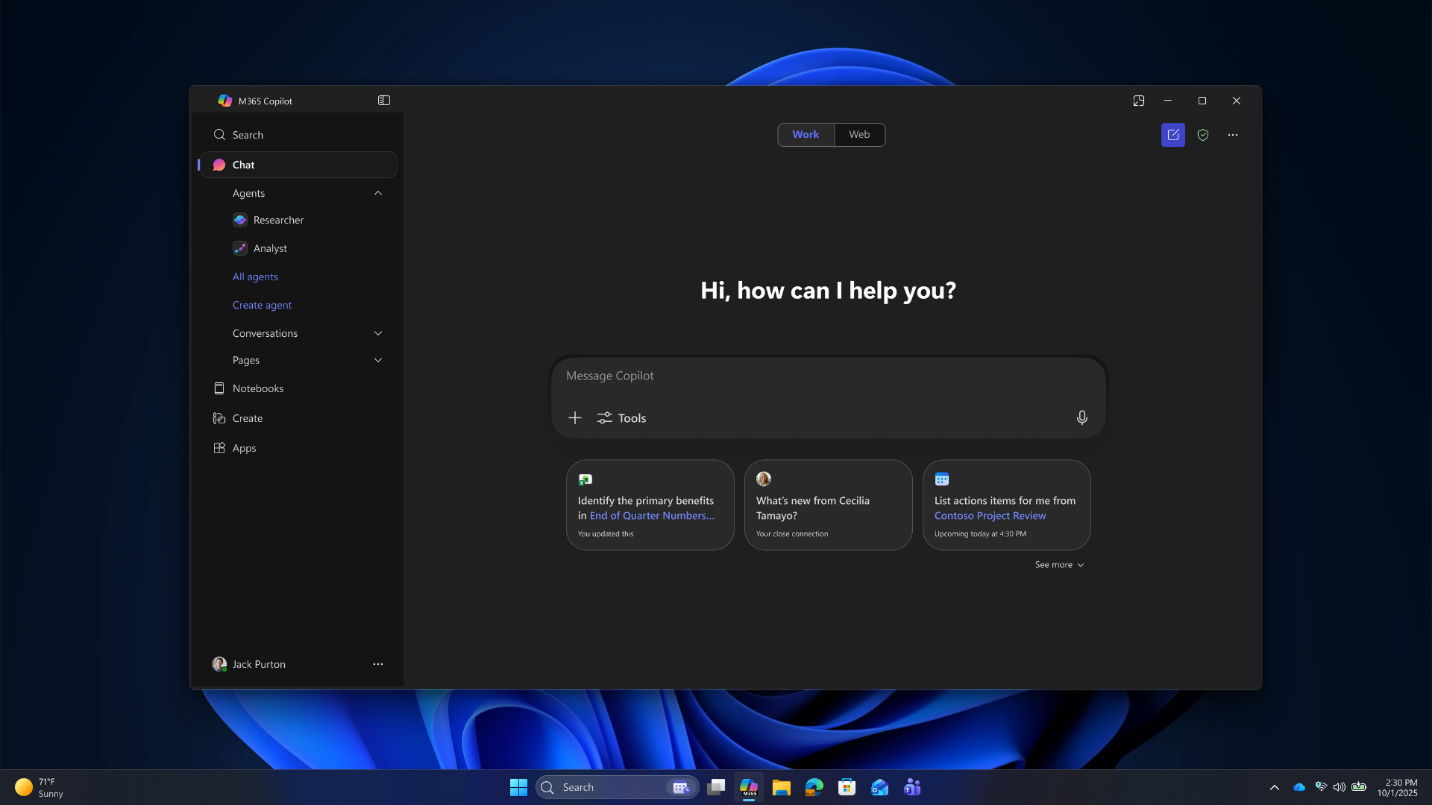
Imagine you're a senior financial analyst navigating the peak of quarter-end reporting. Your calendar is filled with back-to-back status updates, data gathering syncs, and urgent requests. You have a critical leadership review on Friday afternoon to present final analysis, but your calendar is so fragmented that you haven't had time to complete the task.
Without a plan, you'll likely end up doing deep analytical work late or walking into the leadership review feeling underprepared. Instead of cross-referencing your personal calendar, corporate shared calendars, and external deadline trackers to find open slots, you can use Microsoft 365 Copilot Chat to handle the scheduling logistics. Do the following:
- Go to Copilot Chat and sign in with your Microsoft 365 work account.
- In Copilot Chat, select the Message Copilot compose box.
- Type in the following prompt:
"Based on my calendar and reporting deadlines, block focused time for financial analysis and add buffers before leadership reviews."
This prompt addresses a common pain point for Finance professionals: balancing cross-functional communication with the heads-down "deep work" required for complex data analysis. Copilot can use information from your calendar and available work data to help identify suggested focus windows around key deadlines—cross-referencing your current meetings with critical milestones to prioritize what matters most and informing the best time to take focus time by offering calendar blocks or suggested time windows.
Start a focus session with Agent in Settings
You have secured a two-hour block in your schedule to audit a complex multi-tab financial model before a major forecast lock. This task requires intense, uninterrupted concentration to trace cell formulas, verify logic, and catch subtle discrepancies.
However, within five minutes of starting, your screen is filled with notifications. A corporate announcement pops up in the bottom right corner, a colleague messages you on Teams, and an email slides into view with a nonurgent request. These notifications break your focus, and you need an immediate, friction-free way to silence the digital noise. Using Agent in Settings on your Copilot+ PC, you can protect your immediate workflow.
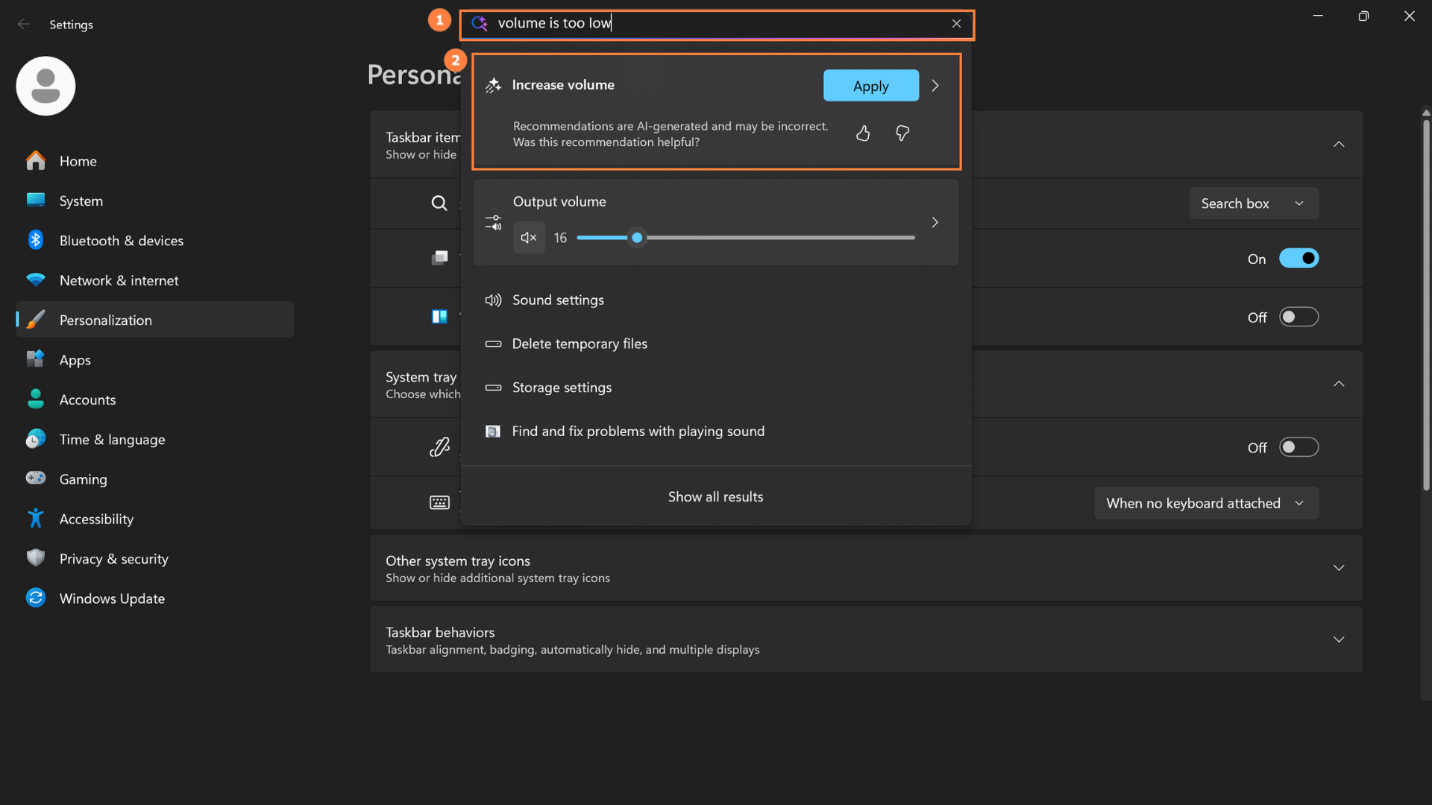
With Agent in Settings, you can use natural language to adjust system behaviors like notification or focus mode so that your device is ready for your focus session. The most common ways to access Agent in Settings are:
- Press Windows key + I.
- Navigate to the Settings app through the Start Menu.
Now that Settings are open, do the following:
- In the top search bar, type: "Turn on Focus mode for 90 minutes."
- As you type, the agent surfaces relevant Do Not Disturb and Notification settings.
- Select Apply under the search box to accept the recommended change.
By using natural language, you bypass the traditional clicks required to configure system behaviors. It turns a multi-step administrative task into a single intent-driven action. Agent in Settings can help you find and adjust notification settings that reduce interruptions at the operating system level. Specifying a duration also creates a psychological runway, giving you a clear window to commit entirely to the data, knowing that your system will automatically restore regular notification flows once your deep-work window closes.
Important
Agent in Settings is only available in the following languages: English, French, German, Hindi, Italian, Japanese, Korean, Portuguese, Spanish, and Chinese (simplified). Additionally, this feature is available in all countries/regions except China.