Support employees and managers
Human resources professionals support employees throughout the employee lifecycle—from onboarding new hires to preparing performance reviews and communicating organizational updates. Having the right information and creating clear, consistent communications can help build trust and improve employee experiences.
Copilot can help you gather information, create HR content, and prepare communications that support clearer employee guidance, more consistent onboarding, and timely follow-up with employees and managers.
Prepare employee summaries
For more structured HR conversations, you may need a concise summary that brings together recent discussions, goals, development plans, and follow-up items. This type of summary can help you prepare for one-on-one meetings, manager check-ins, or internal HR handoffs.
Copilot can help draft a summary from emails, meeting notes, and documents that you have permission to access.
Example prompt to prepare an employee summary
"Create a concise employee summary for my upcoming one-on-one. Include recent performance discussions, development goals, open action items, and any topics I should review before the meeting."
Copilot can help you:
- Organize employee goals and recent discussions.
- Identify open action items and follow-up tasks.
- Prepare a structured summary for one-on-one meetings or manager check-ins.
Important
Employee-related content may include sensitive information. Review Copilot-generated summaries for accuracy, relevance, permissions, and alignment with your organization's HR and privacy policies. Don't use Copilot-generated summaries as final HR records or decision documents without appropriate human review and alignment with your organization's HR process.
Build onboarding materials
Whether you're preparing onboarding presentations, updating training materials, or creating resources for managers, Copilot can help you develop clear, engaging content that supports employees throughout their journey.
Copilot in PowerPoint can help generate a starting point for onboarding materials that you can review, refine, and customize before sharing with employees, managers, or new hires.
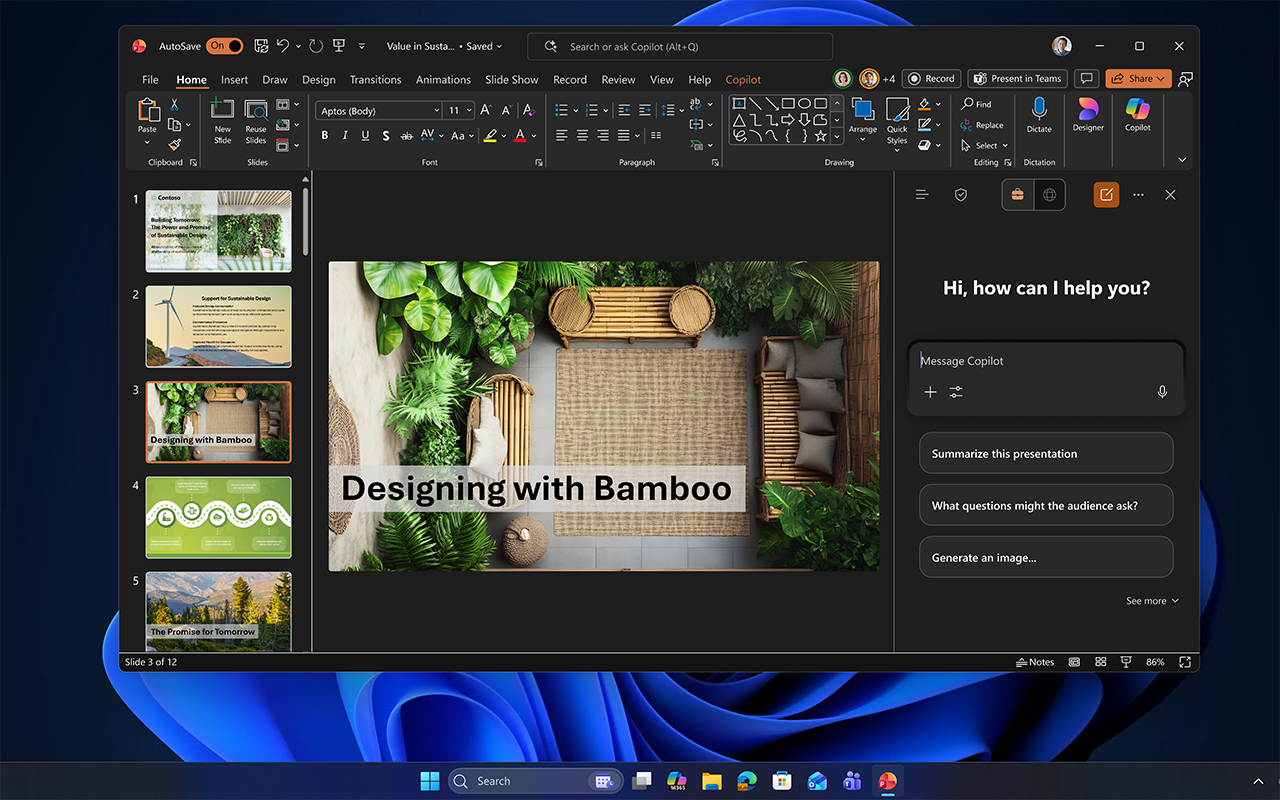
Example prompt to create onboarding materials
"Draft an onboarding checklist and welcome overview for new hires joining next month."
Copilot can help you:
- Create onboarding presentations and welcome materials.
- Develop manager training and employee learning resources.
- Build consistent presentations for HR programs and initiatives.
Draft employee communications
Clear communication helps employees stay informed and understand important updates.
Copilot can help draft announcements, emails, and other communications that are clear, consistent, professional, and aligned with HR policies.
Example prompt to draft employee communications
"Draft an email announcing our updated hybrid work policy, highlighting key changes and where employees can find additional information."
Copilot can help you:
- Draft employee announcements.
- Create personalized follow-up emails.
- Maintain a consistent and professional tone.
Refine content with Copilot+ PC experiences
After creating HR communications or documentation, you may want to adjust tone or simplify content for different audiences.
With Copilot+ PC experiences such as Click to Do, you can quickly refine selected content without leaving your workflow.
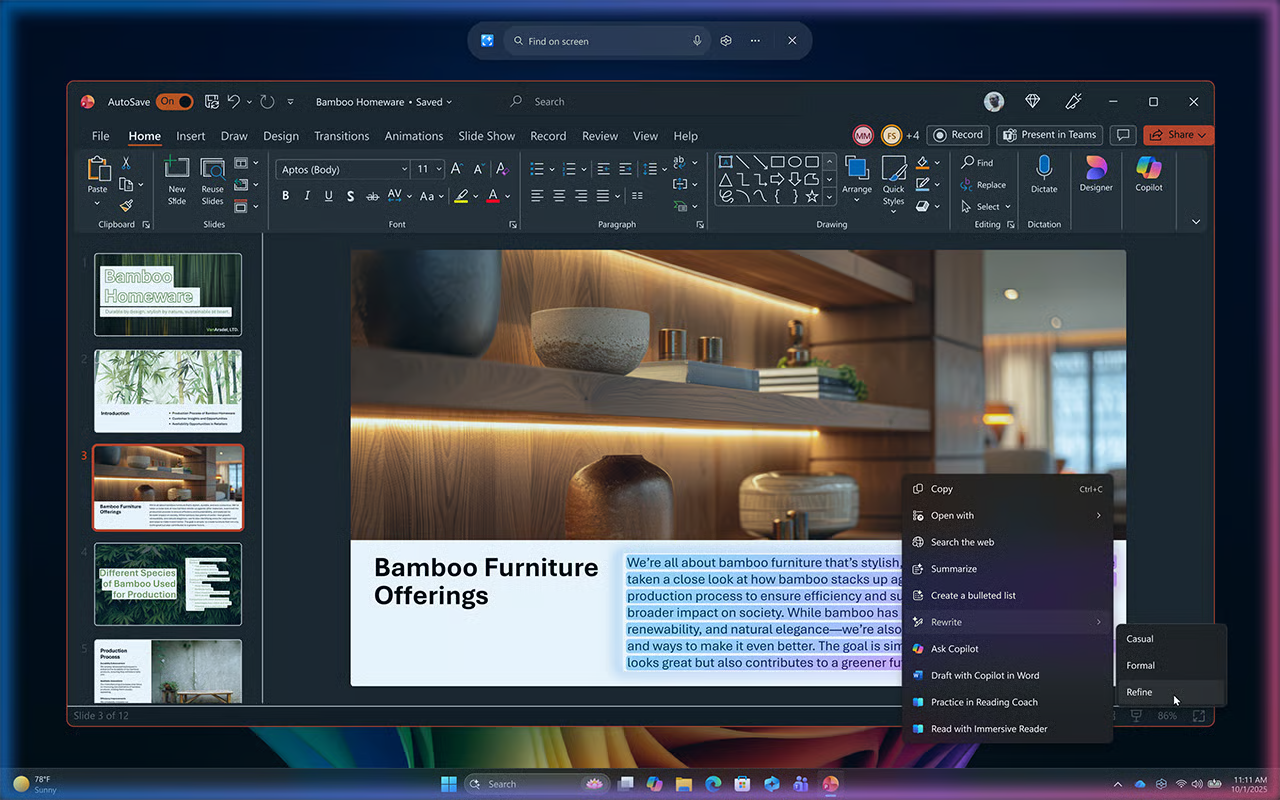
- Highlight the text you want to refine.
- Activate Click to Do by pressing Windows key + mouse click.
- Select Rewrite.
- Review the suggested versions and choose the one that best fits your audience.
Use Click to Do when you want to quickly refine selected text in your current workflow. Use Microsoft 365 Copilot when you need help with drafting, summarizing, or reasoning across Microsoft 365 apps and work content you have permission to access.
Click to Do can help make onboarding materials, policy updates, and employee communications more concise, approachable, or professional.
Important
Copilot+ PC experiences vary by device and market and may require updates continuing to roll out; timing varies. For more information, visit the Copilot+ PC FAQs.
Supporting employees starts with preparation, but meaningful conversations and collaboration are what keep work moving forward. Next, explore how Copilot can help you capture meeting insights, improve communication, and stay aligned with employees and managers throughout the day.