Research customers and create outreach
Once your day is planned, the next step is preparing for customer conversations by reviewing priorities, recent interactions, and relevant materials. Before reaching out, sales professionals need to understand customer priorities, review recent interactions, and create materials that support meaningful discussions.
Copilot can help you gather insights, develop customer-ready content, and refine communications so you can spend more time engaging with customers and less time preparing.
Prepare an account brief with Copilot
Before meeting with a customer, it's helpful to review recent interactions, business priorities, and open opportunities.
Microsoft 365 Copilot in Word or OneNote can help consolidate information from emails, notes, and documents into a single account summary.
Example prompt as a starting point for an account brief
"Create a one-page account brief using recent emails, customer notes, and meeting history. Include customer goals, objections, competitors, and recommended next steps."
Copilot can quickly organize account information into a concise summary, helping you prepare for customer conversations with confidence.
Research customer priorities
Understanding what is changing within a customer's business can help uncover new opportunities and guide more meaningful conversations.
Copilot can help analyze available information and identify key trends, challenges, and areas where you can provide value.
Example prompt to research customer priorities
"Provide a year-to-date snapshot of [Customer Name]: what's new, where they're headed, what's getting in the way, what's changing around them, and where we can help. End with three recommended next actions."
This helps you identify potential opportunities and tailor your approach based on customer needs.
Create customer-ready materials
Once you've gathered customer insights, you can use Copilot to create presentations, proposals, and other customer-facing content.
Copilot in Word or PowerPoint can help draft materials based on existing research and account information.
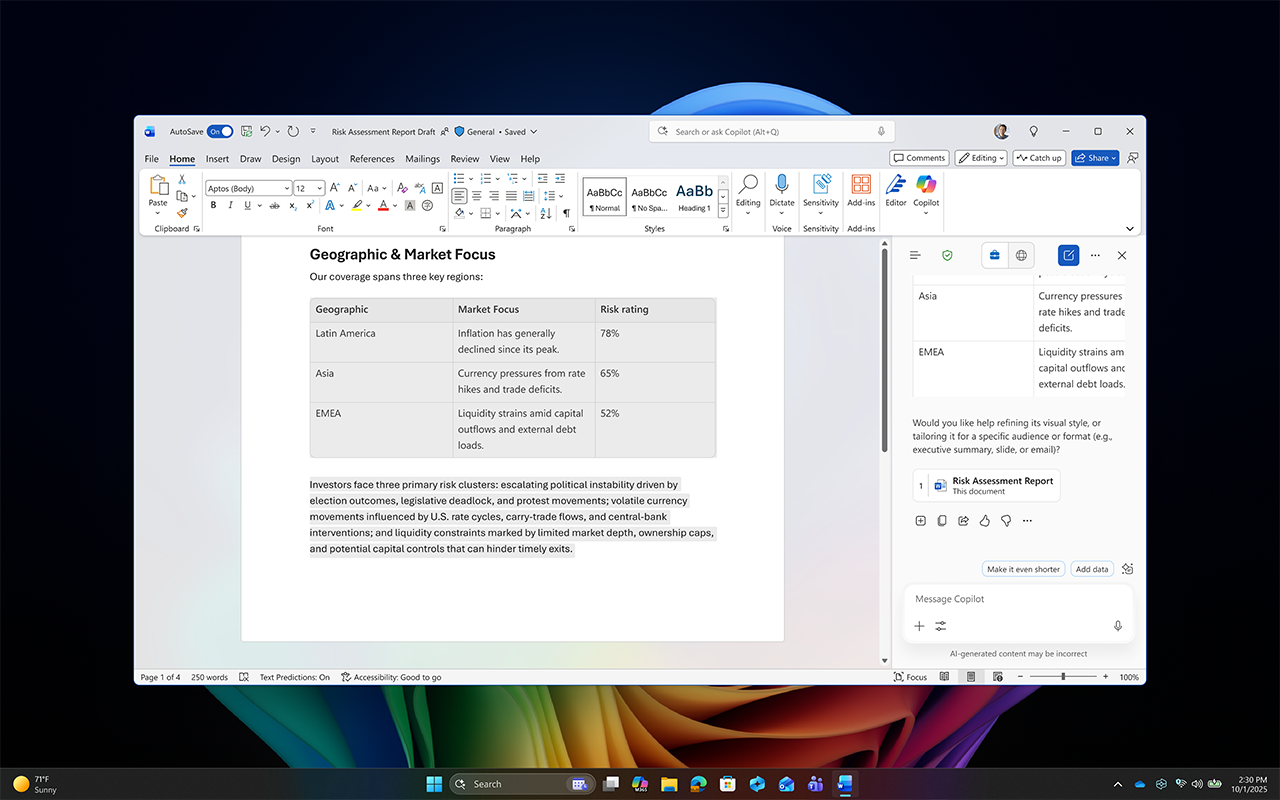
Example prompt as a starting point for a customer presentation
"Draft a six-slide customer presentation using the latest account research. Include an overview, customer challenges, proposed solution, proof points, pricing approach, and next steps."
Copilot can generate a starting point that you can review, refine, and customize for the customer.
Important
Always review AI-generated content for accuracy, confidentiality, tone, and compliance before sharing it with customers or external audiences.
Refine messaging with Click to Do
After creating customer communications or presentation content, you may want to adjust the tone or style for a specific audience.
With Click to Do on your Copilot+ PC, you can quickly rewrite selected content without leaving your workflow.
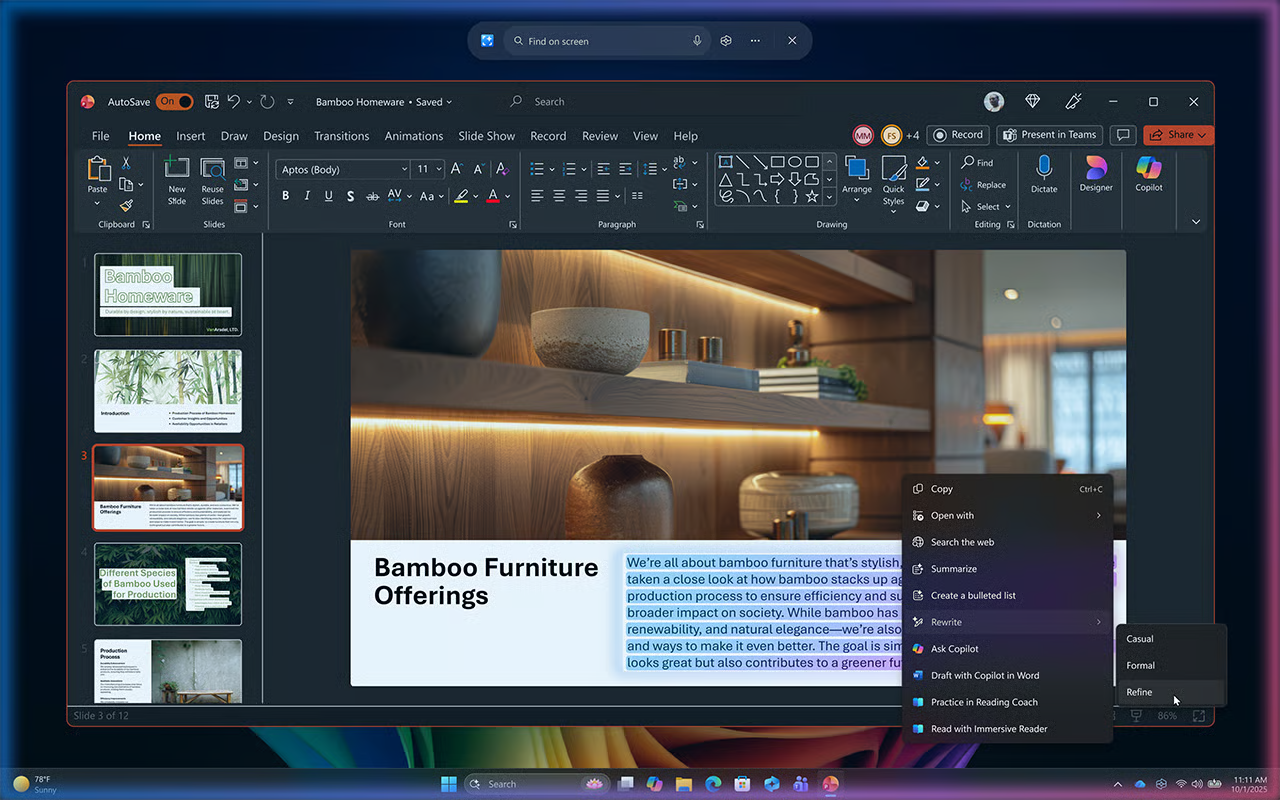
- Highlight the text you want to refine.
- Activate Click to Do by pressing Windows key + mouse click.
- Select Rewrite.
- Review the suggested versions and choose the one that best fits your audience.
Click to Do can be especially useful during final review before sharing customer-facing materials, helping you adapt existing content without disrupting your workflow.
Example scenario: Create and refine
A proposal created for a technical stakeholder may need to be condensed into an executive summary for a business decision-maker. Click to Do can help rewrite the content to be more concise, business-focused, and easier to scan.
By combining customer research, account preparation, content creation, and Copilot+ PC experiences, you can personalize customer interactions, improve the quality of your outreach, and spend more time advancing opportunities instead of preparing materials.
As conversations unfold, it's important to capture key insights, document decisions, and maintain alignment on next steps. Copilot can help you stay focused on the conversation while keeping important details organized.