Collaborate and follow up with Copilot
Customer conversations are often where opportunities are won or lost. During meetings, sales professionals need to listen actively, understand customer priorities, capture key insights, and maintain momentum toward the next step.
Copilot can help you stay engaged during meetings, capture important details, and simplify follow-up activities so you can focus on building relationships and advancing opportunities.
Capture key insights during meetings
During customer conversations, it’s important to understand customer priorities, identify potential concerns, and capture the information needed to move opportunities forward.
Microsoft 365 Copilot in Teams can help you privately track discussion points, summarize the conversation, and draft follow-up actions in response to your prompts as meetings progress.
Example prompt to capture meeting insights
"Capture customer questions, objections, and next steps. After the meeting, draft a follow-up email summarizing outcomes and agreed actions."
Copilot can help you stay focused on the conversation while ensuring important details are captured and organized for future follow-up.
Note
Microsoft 365 Copilot in Teams responds privately to your individual prompts—only you see the results. This is different from Facilitator, a shared meeting agent that captures real-time notes and action items visible to all participants. Both require a Microsoft 365 Copilot license.
Track decisions and next steps
After discussing solutions, proposals, or project plans, it’s important to clearly define outcomes and responsibilities.
Copilot can help identify decisions made during the meeting and organize action items so everyone stays aligned.
Example prompt to track decisions and next steps
"List the decisions made during this meeting and create an action plan with owners, timelines, and recommended next steps."
This helps ensure accountability, maintain momentum, and reduce the risk of missed follow-up actions.
Tip
While Copilot prompts help you prepare and follow up, Copilot+ PC experiences can also enhance customer meetings in real time.
Communicate clearly with Live Captions
Not every Copilot+ PC experience requires a prompt. Some experiences work alongside your meetings to help you stay focused and informed.
With Live Captions on your Copilot+ PC, spoken content can be displayed in real time, helping you follow conversations more easily and reduce misunderstandings.
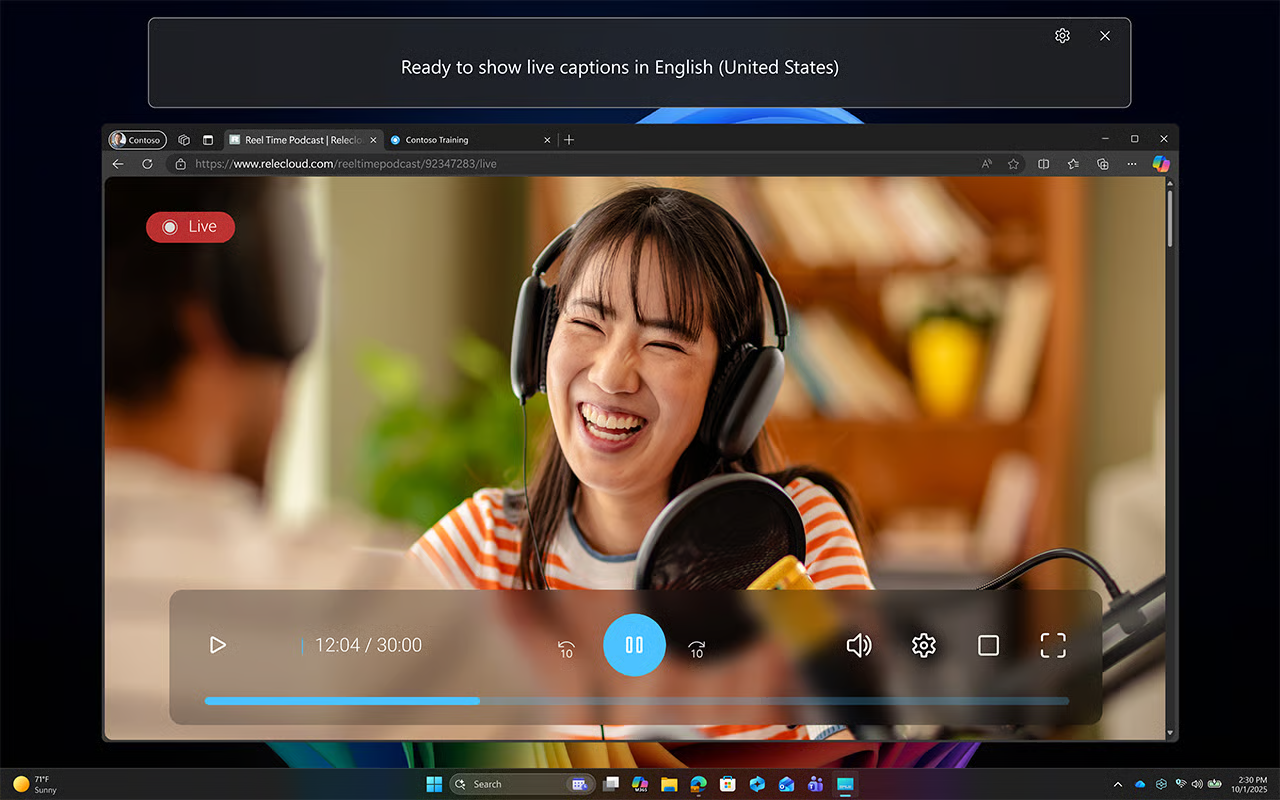
This can be particularly valuable during customer meetings that involve multiple speakers, fast-paced discussions, or participants from different regions.
Example scenario to use Live Captions
You're participating in a virtual customer meeting with stakeholders from multiple regions. Live Captions helps you follow the discussion and stay aligned on key points as the conversation unfolds.
Benefits of Live Captions
- Follow conversations in real time.
- Improve understanding during fast-paced discussions.
- Support communication across regions and languages.
- Stay focused on the conversation instead of taking extensive notes.
Present professionally with Windows Studio Effects
Professional communication extends beyond what you say. Clear audio and video can help create a more engaging and polished customer experience.
With Windows Studio Effects on your Copilot+ PC, you can enhance your video and audio during virtual meetings with features such as background blur, eye contact, and voice focus.
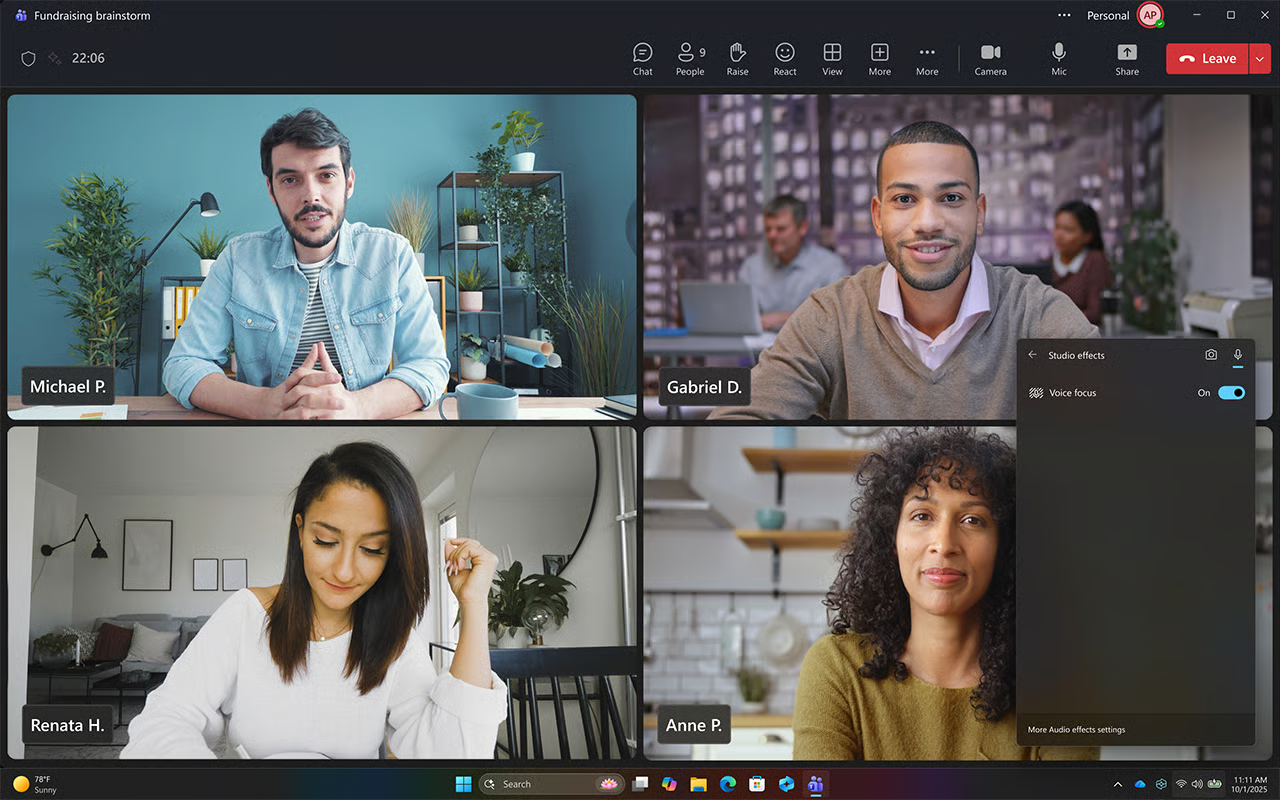
Small improvements in communication quality can help create a more polished and engaging customer experience.
Example scenario to use Windows Studio Effects
You're presenting a proposal to a customer and want to minimize distractions while maintaining a professional appearance throughout the meeting.
Studio Effects can help you look and sound your best, allowing you to focus on delivering your message with confidence.
Benefits of Windows Studio Effects
- Reduce visual distractions with background blur.
- Maintain eye contact during presentations.
- Improve audio clarity with voice focus.
- Create a more professional meeting experience.
Important
Copilot+ PC experiences vary by device and market and may require updates continuing to roll out; timing varies. For more information, visit the Copilot+ PC FAQs.
By capturing meeting insights, tracking next steps, and using Copilot+ PC experiences to enhance communication, you can strengthen customer relationships and help move opportunities forward.
Customer meetings often generate new action items, follow-up commitments, and future opportunities. Taking time to review outcomes and organize priorities can help ensure that momentum continues after the meeting ends. Copilot can help simplify end-of-day activities and prepare you for the work ahead.