Note
Access to this page requires authorization. You can try signing in or changing directories.
Access to this page requires authorization. You can try changing directories.
Summary
This article describes the HCW8078 error that you might experience when you run the Hybrid Configuration Wizard (HCW). The article explains the cause of the error and provides resolution options to resolve it.
Symptoms
When you run the Hybrid Configuration Wizard (HCW), it fails with the following error:
HCW8078 - Migration Endpoint can't be created.
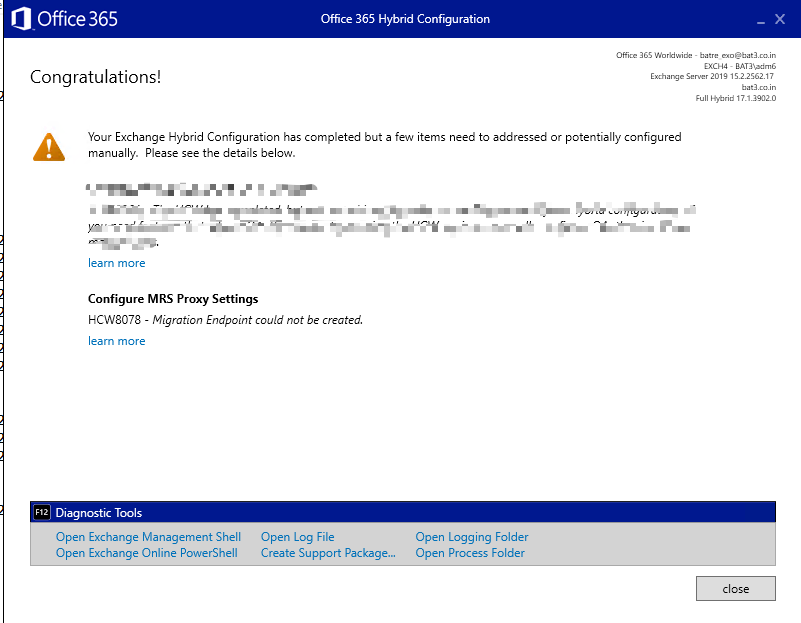
Also you might see the following error in the logs:
MigrationServerAvailability': |Microsoft.Exchange.Management.Migration.MigrationConnectionTestedTooRecentlyException|The last connection attempt happened too recently. Please wait until <time stamp> before trying to connect to an endpoint.
Cause
The error occurs because the GRAPH endpoint is throttling requests from the HCW application.
Resolution
Use one of the following solutions as appropriate for your scenario.
Solution 1: Create the migration endpoint by using Exchange Online PowerShell
Use this solution if you're in the process of migration and want to create the migration endpoint.
Connect to Exchange Online PowerShell and create the migration endpoint. You can use the syntax from the examples provided here.

Solution 2: Rerun HCW and skip the Migration Endpoint option
Use this solution if you're don't have a current migration from or to Exchange on-premises to Exchange Online.
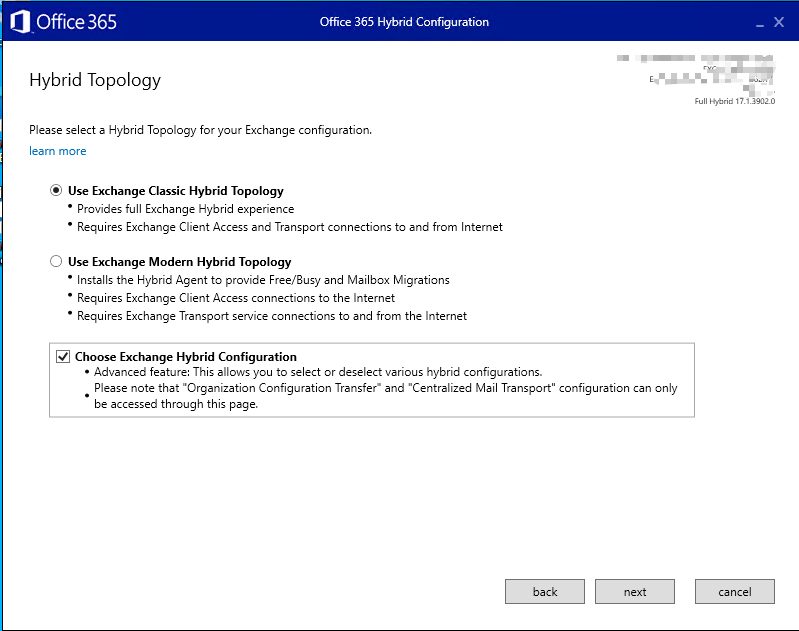
Rerun HCW. At the option selection, select Choose Exchange Hybrid Configuration and select Next.
Uncheck the Migration Endpoint option and select Next.
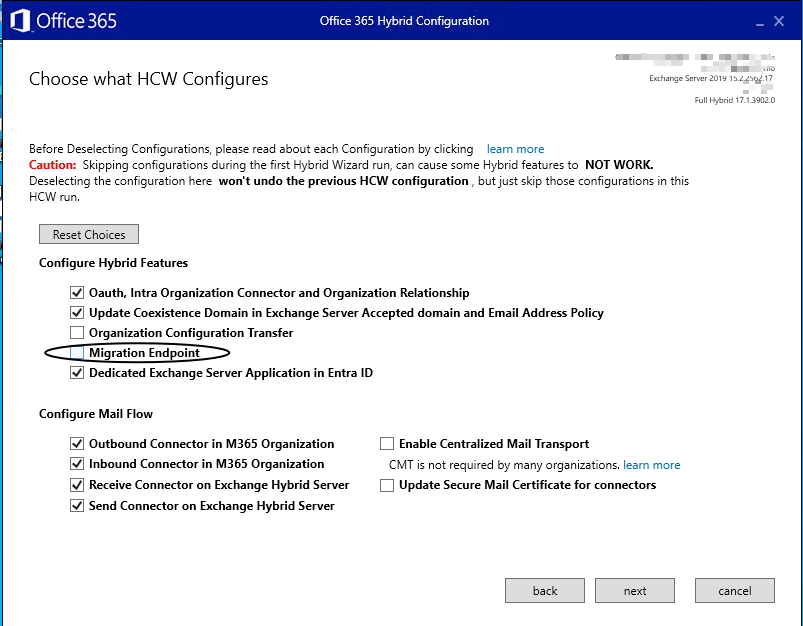
Select the rest of the configuration as required and complete running the wizard.