Note
Access to this page requires authorization. You can try signing in or changing directories.
Access to this page requires authorization. You can try changing directories.
This article provides the resolution to solve the error message that occurs when you install the Intune Certificate Connector (NDESConnectorSetup.exe).
Symptoms
When you try to install the Intune Certificate Connector (NDESConnectorSetup.exe), you receive the following error message:
Microsoft Intune Connector Setup Wizard ended prematurely because of an error.
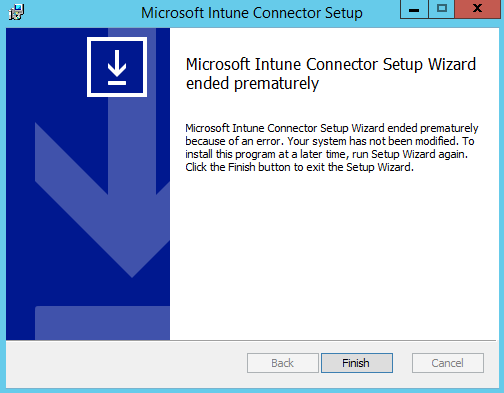
You also find entries that resemble the following in the SetupMSI.log file:
MSI (s) (20:5C) [09:17:19:129]: Executing op:
CustomActionSchedule(Action=ConfigureIISLimits,ActionType=3170,Source=C:,Target=C:\Windows\SysWOW64\inetsrv\appcmd set config "Default Web Site" -section:requestFiltering -requestLimits.maxQueryString:65534 -requestLimits.maxUrl:65534,)
CustomAction ConfigureIISLimits returned actual error code 1168 but will be translated to success due to continue marking
WriteIIS7ConfigChanges: Error 0x80070002: Site not found for create application
WriteIIS7ConfigChanges: Error 0x80070002: Failed to configure IIS application.
WriteIIS7ConfigChanges: Error 0x80070002: WriteIIS7ConfigChanges Failed.
CustomAction WriteIIS7ConfigChanges returned actual error code 1603
Note
By default, the SetupMSI.log file is located in the C:\NDESConnectorSetup folder.
Cause
This issue occurs if the Default Web Site name in Internet Information Services (IIS) Manager was changed.
The following is an example that shows that the name was changed to Default Web Site1:

Solution
To fix the issue, follow these steps to restore the Default Web Site name to its default value.
Open IIS Manager.
Expand <Server Name>\Sites, and then locate the default website.
If multiple websites are listed, do the following for each site:
- Right-click the site, and then select Manage Website > Advanced Settings.
Find the default website whose ID is 1.

Right-click the default web site, select Rename, and then change the name to Default Web Site.
Note
You might receive an error message that resembles Unable to connect to Default Web Site1. You can ignore this message.
After you change the Default Web Site name, restart NDESConnectorSetup.exe to install the Intune Certificate Connector.