Note
Access to this page requires authorization. You can try signing in or changing directories.
Access to this page requires authorization. You can try changing directories.
Original KB number: 4547091
Assume that you deploy a domain controller, a Remote Desktop Session Host (RDSH) server, and a Remote Desktop Services license server in Windows Server 2019. In this scenario, the users license attributes (msTS*) aren't updated in Active Directory (AD).
It is a recent change in Windows Server 2019. The RDSH server will update the license attributes in AD with a user account. By default, the user account isn't delegated with the write permission (Read and write Terminal Server license server) to update license attributes in AD.
Delegate the license server permission to SELF object in AD
To work around this issue, delegate control for the organizational unit (OU) containing the users in AD. Here's how to do it:
Right-click the OU containing the users and select Delegate Control… in AD.
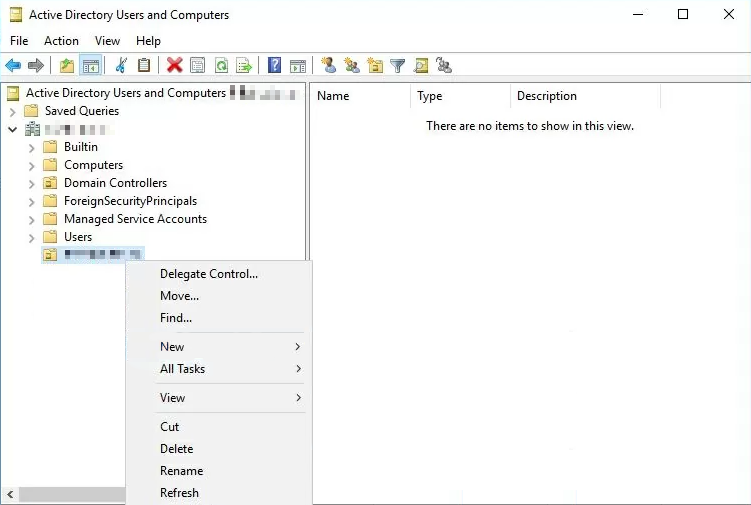
In the Delegation of Control Wizard, select SELF (NT AUTHORITY\SELF) > Next.

Select Create a custom task to delegate > Next.

Select Only the following objects in the folder, check User objects, and select Next.

Check General and Read and Write Terminal Server License server, and then select Next > Finish.
