Note
Access to this page requires authorization. You can try signing in or changing directories.
Access to this page requires authorization. You can try changing directories.
After collecting data based on the steps in Data collection for troubleshooting secure channel issues, you might find that Active Directory has a newer pwdLastSet value than the client device. This article introduces how to fix the issue in this scenario.
Possible causes
Reverting the virtual machine to an old snapshot
You can't find a specific event to confirm this cause. Instead, you can check the logs for jumps in time. For example, it's suspicious if you find System Event Viewer events having a jump from February to July. That couple of months without data on a computer that is constantly in use, should be a reason to start questioning.
Also, you can check if the system has started recently:

Event ID 12
Log name: System
Source: Kernel-General
Description: The operating system started at system time 2024-08-24T19:15:58.500000000Z.
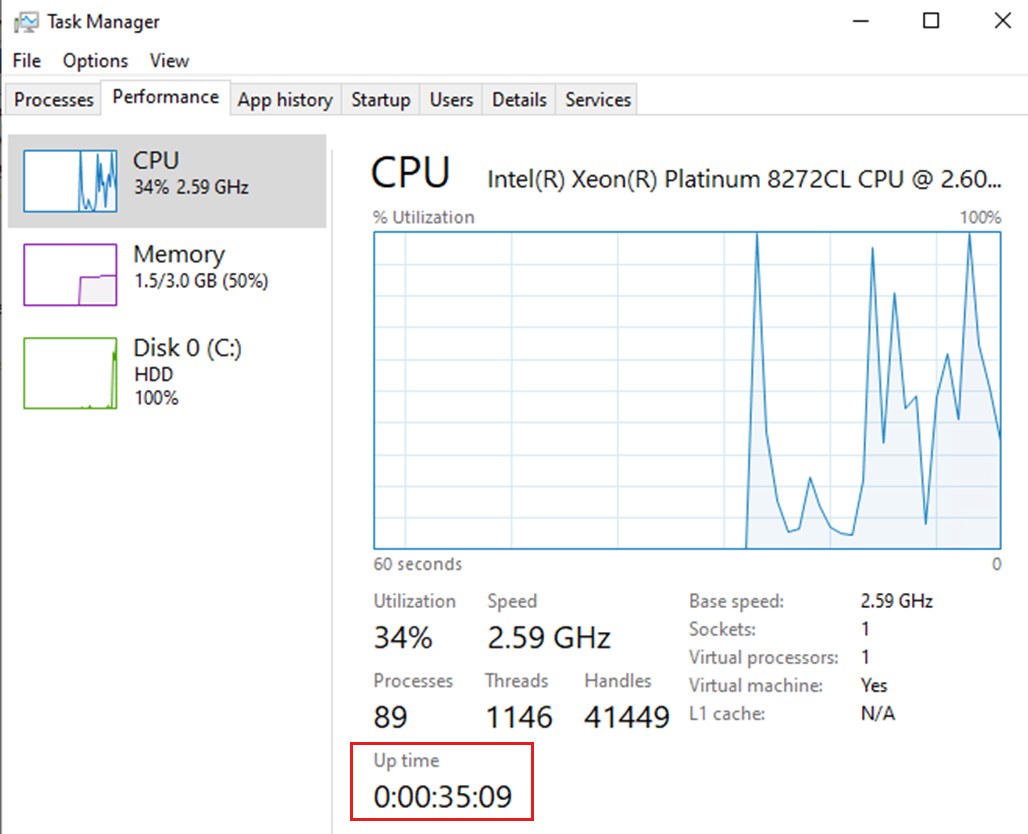
You can also check the uptime. If the virtual machine has been reverted to a previous snapshot, the uptime will be recent. It might also be related to a desired operation and not only because of the snapshot reversion.
Note
You need to confirm if the boot time was provoked by a desired reboot of the machine. Communication with the user is required to determine what was done on the computer.
Restoring the physical or virtual machine from a bare metal backup
This cause is like the one in the previous section. The first step is to check with the backup solution administrator if there's any log to confirm any action on the affected device.
You can also check the logs for jumps in time. For example, it's suspicious if you find System Event Viewer events having a jump from February to July. That couple of months without data on a computer that is constantly in use should be a reason to start questioning.
Confirm if there's a recent uptime on the device.
Restoring the machine from an old system restore point
You can investigate the System and Application event viewer logs for events that indicate a system restore happened (ID: 1208 or 8202)
Log Name:      System
Source:        Microsoft-Windows-StartupRepair
Event ID:      1208
Level:         Information
User:          SYSTEM
Description: Restored system to an earlier restore point.
Log Name:      Application
Source:        System Restore
Event ID:      8202
Level:         Information
Description: Successfully restored system (Restore Operation).
Unexpected shutdown or power outage
After the computer starts up, a "recovery" screen is presented, and the user chooses the default option, which is to restore the machine back to the last system restore point. Also, if the Windows Embedded client is unexpectedly shut down after machine password change, the data on the Regfdata volume is lost and restored to the last known state—for example, changes within HKLM\SECURITY\Policy\Secrets$machine.ACC are lost if the machine loses power or isn't cleanly shut down.
You can look for events about an unexpected shutdown or power outage (ID: 41 or 6008)
Log Name:      System
Source:        Microsoft-Windows-Kernel-Power
Event ID:      41
Task Category: (63)
Level:         Critical
Description: The system has rebooted without cleanly shutting down first. This error could be caused if the system stopped responding, crashed, or lost power unexpectedly.
Log Name:      System
Source:        EventLog
Event ID:      6008
Description: The previous system shutdown at 9:03:23 AM on 6/28/2018 was unexpected.
Virtual desktop infrastructure (VDI) computers configured with pooled desktops are based on an image and restored to a snapshot when a user signs out (also known as non-persistent machines).
On some VDI infrastructures, there are services having Netlogon as a dependency. In this case, you need to confirm that the service from the VDI infrastructure isn't manipulating the Netlogon service in a way that avoids Secure Channel operations.
Also, the affected device might be created from an image, and the machine can enter an environment with obsolete data about secure channel values according to what is on Active Directory.
This case must be handled by the VDI infrastructure administrator.
Resolution
To repair Secure Channel (or Trust Relationship), follow these steps:
Run one of the following commands using domain admin credentials:
From a Windows command prompt:
nltest /sc_reset:domain_nameFrom a Windows PowerShell prompt:
Test-ComputerSecureChannel -Repair -Credential *
Restart the computer.