Note
Access to this page requires authorization. You can try signing in or changing directories.
Access to this page requires authorization. You can try changing directories.
You can debug a Windows service by starting the service and attaching the debugger to the service process. For more information, see How to: Debug Windows Service Applications. However, to debug the System.ServiceProcess.ServiceBase.OnStart method of a Windows service, you must launch the debugger from inside the method.
Add a call to Launch at the beginning of the
OnStart()method.protected override void OnStart(string[] args) { System.Diagnostics.Debugger.Launch(); }Start the service (you can use
net start, or start it in the Services window).You should see a dialog box like the following:
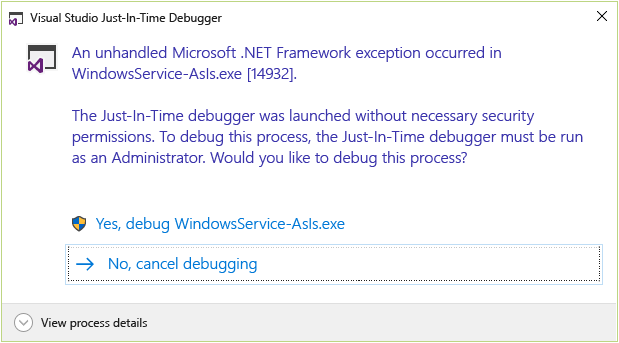
Select Yes, debug <service name>.
In the Just-In-Time Debugger window, select the version of Visual Studio you want to use for debugging.
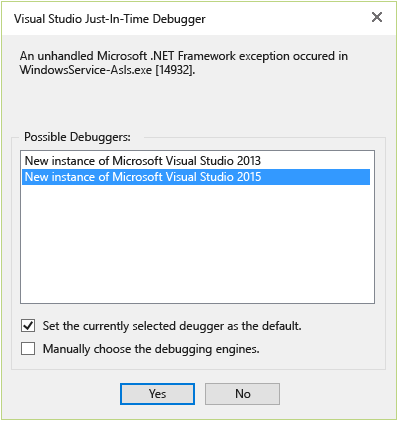
A new instance of Visual Studio starts, and execution is stopped at the
Debugger.Launch()method.