Note
Access to this page requires authorization. You can try signing in or changing directories.
Access to this page requires authorization. You can try changing directories.
Visual Studio provides several refactorings for reorganizing class members and modifying method signatures. You can access these refactorings through the Quick Actions and Refactorings menu (Ctrl+.).
Change method signature
Applies to: C#, Visual Basic
This refactoring lets you remove, reorder, or add a method's parameters, automatically updating all call sites.
Highlight or place the text cursor inside the name of the method to modify, or one of its usages:
C#:

VB:
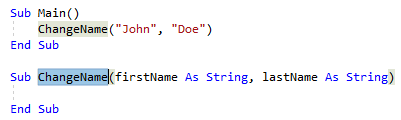
Next, do one of the following:
- Keyboard
- Press Ctrl+R, then Ctrl+V. (Your keyboard shortcut may be different based on which profile you've selected.)
- Press Ctrl+. to trigger the Quick Actions and Refactorings menu and select Change Signature from the Preview window popup.
- Mouse
- Select Edit > Refactor > Remove Parameters.
- Select Edit > Refactor > Reorder Parameters.
- Right-click the code, select the Quick Actions and Refactorings menu and select Change Signature from the Preview window popup.
- Keyboard
In the Change Signature dialog that pops up, you can use the buttons on the right side to change the method signature:
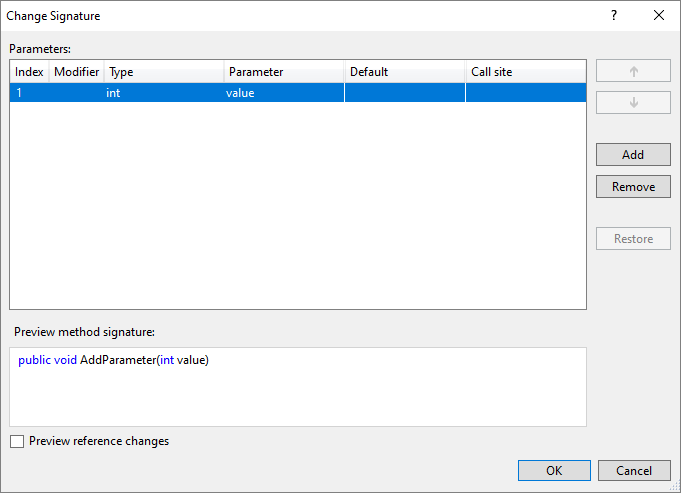
Button Description Up/Down Move the selected parameter up and down the list Add Add a new parameter to the list Remove Remove the selected parameter from the list Restore Restore the selected, crossed-out parameter to the list Tip
Use the Preview reference changes checkbox to see what the result will be before committing to it.
Selecting Add in the Change Signature dialog opens the Add Parameter dialog. The Add Parameter dialog allows you to add a type name and a parameter name. You can choose to make the parameter required or optional with a default value. You can then add a value at the call site and choose a named argument for that value or you can introduce a TODO variable. The TODO variable puts a TODO in your code so you can visit each error and go through each call site independently and decide what to pass. For optional parameters you have the option to omit the call site completely.
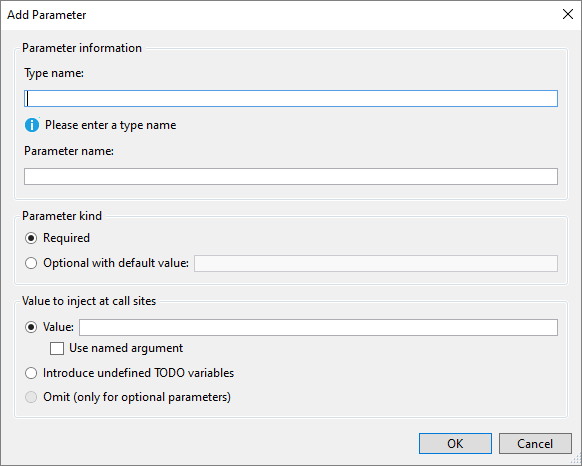
When you are finished adding a parameter, press OK to preview the changes.
Pull members up
Applies to: C#, Visual Basic
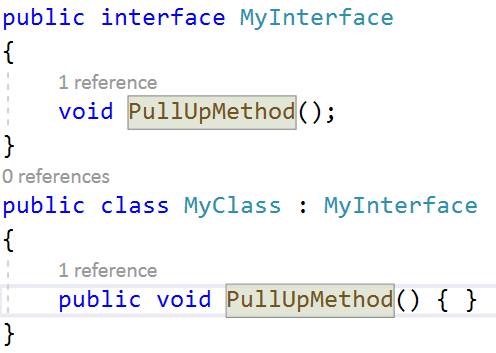
This refactoring pulls members up to the base type so that other implementations of the interface inherit those members as well.
Place your cursor in any member of an implemented interface.
Press Ctrl+. to trigger the Quick Actions and Refactorings menu.
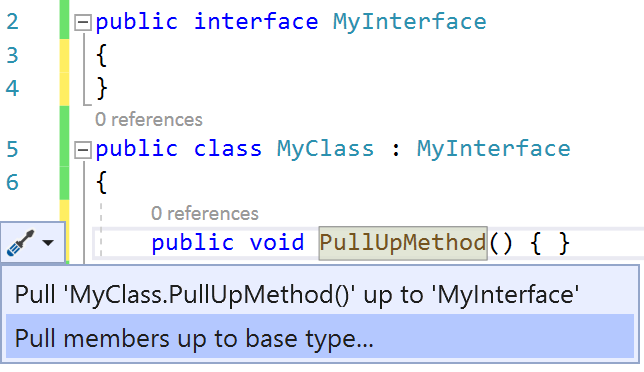
Select Pull Members up to base type.
In the dialog, select what members you would like to add to the selected interface.
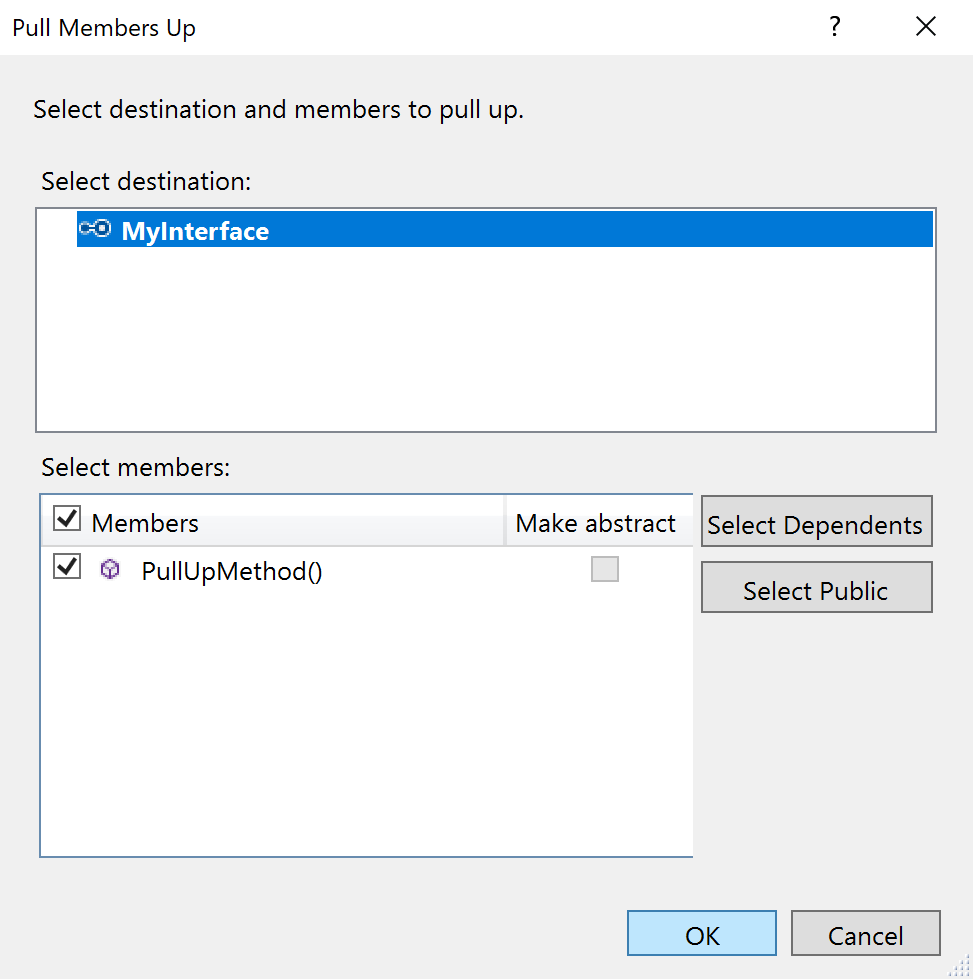
Choose OK. The selected members are pulled up to the interface.
Make class abstract
Applies to: C#, Visual Basic
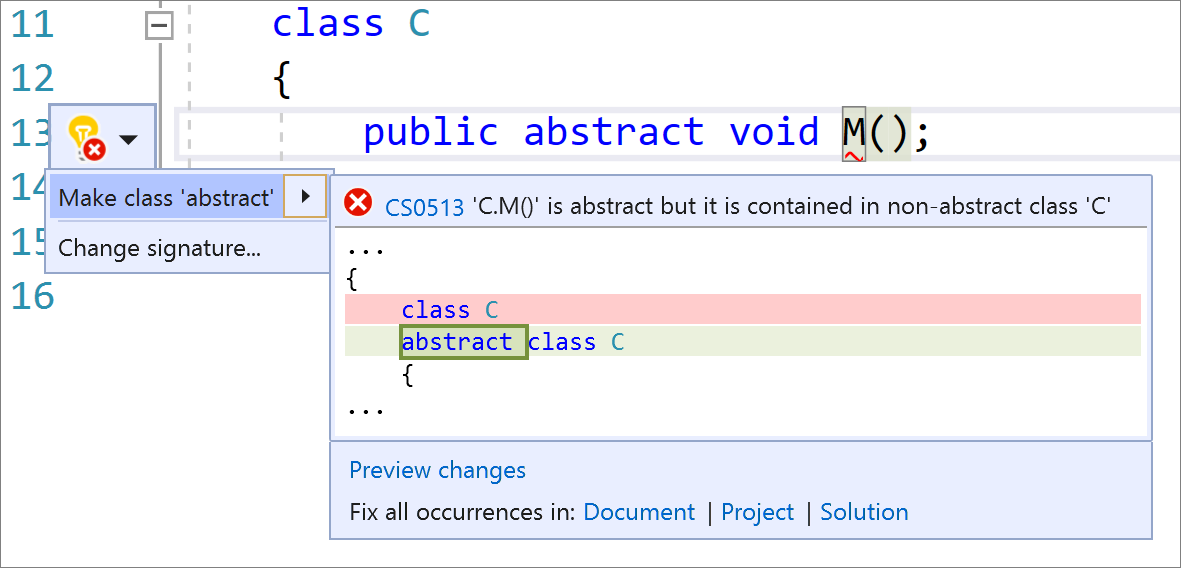
This refactoring automatically marks a class as abstract when you write an abstract method in a class that isn't abstract.
Place your caret on the abstract method.
Press Ctrl+. to trigger the Quick Actions and Refactorings menu.
Select Make class 'abstract'.
Make member static
Applies to: C#
This refactoring converts a non-static member to static, improving readability by making it clear that the code is isolated.
Place your caret on the member name.
Press Ctrl+. (period) to trigger the Quick Actions and Refactorings menu.
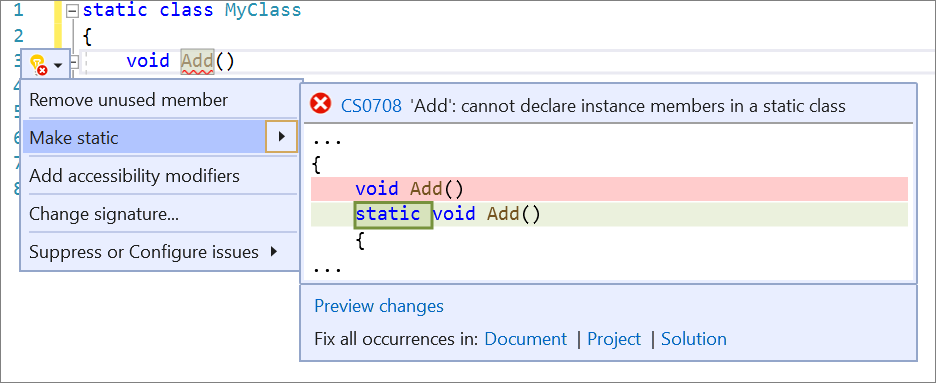
Select Make static.
Convert local function to method
Applies to: C#
This refactoring converts a local function to a class method, useful when the function needs to be called outside its containing method.
Place your cursor in the local function.
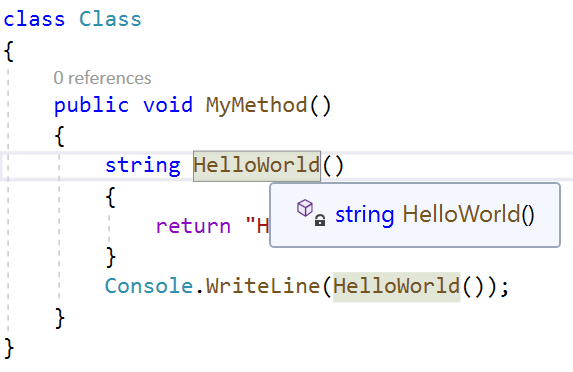
Press Ctrl+. to trigger the Quick Actions and Refactorings menu.
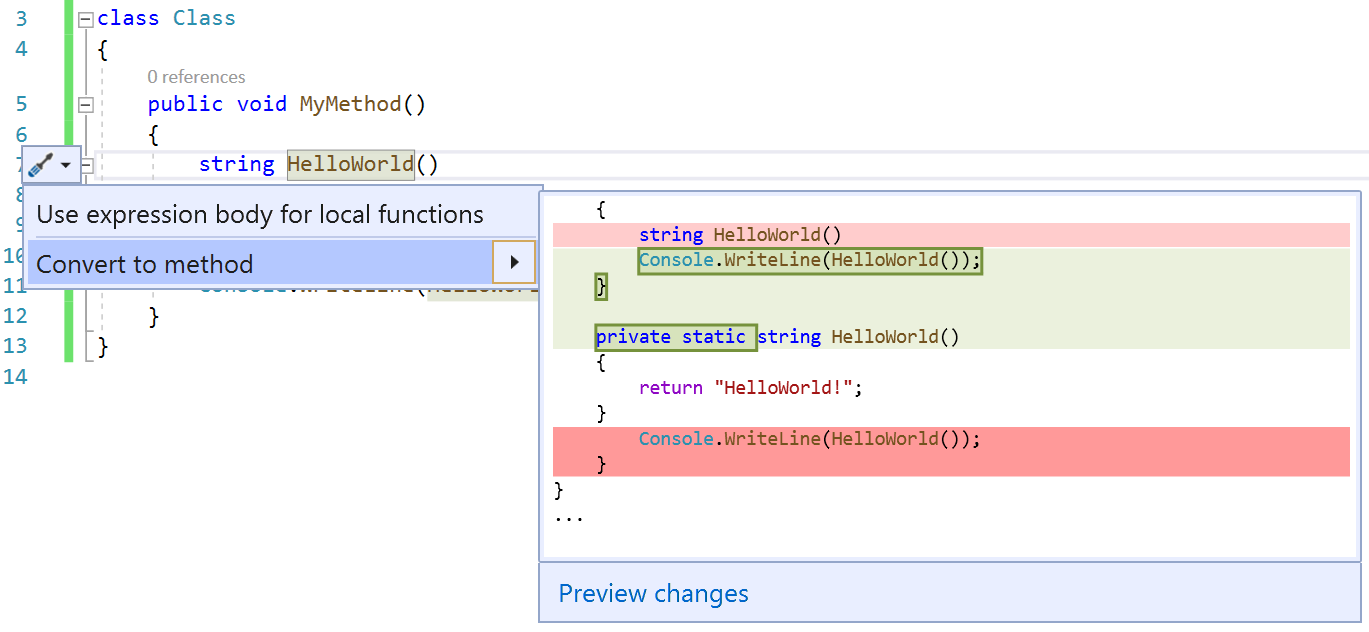
Press Enter to accept the refactoring.

Static local function refactorings
Applies to: C#
This section covers two related features: making a local function static, and passing variables explicitly into static local functions.
Make local function static
This refactoring makes a local function static and passes in variables defined outside the function to the function's declaration and calls. Static local functions improve readability by isolating code and preventing pollution of a class with a static function that's only called in a single method.
Place your caret on the local function name.
Press Ctrl+. (period) to trigger the Quick Actions and Refactorings menu.

Select Make local function 'static'.
Pass variable explicitly in a static local function
This Quick Action passes a variable explicitly into a local static function, useful when you want a local function to be static but still use variables initialized outside of it.
Place your caret on the variable where it's used in the static local function.
Press Ctrl+. (period) to trigger the Quick Actions and Refactorings menu.

Select Pass variable explicitly in local static function.