Language
Note
Access to this page requires authorization. You can try signing in or changing directories.
Access to this page requires authorization. You can try changing directories.
Visual Studio provides several refactorings for working with conditional statements and logic operators. You can access these refactorings through the Quick Actions and Refactorings menu (Ctrl+.).
Convert if statement to switch statement or switch expression
Applies to: C#
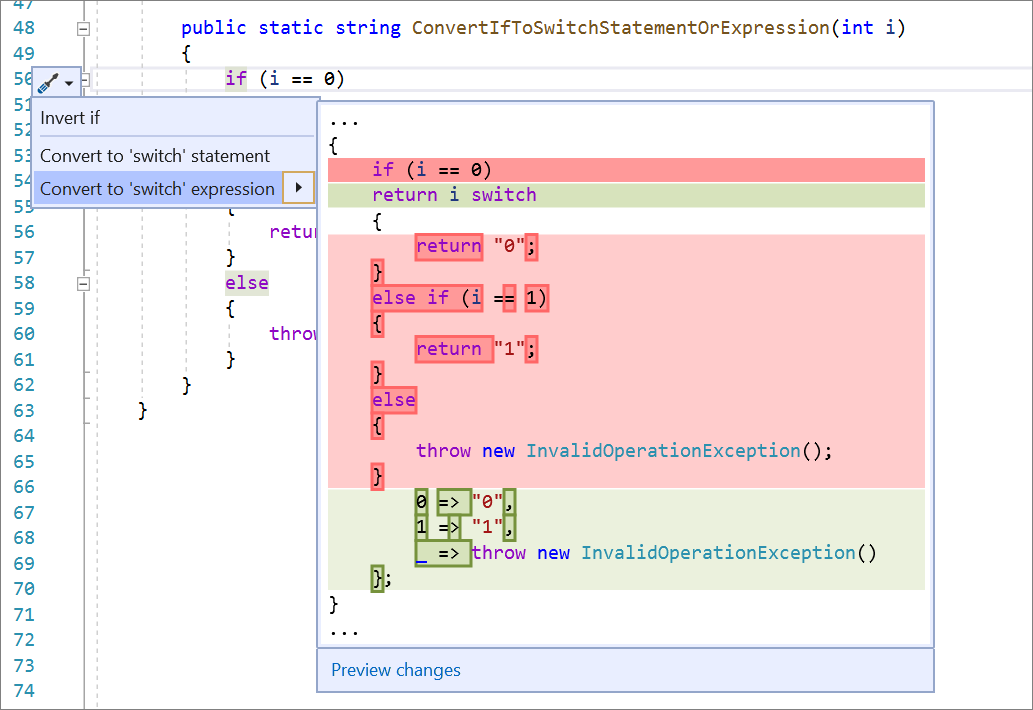
This refactoring converts an if statement to a switch statement or a C# 8.0 switch expression, and vice versa. It's useful when an if statement would be clearer as a switch.
Place your cursor in the
ifkeyword.Press Ctrl+. to trigger the Quick Actions and Refactorings menu.
Select one of the following options:
Select Convert to 'switch' statement.
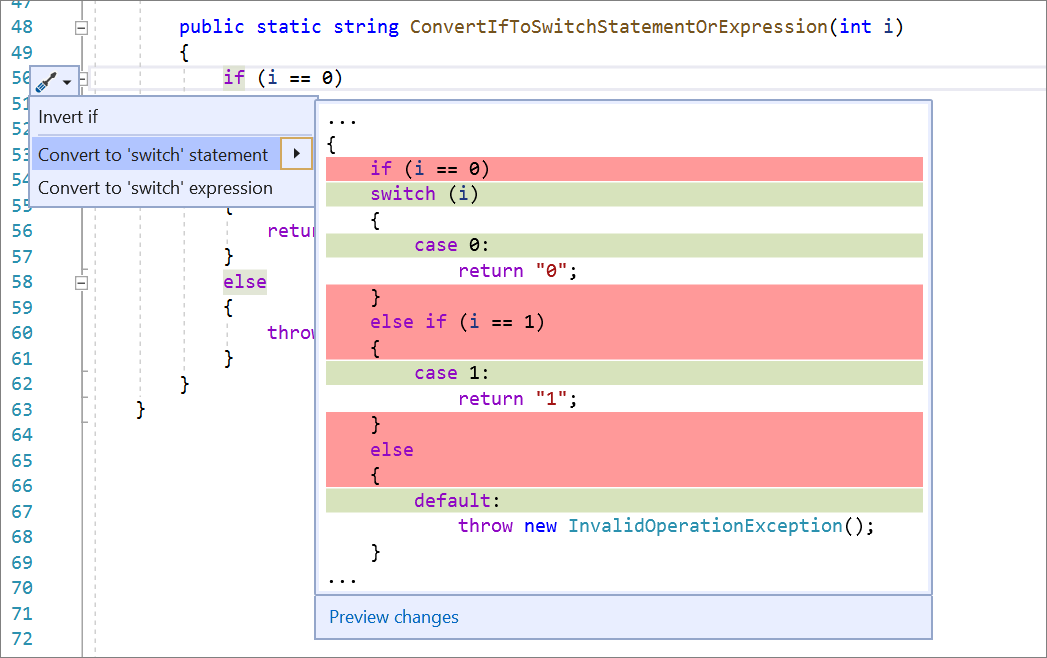
Select Convert to 'switch' expression.
Convert switch statement to switch expression
Applies to: C#
This refactoring converts a switch statement to a C# 8.0 switch expression, and vice versa. If you're only using expressions, switch expressions provide a more concise syntax.
Place your cursor in the
switchkeyword.Press Ctrl+. to trigger the Quick Actions and Refactorings menu.
Select Convert switch statement to expression.

Invert if statement
Applies to: C#, Visual Basic
This refactoring inverts an if or if else statement without changing the meaning of the code. It's useful when the inverted form is easier to understand.
Place your cursor in an
iforif elsestatement.
Press Ctrl+. to trigger the Quick Actions and Refactorings menu.

Select Invert if.

Invert conditional expressions and conditional AND/OR operators
Applies to: C#, Visual Basic
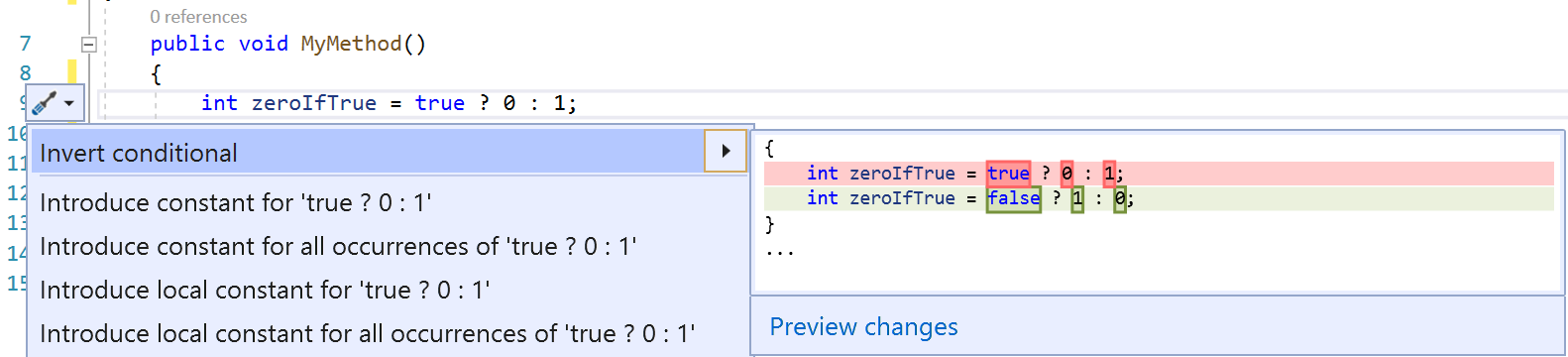
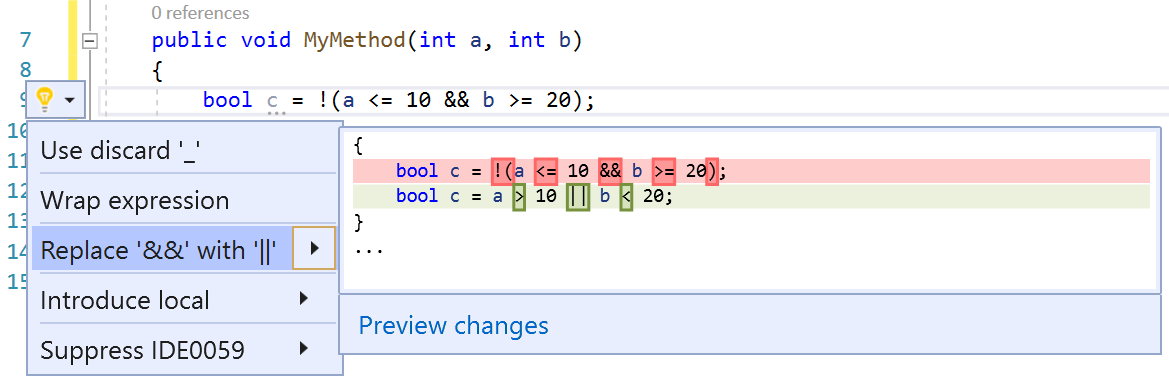
This refactoring inverts a conditional expression or a conditional AND/OR operator. It's useful when the inverted form is easier to understand, and avoids errors from doing the inversion by hand.
Place your cursor in a conditional expression or a conditional AND/OR operator.
Press Ctrl+. to trigger the Quick Actions and Refactorings menu.
Select Invert conditional or Replace '&&' with '||'.
Split or merge if statements
Applies to: C#, Visual Basic
This refactoring splits an if statement that uses && or || operators into a nested if statement, or merges an inner if statement with an outer if statement.
Split an if statement
Place your cursor in the
ifstatement by the&&or||operator.Press Ctrl+. to trigger the Quick Actions and Refactorings menu.

Select Split into nested if statements.

Merge an if statement
Place your cursor in the inner
ifkeyword.Press Ctrl+. to trigger the Quick Actions and Refactorings menu.

Select Merge with outer if statement.

Simplify conditional expression
Applies to: C#
This refactoring simplifies a conditional expression by removing unnecessary code, providing more clarity and concise syntax.
Place your cursor on the conditional expression.
Press Ctrl+. to trigger the Quick Actions and Refactorings menu.
Select Simplify conditional expression.
