Note
Access to this page requires authorization. You can try signing in or changing directories.
Access to this page requires authorization. You can try changing directories.
This article describes the MSB3325 error code.
Message text
MSB3325: Cannot import the following key file: 'value'. The key file may be password protected. To correct this, try to import the certificate again or manually install the certificate to the Strong Name CSP with the following key container name:
Description
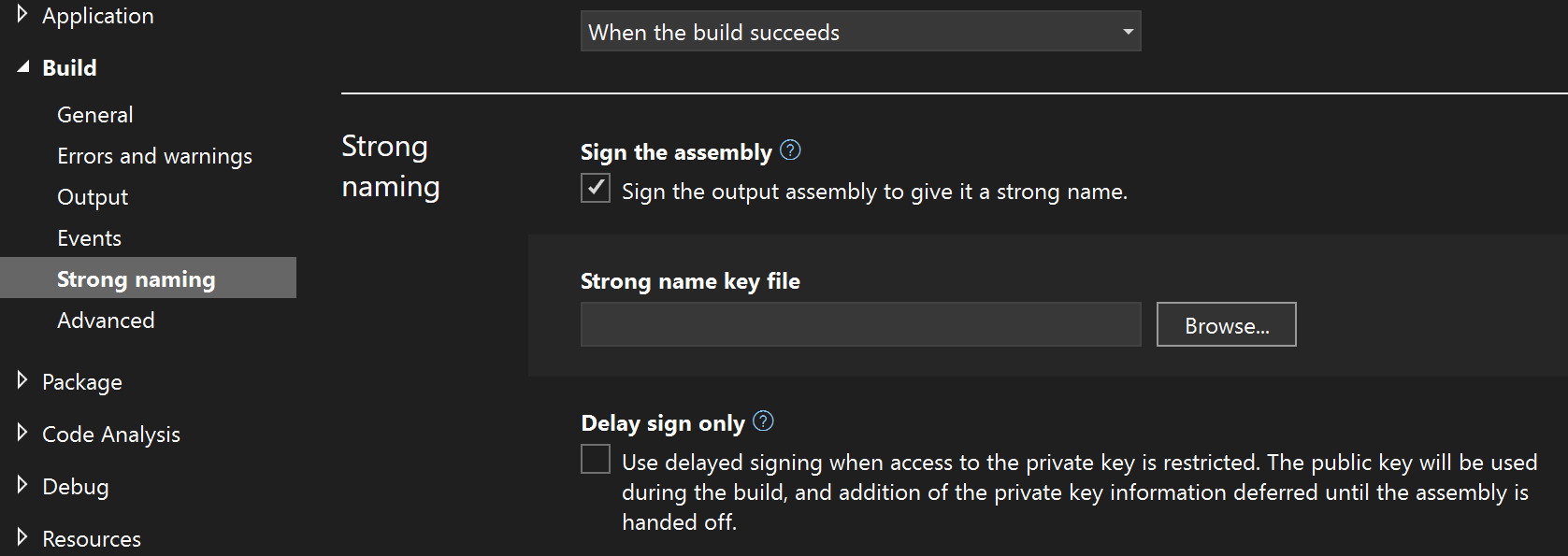
MSBuild might produce this error if you checked the Sign the assembly option in the Project Properties, and chose a .pfx file for assembly signing. In this scenario, the strong name public key needs to get imported to the Cryptographic Service Provider (CSP) on the machine when the .pfx file is selected. When you publish an app, MSBuild tries to sign the assembly. If the signing code can't read the strong name public key from the strong name CSP for any reason, MSBuild returns this error.
Resolution
When you get this error for any reason, the workaround is to manually install the .pfx file in the strong name Cryptographic Service Provider (CSP) with the key container name specified in the error message.
To install the strong name certificate to the CSP manually, open a developer command prompt, and run the sn.exe command as follows:
sn.exe -i <pfx_file> <key_container_name_from_error_message>
After you run the sn.exe command, the publish process should be able to read the strong name public key from the CSP and strong name sign the assembly.

For .NET projects, the strong name setting is in the Build section of the Project Properties:
Applies to
All versions of MSBuild