Note
Access to this page requires authorization. You can try signing in or changing directories.
Access to this page requires authorization. You can try changing directories.
Get started: View and activate your benefits in the Subscriber portal at https://my.visualstudio.com/benefits
As a Visual Studio Subscriber, the benefits available to you depend on your subscription level and might change over time, including during the lifetime of an active subscription. We regularly review and update benefits to keep them current and aligned with partner offerings and program requirements. As a result, benefits might be added, updated, or discontinued.
Benefits vary based on your subscription
The benefits included in your subscription depend on your subscription type. To see which benefits are available for different subscription levels, visit:
https://visualstudio.microsoft.com/vs/benefits/. You can filter the view by subscription level or by benefit category.
Each benefit article in our learn documentation website includes an Eligibility section that identifies which subscription levels include that benefit.
Use categories to help find benefits
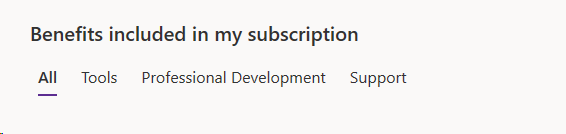
Benefits are grouped into three categories:
- Tools
- Professional Development
- Support
When you visit https://my.visualstudio.com/benefits, all benefits appear by default. Use the category filter to narrow the list to the benefits you want to review.
Benefits and offers provided by partners
Some benefits—such as training, tools, and services—are provided by partners. Details for these offers vary. For example:
- The duration of the benefit might not match the duration of your Visual Studio Subscription. You might have a 12-month Visual Studio Subscription, while many of the partner-provided benefits might last for a shorter term, such as three or six months.
- Any support available for those benefits or offers is also provided by the partners.
- Some benefits renew when your Visual Studio Subscription is renewed. In other cases, the partner offer is "once in a lifetime" and doesn't renew. For more information about individual benefits, check out the corresponding article in the table of contents.
- Partner-provided benefits are offered and fulfilled at the discretion of the partner. A claim or attempted redemption by a subscriber doesn't guarantee fulfillment; if the partner discontinues or can't provide the benefit, it might not be delivered.
For more information on each benefit, see the corresponding article in the table of contents.
Benefits that become temporarily unavailable
In rare cases, a benefit might become temporarily unavailable due to technical issues. When such issues happen, the benefit tile in the Visual Studio Subscription portal displays "Temporarily Unavailable". The benefit is restored once the issue is resolved.
Support resources
For help with sales, subscriptions, accounts, or billing for Visual Studio Subscriptions, contact Visual Studio Subscription support.
Frequently asked questions
Why don’t I see a benefit I expected?
A: Benefit availability might change over time, and some benefits apply only to certain subscription levels.
Where do I activate my benefits?
A: You can view and activate benefits at https://my.visualstudio.com/benefits.
Do partner benefits renew automatically?
A: Some do, others don’t. Check each benefit’s documentation for renewal details.
See also
- Visual Studio documentation
- Azure DevOps documentation
- Azure documentation
- Microsoft 365 documentation
Next steps
- Thinking about purchasing a subscription? Check out our pricing page for a detailed list of what benefits are included in each subscription. You can also use the Visual Studio Subscription benefits page to see more detailed information.
- Already have a subscription? Learn how to activate and use individual benefits by reviewing benefit-specific articles in our documentation, including help if needed.
- Want to learn how to get more value from your benefits? Watch the YouTube video "Get the most of Azure with your Visual Studio Subscription" to explore how your subscription helps you innovate and be more productive.