Note
Access to this page requires authorization. You can try signing in or changing directories.
Access to this page requires authorization. You can try changing directories.
Use this page in conjunction with this Microsoft Learn overview of Viva Glint survey templates
The Microsoft Viva Glint People Success database contains survey items - questions and statements - that each measure a distinct employee experience. The database is found in the Question Library on your admin dashboard.
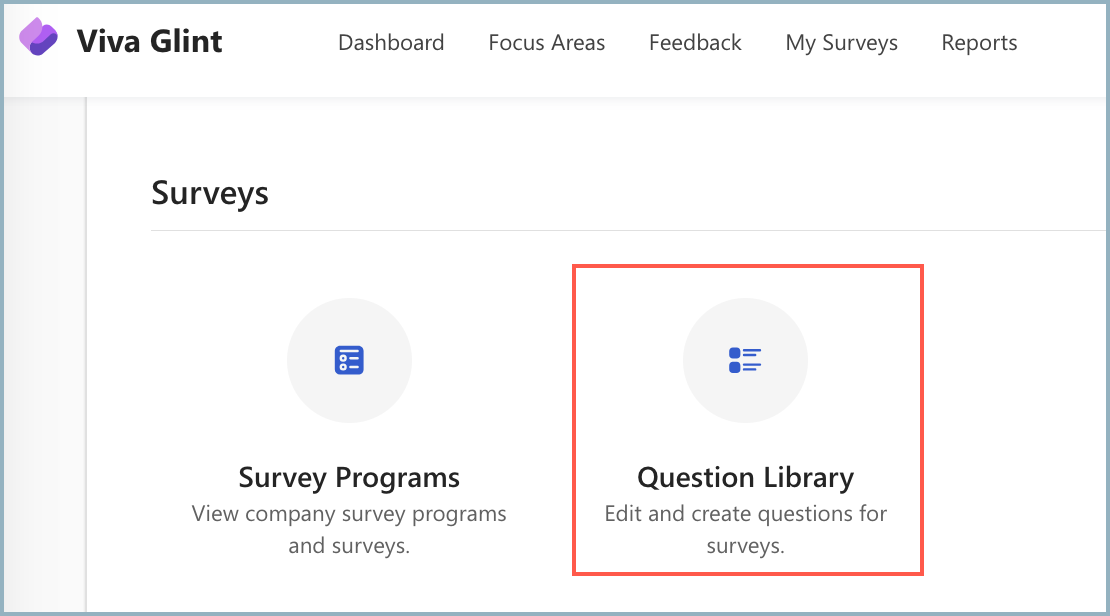
Understand the Viva Glint Question Library
Question Library items are available to help construct powerful and predictive surveys. Viva Glint standardized template surveys (Engagement, Onboarding, Culture, Diversity & Inclusion, etc.) are developed using items that are the best predictors of engagement. The Microsoft Viva People Science Research team tests and validates all survey items. Each item has a unique Item Name and Question ID to distinguish it in the Viva Glint database.
Add a Question Library item to a template
You may choose to use a template "as is." Or you may choose, for example, to delete one item and find another item that better represents the key driver you want data for.
Caution
An item may appear more than once in the Question Library. This scenario occurs because the identically phrased item is used for different templates or templates with different frames of reference and context. Be sure to choose the correct item!
Let's look at an example where you want to replace an existing template item with an item about career goals. You discover two "identical" items exist:

In the search box, key in Career Goals. Many different items come up. Decide which item works for you. Let's choose My career goals can be met at [Company Name].
Notice that two identically phrased statements exist. You need to investigate why the item exists twice. From looking at the column headers, you see that:
- In the Name and ID column, both items are called Career Goals, but they have a different Question ID. The Question ID numbers tell us that these items aren't exactly the same item.
- In the Question column, you see that the text is identical.
- In the Used In column, you see that the items haven't been used in any survey.
- In the Tags column, you see:
- The item isn't customized, as the status reads Viva Glint and not Custom.
- Both items are rating questions
- Both items are both linked to the 2021 Global benchmark.
There must be a difference between the two seemingly identical items. What is it?
Hover over the first entry and select it to open the slider panel.
Hover over the second item and compare these key settings to discover differences:
- Rating Scale
- Program Type

You see that:
- The first item is intended for a survey using a 7-point rating scale.
- The second item is intended for a survey using a 5-point rating scale.
- Both items are intended for Engagement surveys.
Choose the item with the rating scale that matches your survey.

Note
Even adding an unedited standard Viva Glint item to a survey program converts it to Custom status because the item becomes your customer-specific version of the standard item. For this reason, once an item is added to a survey - even unedited - it becomes a new item in your Question Library, differentiated by its Custom status.

Survey item terms
Items can be filtered to help you find exactly the item to support your survey driver. These terms are helpful to understand:
| Terms | Definition and Need-to-Knows |
|---|---|
| Referent | The group or population (Manager, Coworkers, Company, etc.) a respondent should think about when rating an item |
| Program | The Viva Glint survey this item is used in. For example: Engagement, Exit, Onboarding. All items listed by program are loaded into the Viva Glint platform, our survey templates, and the Question Library. |
| Question Type |
|
| Action Plan Template | The action plan content aligned to this item. If shown as "default," the item is using the generic template. If empty, this item has no Action Plan content aligned to it. |
| Option Text | The list of response choices for Options items |
| Tags | Unique identifiers belonging to a Question Library item |
Referent definitions
| Referent | Description |
|---|---|
| Team | These items may read "my team" or "on my team." The items refer to a group of people that the respondent is a member of and who all work either in the same department or for the same manager. |
| Teams | These items may read "teams" or "work team." The items refer more generally to groups of people across the company, not necessarily the team the respondent is on. |
| Coworkers | These items may read "Coworkers" or "people" or "employees." The items refer to other people, in general not necessarily on the same team as the respondent. |
| Manager | These items may read "my manager" or "my Supervisor." The item refers to the person the respondent reports to directly and who most likely has the most influence over the respondent's job and provides the respondent feedback and employment reviews. |
| Leadership | These items may read "executive team" or "top leaders" or "leadership team." The items generally refer to the executive team - the CEO and their direct reports.
|
| Company | These items may also be stated as "where I work" or "at this company" or "here." The items refer to an experience of the entire company overall. |
| Industry specific job referent | Some companies may use specific job titles or common abbreviations. Registered Nurse (RN) is an example. |
With all referents, you can customize the item by inserting the actual name of who is to be rated.
For example -
- Viva Glint item: "I get the support I need from [leadership and their directs]."
- Customized item: "I get the support I need from [Manager Name]"
- The item now shows in your Question Library tagged as a Custom item, no longer a Viva Glint item, and the item text reads "I get the support I need from [Manager Name].
More about referents
In the Question Library database, certain items contain a Referent which directs the survey taker to think specifically about who they're rating. About half of the Viva Glint items have referents. If the Referent column status is None, the item describes an experience with no clear referent.
Example with a referent: "I feel cared about as a person on my team."
Example without a referent: "At work, I feel cared about as a person."
Not all survey items have referents
Unless a theme or topic is predominantly experienced through a referent, Viva Glint recommends using items that focus on the experience itself. This practice allows for the fact that many experiences have multiple influences. It's important to include items without referents because:
- It gives Viva Glint the ability to compare how the customer scored on the item to our external benchmarks.
- It ensures the item is relevant to employees across the customer organization. This relevancy is important when using the comparison scores to the Overall Company. Comparisons to benchmarks or company norms are essential to interpreting results. They're an important indicator in determining whether your scores are strong or need improvement.
- Narrative Intelligence (NLP) is built into the platform to pull meaning from comment data. This ability connects the dots between what employees think about broader topics and how they feel about them.
More information
Validated items in the Viva Glint Question Library