Note
Access to this page requires authorization. You can try signing in or changing directories.
Access to this page requires authorization. You can try changing directories.
Auto-Reconnect helps maintain productivity during temporary network interruptions by automatically restoring connectivity to your Cloud PC when network access becomes available again. Instead of requiring users to reconnect and restore their work, Auto-Reconnect preserves open applications, active work, and the Cloud PC experience so users can continue where they left off.
Current Auto-Reconnect behavior
Today, Auto-Reconnect uses a retry-based recovery model that begins after the Windows App detects a connection interruption. When a disruption occurs, the client first detects the loss of connectivity through signals such as a TCP disconnect, keep-alive timeout, or loss of the underlying network interface. If the device has no active network connectivity, the client waits until the operating system reports that connectivity has been restored.
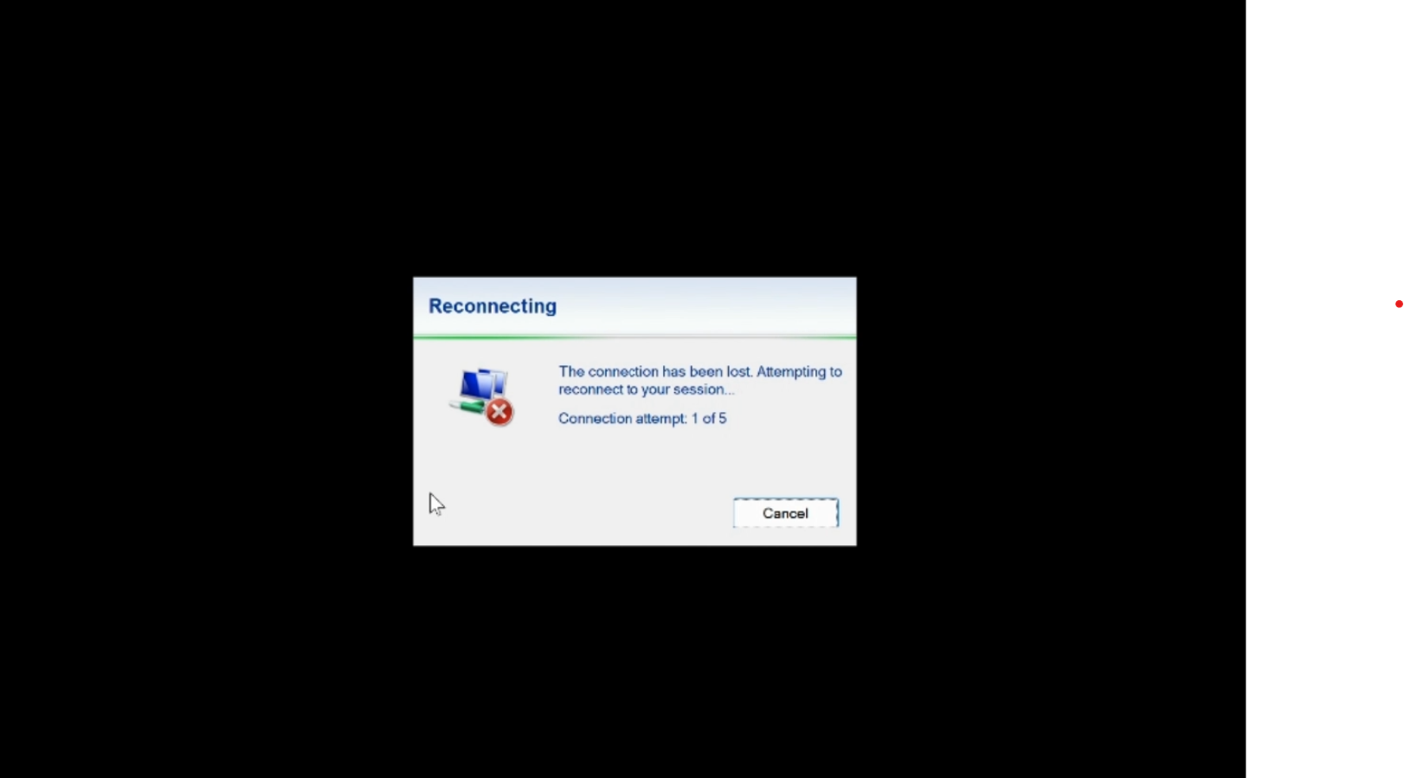
Once connectivity becomes available, the client repeatedly attempts to reconnect to the Cloud PC. Each attempt involves re-establishing the connection and validating connectivity before access can be restored. Because every attempt is a full reconnect operation, recovery can take several seconds depending on network conditions.
The retry behavior uses an exponential backoff algorithm where the delay between reconnect attempts gradually increases up to a configured maximum. If connectivity can't be restored within the allotted time, users are prompted to retry or close the connection.
During this process, users typically see a blocking Reconnecting experience and are unable to continue interacting with their Cloud PC until connectivity is restored or the reconnect process times out.
Modern Auto-Reconnect behavior
Important
Auto-Reconnect is being introduced through a quality-driven phased rollout to help ensure a reliable experience as availability expands across Windows 365. Eligible Cloud PCs will receive the updated experience over time.
Modern Auto-Reconnect introduces a connection preservation model designed to restore access to a Cloud PC more quickly after temporary network disruptions. When connectivity is interrupted, the Windows App enters a Connection paused state rather than repeatedly attempting to reconnect. The Cloud PC remains available while the client waits for network connectivity to return.
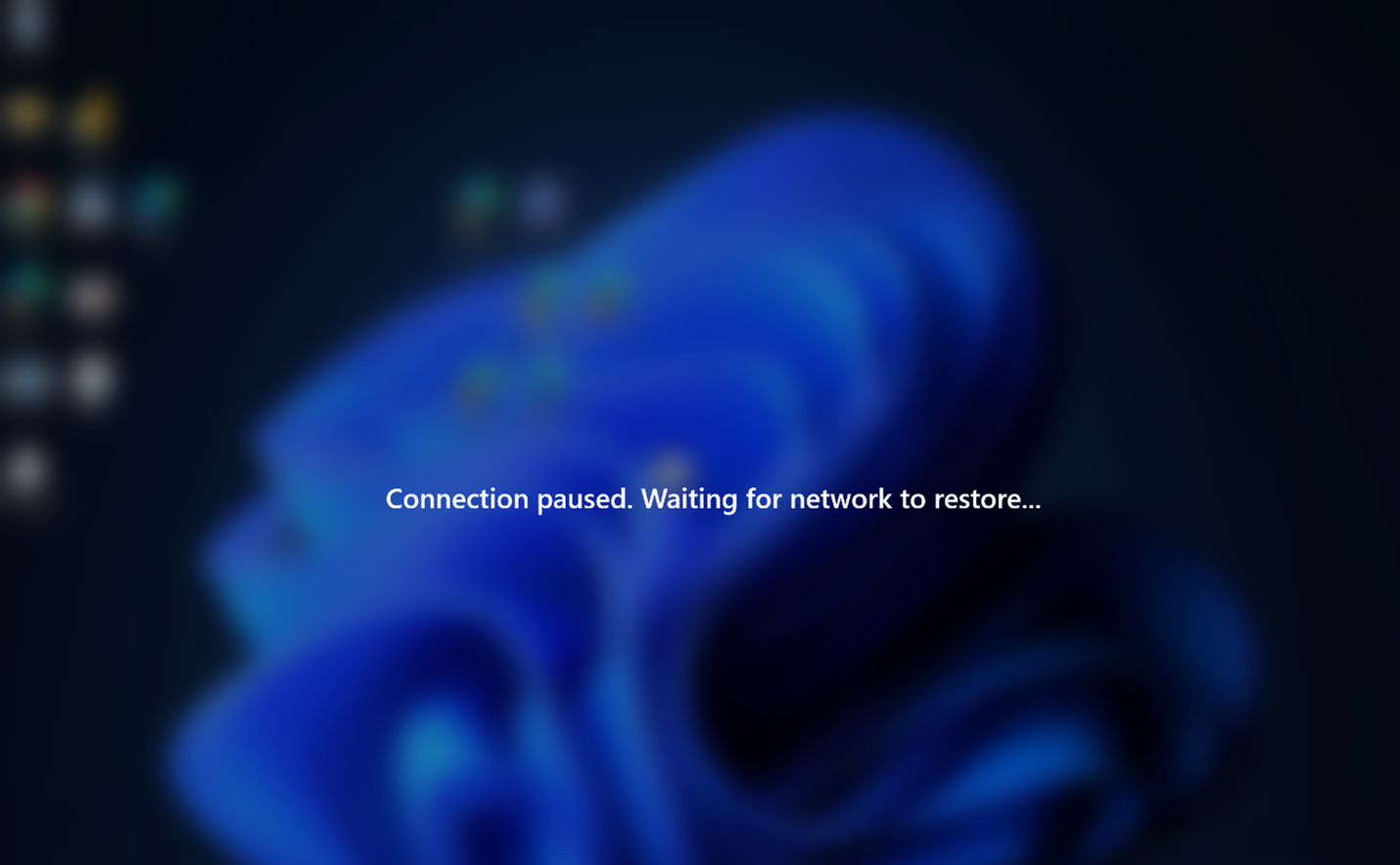
This experience is powered by RDP Multipath, which maintains multiple transport paths and enables faster recovery when network conditions change.
As soon as a working network path becomes available, the existing connection can resume without rebuilding the entire connection experience. Because connection context is preserved, recovery can occur significantly faster once connectivity is restored.
If connectivity isn't restored within the allowed waiting period, users are prompted to continue waiting or close the connection.
User experience improvements
Modern Auto-Reconnect provides a more resilient and less disruptive experience during temporary network interruptions.
Compared to the existing reconnect model, users benefit from:
Faster recovery after connectivity is restored
Fewer visible interruptions during network transitions
Preservation of open applications and in-progress work
Reduced dependence on repeated reconnect attempts
Improved experience while moving between networks
Better resiliency during brief connectivity drops
Instead of displaying a blocking reconnect experience, Windows App shows a lightweight Connection paused notification indicating that the Cloud PC is waiting for connectivity to return.
In many scenarios, such as:
Moving between Wi-Fi networks
Switching from Wi-Fi to a mobile hotspot
Recovering from a short internet outage
Experiencing brief home or office network interruptions
the interruption is short enough that users may experience little or no disruption.
Availability and requirements
Important
Auto-Reconnect is being introduced through a quality-driven phased rollout to help ensure a reliable experience as availability expands across Windows 365. Eligible Cloud PCs will receive the updated experience over time.
Modern Auto-Reconnect requires support for the updated connection model and RDP Multipath. To use this experience, install Windows App for Windows version 2.0.1314.0 or later. The feature is available to Windows 365 customers using supported Windows App clients and environments that support RDP Multipath.