Note
Access to this page requires authorization. You can try signing in or changing directories.
Access to this page requires authorization. You can try changing directories.
Get started
This guide shows you how to get started using a sample diver that was developed for Windows 8.1 and earlier operating systems (the SpbAccelerometer sample driver).
Note
To evaluate the sensor driver sample for Windows 10 and later operating systems, see Sensors sample driver. For information about how to develop and build a sensor driver for Windows 10 and later operating systems, see Write and deploy your universal sensor driver.
You'll start by installing Windows on your development board. They you'll configure the accelerometer and attach it to the development board. Next, you'll install Microsoft Visual Studio Express and the Windows Driver Kit (WDK). Then, you'll install the sample driver. Once you've completed these tasks, you can start exploring the sample driver.
Required hardware
Before you get started, make sure you have the following hardware:
- Sharks Cove board with included power cord and adapter.
- ADXL345 accelerometer/breakout board
- USB hub
- USB keyboard
- USB mouse
- USB network adapter
- Monitor and HDMI cable (and possibly adapters)
Warning
The Sharks Cove hardware development board is no longer supported. For a list of currently supported boards, see SoCs and custom boards.
Document conventions
In the sections that describe the sample driver, you'll see short tables after each section heading:
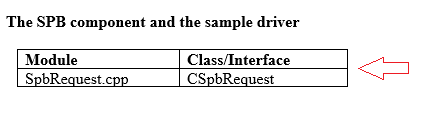
These tables identify the source modules and classes discussed in that section. Use this information to open the module and view its corresponding code in Visual Studio.