Note
Access to this page requires authorization. You can try signing in or changing directories.
Access to this page requires authorization. You can try changing directories.
Release date: 13 November 2026
Changes and improvements gradually being rolled out*
- This update includes a small set of general improvements and fixes that improve the overall experience for Insiders running this build on their PCs.
[BitLocker]
- Standard users can now set a BitLocker preboot PIN. Before this change, users without admin rights couldn't add the TPM+PIN protector. Now, standard users on managed devices can add the PIN themselves.
- How it works: When the policies below apply to a device that doesn't have a PIN yet, you get a notification asking you to add one. Selecting the notification opens a window where you can set the preboot PIN.
Set it up
In Microsoft Intune or another device management solution, configure these existing BitLocker policies to require TPM+PIN for non-administrators:
| Policy | Value |
|---|---|
AllowStandardUserEncryption |
ON |
AllowWarningForOtherDiskEncryption |
OFF |
RequireDeviceEncryption |
ON |
SystemDrivesRequireStartupAuthentication |
ON |
Important
Target policy that requires startup authentication and device encryption only to your standard user test group that has this feature enabled in the Windows Insider Program.
Standard users without this feature can't add the required TPM+PIN protector, and device encryption subsequently fails with this configuration. Standard users without this feature who are already encrypted with TPM only report as non-compliant with policy.
All users targeted with these policies get a notification to add a PIN to their device if they don't already have one. Selecting the notification opens a window where you can set the preboot PIN.
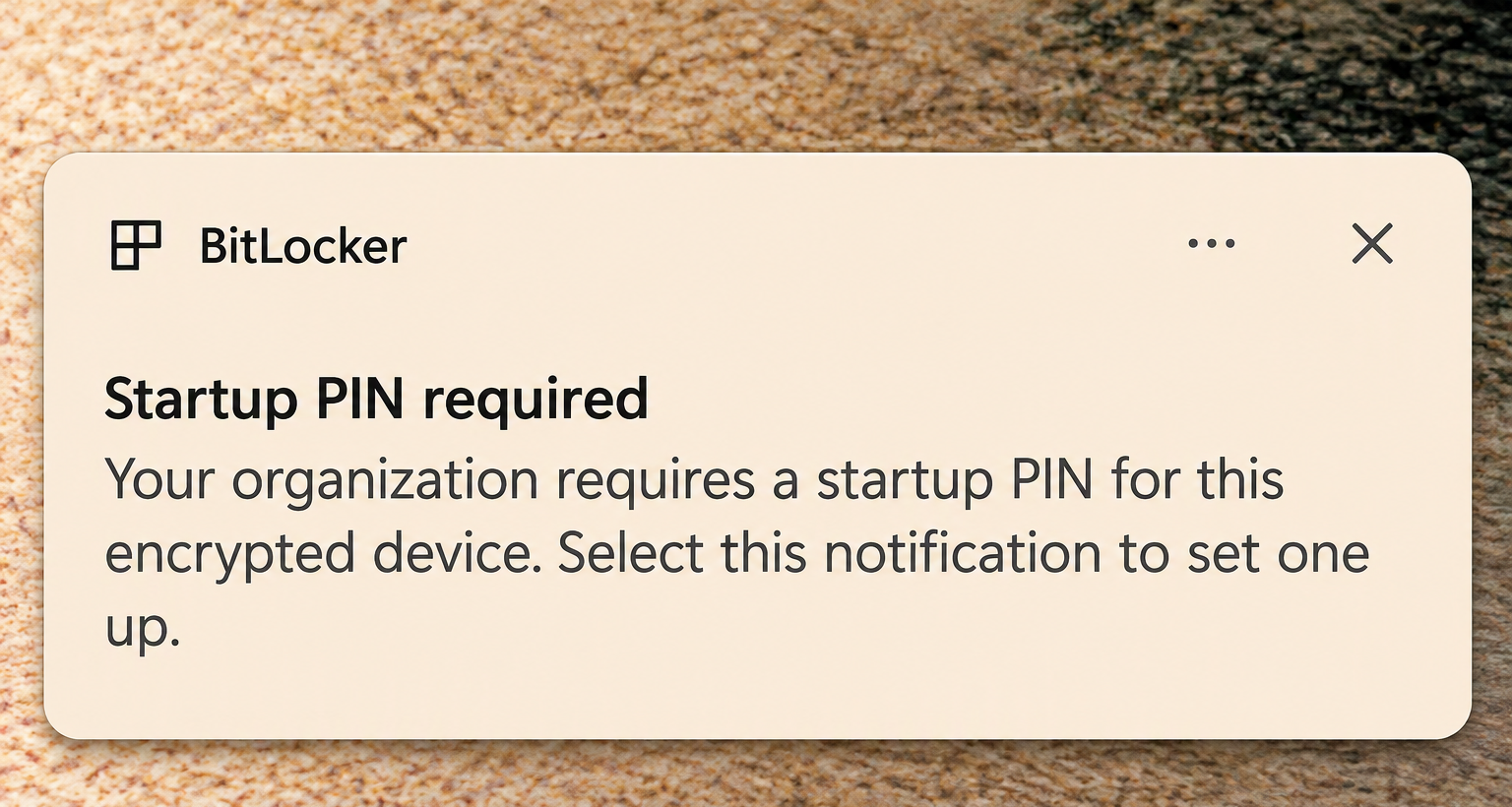
Standard users get a notification asking them to add a preboot PIN.
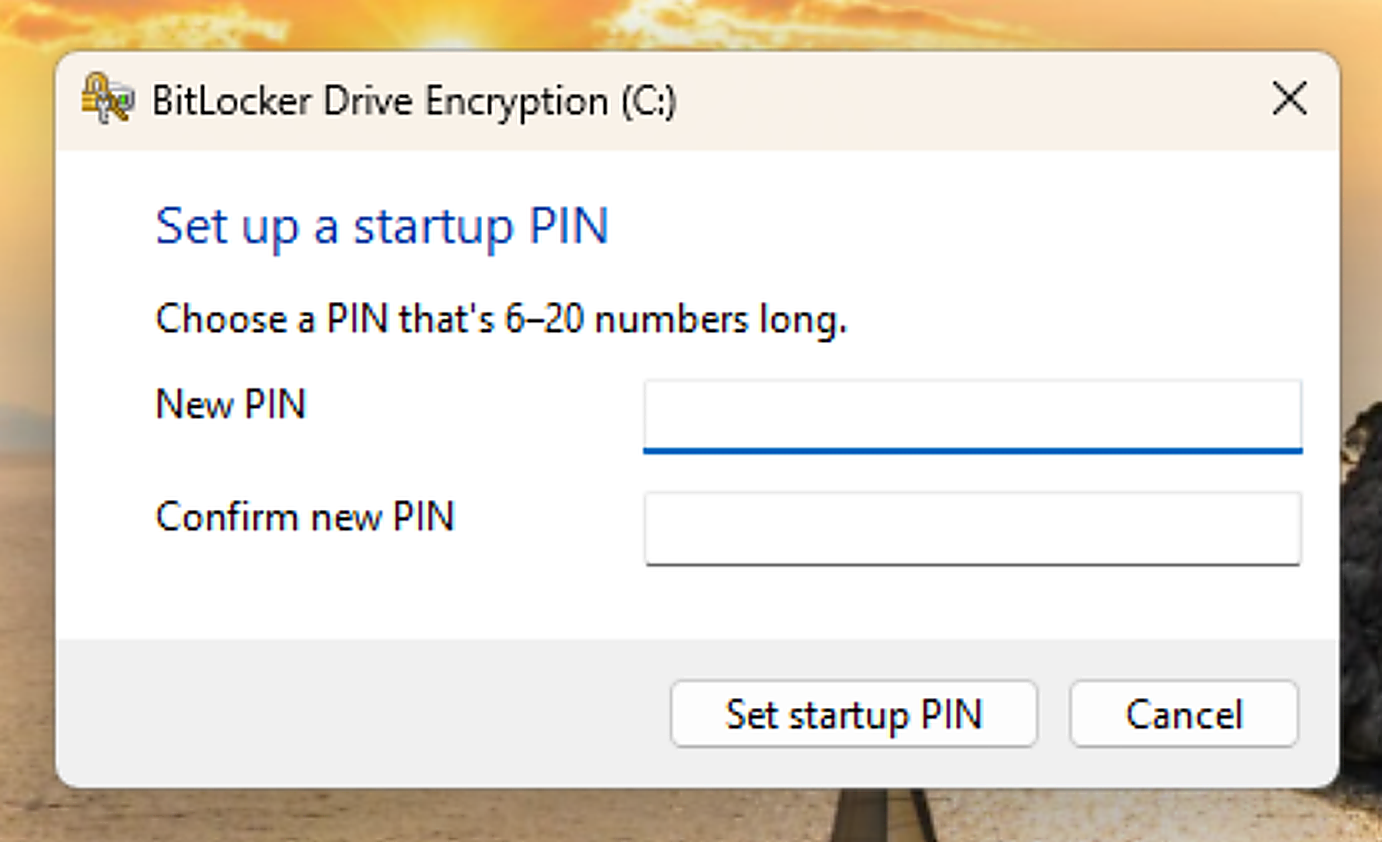
Selecting the notification opens a window where you set your BitLocker preboot PIN.
[Remote desktop]
- Fixed an issue where Remote Desktop Protocol (RDP) connections might fail on the client due to a certificate mismatch after the latest flights.
Reminders for Windows Insiders in the Beta (26H1) channel
The desktop watermark shown at the lower right corner of the desktop is normal for Windows Insider pre-release builds.
Features and experiences included in these builds might never get released as we try out different concepts and get feedback. Features might change over time, be removed, or replaced and never get released beyond Windows Insiders. Some of these features and experiences could show up in future Windows releases when they're ready.
Some features in active development we preview with Windows Insiders might not be fully localized, and localization will happen over time as features are finalized. As you see issues with localization in your language, report those issues to us via Feedback Hub.
Check out Flight Hub for a complete look at what build is in which Insider channel.