Note
Access to this page requires authorization. You can try signing in or changing directories.
Access to this page requires authorization. You can try changing directories.
Release date: 13 November 2026
Changes and improvements gradually being rolled out*
[Windows Hello]
- We've updated the experience for setting up Windows Hello PINs. For personal accounts, PINs now require a minimum of six digits, with an option to use four digits, and no longer require additional complexity such as prohibited number sequences, letters, or special characters. For work accounts, the experience is similarly updated, but the requirements are unchanged.
[Remote Lock]
- Remote Lock lets IT lock a lost, stolen or compromised Windows device from Microsoft Intune without wiping it. Windows signs out every active session, hides all sign-in options and shows a Device Locked screen. Nothing is erased: the device stays enrolled and managed; BitLocker stays on, and user data stays in place. Only an admin can lift it remotely, so the user picks up where they left off. Learn more: https://aka.ms/remotelock
What the user sees on a locked device:
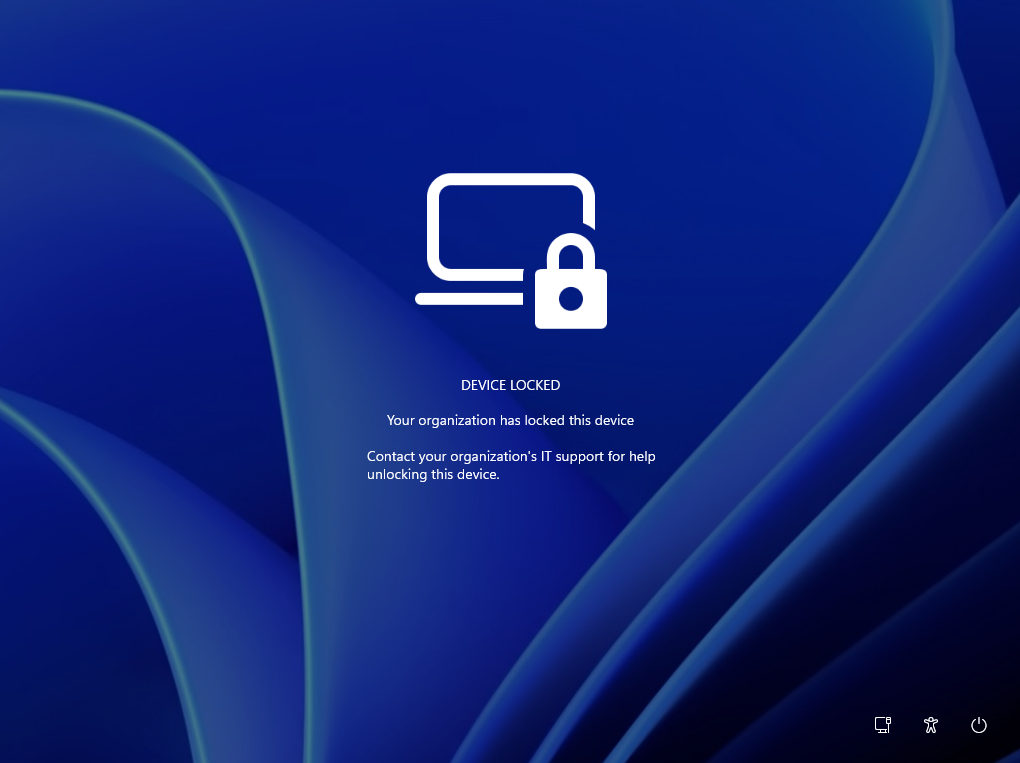
The default lock screen. LockReason and RecoveryHint add your own reason and help desk contact.
[Windows Recovery]
We're introducing Cloud rebuild, a new recovery option that restores a Windows 11 PC to a clean, known-good state by performing a full OS reinstall, even when Windows won't boot. Unlike Reset this PC, Cloud rebuild downloads both the target Windows image and the device's drivers from Windows Update, so the device comes back fully functional without USB media, without a custom image, and without depending on the health of the currently installed OS.
In this preview, you can try Cloud rebuild today:
- Start it directly from the Windows Recovery Environment (WinRE) by selecting Troubleshoot > Recovery and uninstall > Cloud rebuild.
- Connect over wired Ethernet or a Wi-Fi network from within WinRE.
- Review the target Windows build, edition, and language, then confirm the data-loss warning before the rebuild begins.
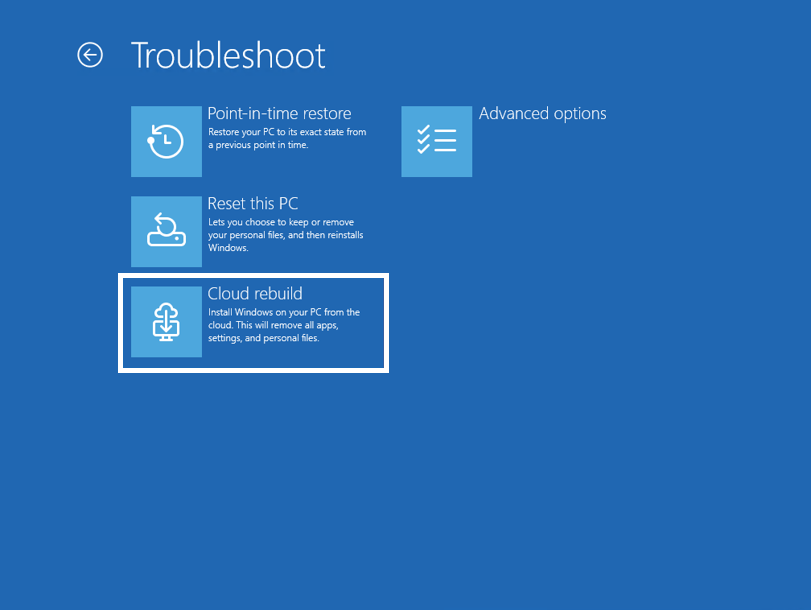
The new Cloud rebuild option in Windows Recovery Environment (WinRE), which enables a full Windows reinstall using files downloaded from Windows Update.
Cloud rebuild can also be accessed from Settings > System > Recovery
Feedback: Share your thoughts in Feedback Hub (WIN + F) under Recovery > Cloud rebuild.
To learn more, see Cloud rebuild.
[File Explorer]
- Added the ability to add tags and other metadata to WebP files.
[Taskbar]
- Fixed a recent issue where interacting with the app preview windows would get slower and slower over time.
[Unicode]
- This update provides Windows text shaping support for Unicode 17.0, helping Windows correctly display and shape newly encoded characters and scripts. Unicode 17.0 added 4,803 characters, including support for four newly encoded scripts: Beria Erfe, Sidetic, Tai Yo, and Tolong Siki. These updates help keep Windows text support current as the Unicode Standard evolves and improve support for languages and writing systems used by people around the world.
[General reliability]
- Fixed an issue which was causing some Insiders to see an increase in bug checks (green screens) with error DRIVER_IRQL_NOT_LESS_OR_EQUAL.
Reminder for Windows Insiders in the Experimental (Future Platforms) channel
These builds can be unstable and might be released with limited documentation.
The builds released to these channels represent the latest platform changes early in the development cycle and shouldn't be seen as matched to any specific release of Windows. Features and experiences included in these builds might never get released as we try out different concepts and get feedback. Features might change over time, be removed, or replaced, and never get released beyond Windows Insiders. Some of these features and experiences could show up in future Windows releases when they're ready.
Many features are rolled out using Controlled Feature Rollout technology, starting with a subset of Insiders and ramping up over time. We monitor feedback to see how they land before pushing them out to everyone in this channel.
The desktop watermark shown at the lower right corner of the desktop is normal for Windows Insider pre-release builds.
Some features in active development we preview with Windows Insiders might not be fully localized, and localization will happen over time as features are finalized. As you see issues with localization in your language, report those issues to us via Feedback Hub.