Note
Access to this page requires authorization. You can try signing in or changing directories.
Access to this page requires authorization. You can try changing directories.
Release date: 25 September 2026
Changes and improvements gradually being rolled out
[Start menu]
See more of your latest activities at a glance: Phone companion for the Start menu now shows more of your recent activity, with a scrollable side pane so you can view even more without leaving the Start menu.

The phone companion in Start with a scrollable pane for viewing more recent mobile activity.

[Settings]
Windows Insiders will now see Energy Recommendations directly in Quick Settings, making it easier to discover and take actions that can help reduce energy consumption and improve device sustainability.

The Power & battery settings page showing Energy Recommendations, including suggested actions.
Made some small visual refinements to the design of the temporary files section under Settings > System > Storage.

[Narrator]
Building on the math reading and navigation support introduced for Narrator in Build 26340.9354, we're expanding the experience with additional language and browser support. Narrator math reading now supports a total of six languages: English (United States), English (United Kingdom), Traditional Chinese, Finnish, German, and Spanish. You can choose your preferred language under Math reading settings in Narrator settings.
Math reading is also now available for supported web content in Microsoft Edge Stable version 153.0.4234.32 and later and Chrome Stable version 153.0.8010.18 and later, making it easier to read and explore equations across more of the places where students and professionals work.
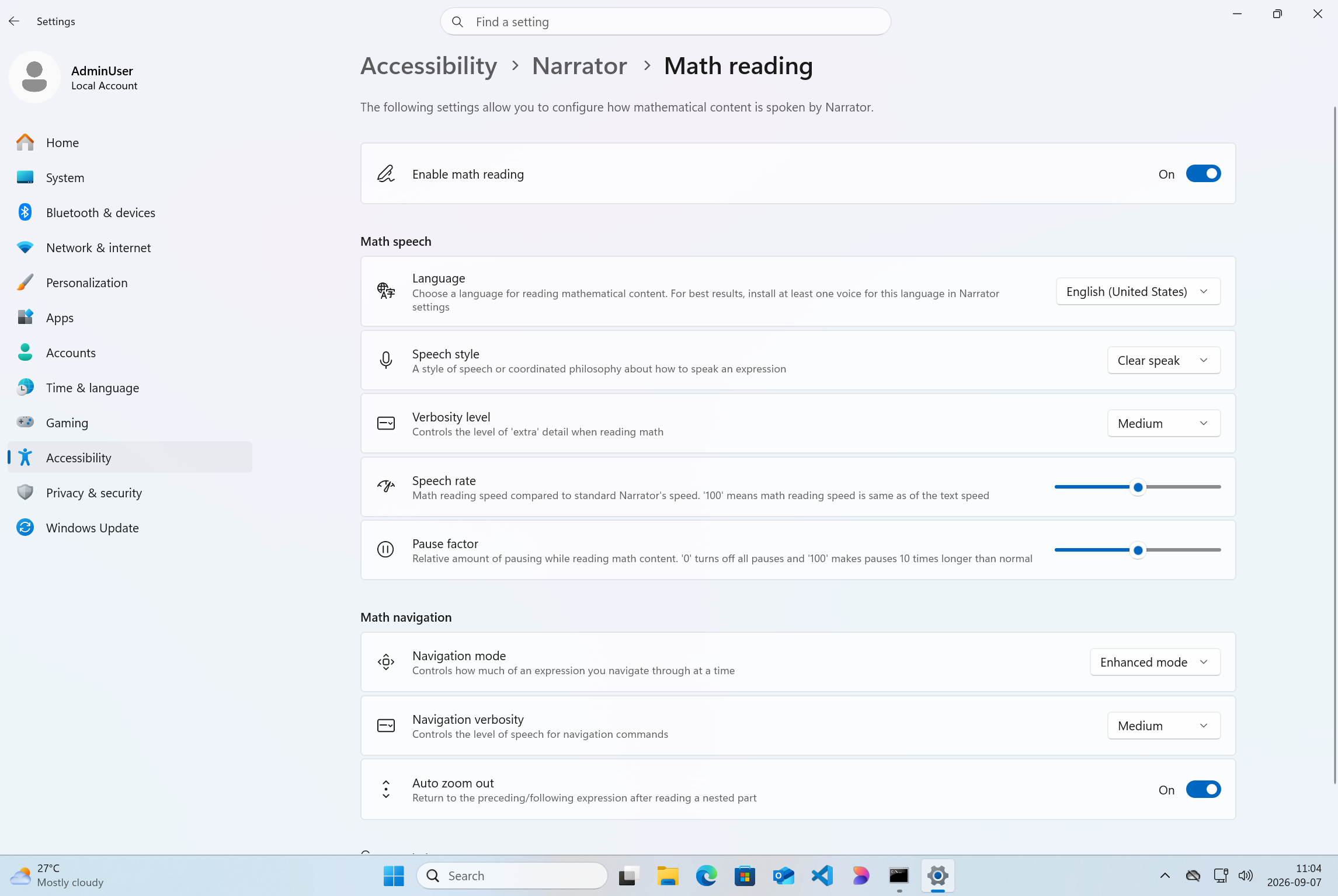
The Narrator Math reading settings page in Windows Settings.
[Audio]
- Fixed an issue affecting certain USB Audio Class 1.0 devices, including some multichannel audio headsets, that could prevent the device from working correctly after installing the latest updates.
[Taskbar]
- Improved underlying state persistence of taskbar settings related to multiple monitors across monitor connections and disconnections.
Reminders for Windows Insiders in the Experimental channel
Updates are based on Windows 11, version 26H2 via an enablement package (Build 26340.9577).
Many features are rolled out using Controlled Feature Rollout technology, starting with a subset of Insiders and ramping up over time. We monitor feedback to see how they land before pushing them out to everyone in this channel.
The desktop watermark shown at the lower right corner of the desktop is normal for Windows Insider pre-release builds.
Features and experiences included in these builds might never get released as we try out different concepts and get feedback. Features might change over time, be removed, or replaced and never get released beyond Windows Insiders. Some of these features and experiences could show up in future Windows releases when they're ready.
Some features in active development we preview with Windows Insiders might not be fully localized, and localization will happen over time as features are finalized. As you see issues with localization in your language, report those issues to us via Feedback Hub.
Check out Flight Hub for a complete look at what build is in which Insider channel.