Note
Access to this page requires authorization. You can try signing in or changing directories.
Access to this page requires authorization. You can try changing directories.
Release date: 7 October 2026
Changes and improvements gradually being rolled out
[Windows Search]
New Windows Search experience with inline actions: We're beginning to roll out a new Windows Search experience built on WinUI 3 that is faster, more efficient, and features a streamlined design that makes results easier to scan. We're also introducing inline actions, allowing you to quickly complete tasks directly. Turn on dark mode or Bluetooth, adjust your screen brightness, mute your device, or arrange windows from Windows Search.
We're improving how Windows Search understands what you're looking for, including better matching for typos and synonyms. We'll continue fine-tuning these improvements over the coming weeks. For more information detailing the new changes, check out the Windows Insider Blog.
English is the only supported language for this initial release.
After upgrading to this build, restart your device before the New Windows Search Experience feature flag is visible.
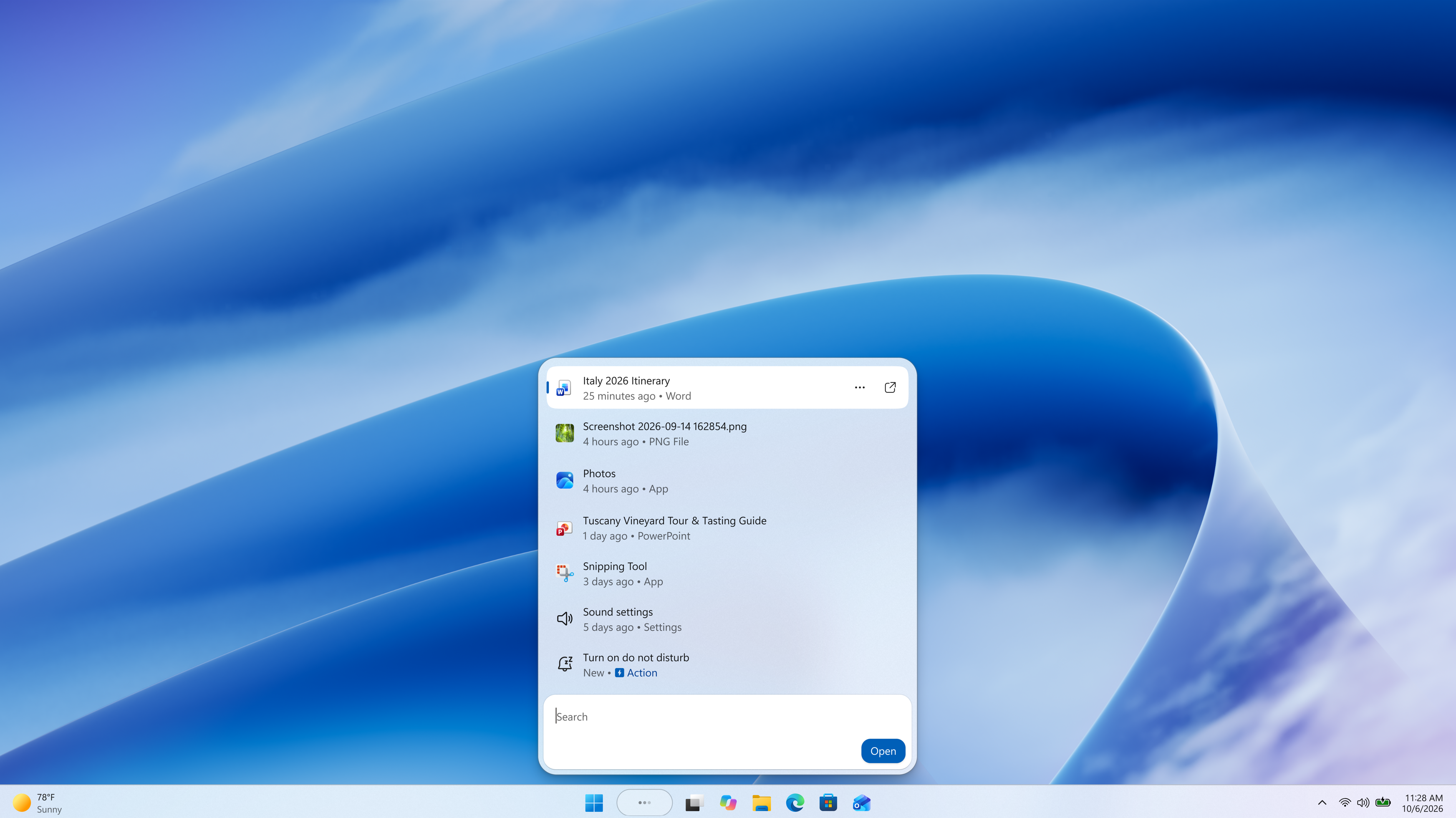
Screenshot of the new Windows Search experience.
[Battery status widget]
As part of our continued commitment to making Widgets more useful for everyday moments, we're introducing the Battery Status widget for Insiders on newer builds. This widget provides a unified view of battery levels for your PC and peripheral devices, helping you quickly assess power status without hunting through multiple UI locations. Add it by going to Widgets board > Add widgets > Battery Status.
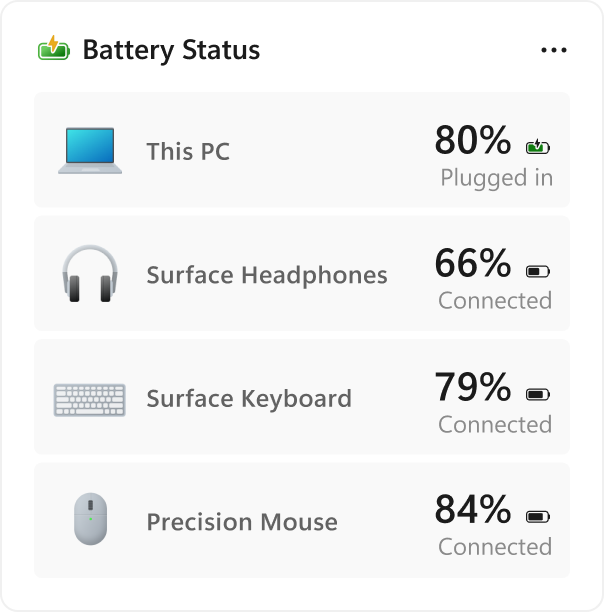
UI showing the new Battery Status widget, providing a unified view of battery levels across your PC and connected devices.
[Kerberos enhancements]
- IAKerb is now enabled by default for Windows client. IAKerb is a Kerberos extension that allows Windows authentication to succeed in scenarios where traditional Kerberos can't be used because a direct connection to a domain controller is unavailable. This extension helps reduce reliance on NTLM while improving compatibility for modern authentication scenarios. For additional background, implementation details, and early preview information, see Reducing NTLM Dependency: IAKerb and LocalKDC in Windows Insider Preview.
[Task Manager]
- Task Manager is expanding process grouping to allow apps to combine otherwise separate background processes into a single unified category rather than relying solely on traditional parent-child trees. This makes an app's resource usage easier to understand. Microsoft Defender is the first app to use this capability.
[Windows Update]
- Fixed the issue causing some Insiders with Windows Sandbox enabled to get error 0x80073712 when attempting to install the latest updates.
[Security]
We've updated the security key PIN entry experience, removing the "other user" icon for a clearer sign-in experience.
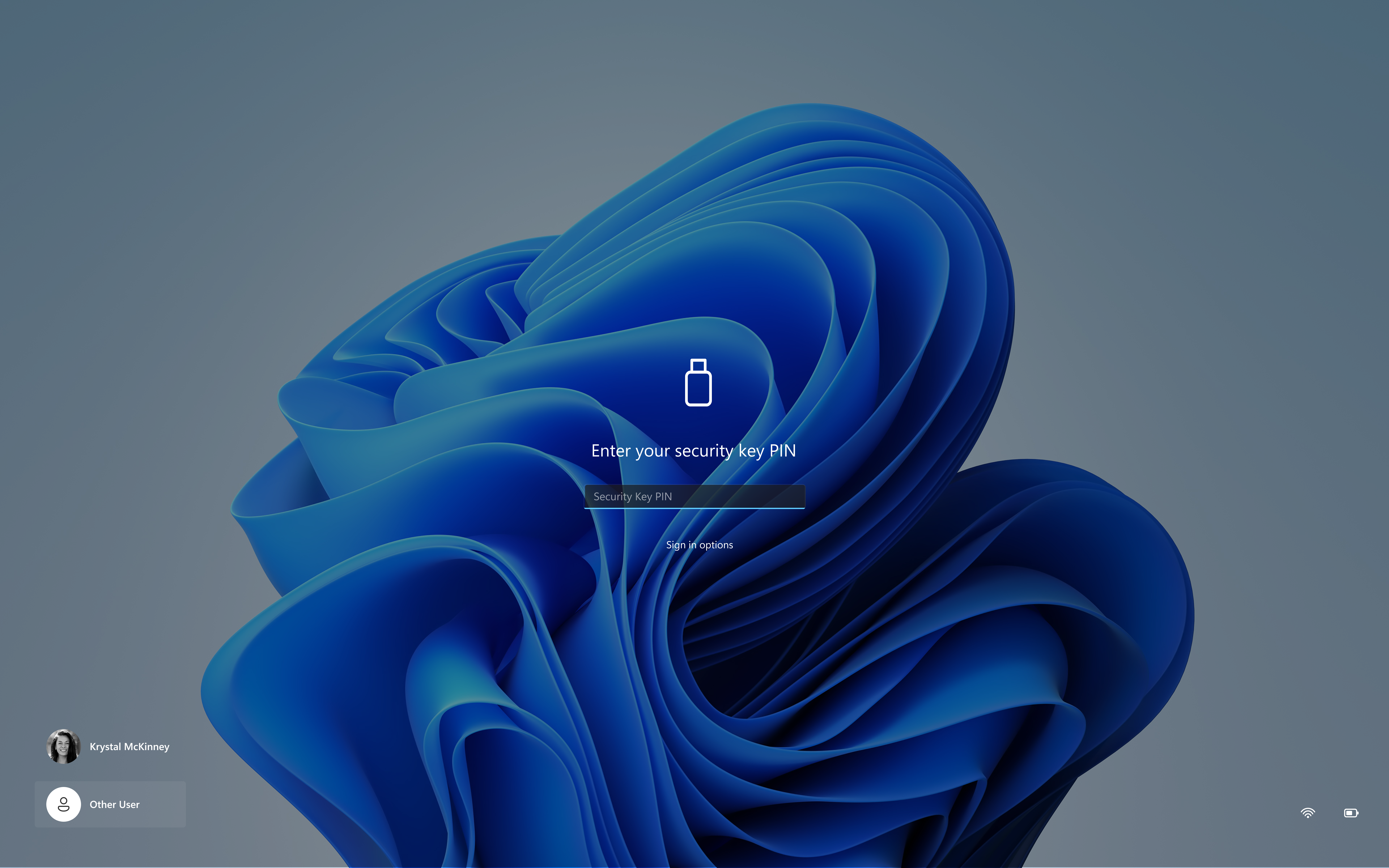
UI showing the updated security key sign-in experience with a streamlined PIN entry screen.
[Taskbar]
- Fixed an issue impacting some Insiders recently, which was causing the taskbar app window previews to become slower and noticeably lag over time.
[Settings]
- Removed the backplate from the Settings icon when UAC is invoked from within Settings.
[File Explorer]
- Added support for font preview and installation in the File Explorer and desktop context menus.
[Other]
- Fixed an issue with
msmpeg2ac3dec.dllwhich was leading to some apps and games crashing recently.
Reminders for Windows Insiders in the Experimental channel
Updates are based on Windows 11, version 26H2 via an enablement package (Build 26340.9616).
Many features are rolled out using Controlled Feature Rollout technology, starting with a subset of Insiders and ramping up over time. We monitor feedback to see how they land before pushing them out to everyone in this channel.
The desktop watermark shown at the lower right corner of the desktop is normal for Windows Insider pre-release builds.
Features and experiences included in these builds might never get released as we try out different concepts and get feedback. Features might change over time, be removed, or replaced and never get released beyond Windows Insiders. Some of these features and experiences could show up in future Windows releases when they're ready.
Some features in active development we preview with Windows Insiders might not be fully localized, and localization will happen over time as features are finalized. As you see issues with localization in your language, report those issues to us via Feedback Hub.
Check out Flight Hub for a complete look at what build is in which Insider channel.