Note
Access to this page requires authorization. You can try signing in or changing directories.
Access to this page requires authorization. You can try changing directories.
Release date: 6 November 2026
Changes and improvements gradually being rolled out
[Windows Hello]
Windows Hello sign-in improvement
Sign-in and unlock now behave more consistently and give clearer guidance. You no longer have to wait for face or fingerprint recognition to finish before entering your PIN. Use whichever method works first. At certain times, such as after a restart, you'll need your PIN first. After that, biometrics work as usual.
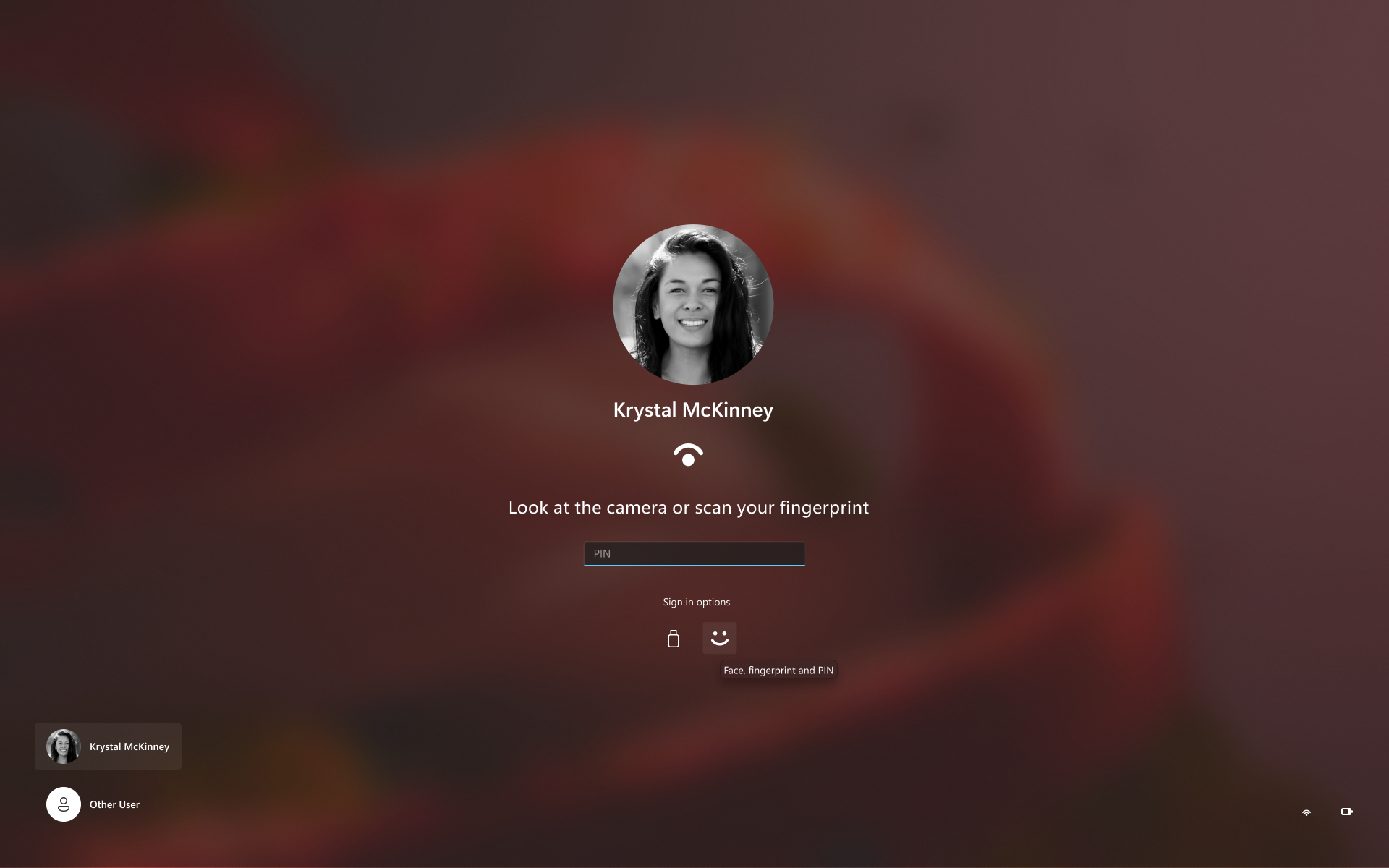
Sign in with face, fingerprint, or PIN, whichever works first.
Windows Hello logging for IT admins
- New Windows Hello events let IT admins see how users sign in. The sign-in experience doesn't change. In Event Viewer > Windows Logs > Security, event 4628 records the Windows Hello methods a user has set up and which method they used to sign in (PIN, face, fingerprint, or no Windows Hello). Event 4629 records failed Windows Hello sign-in attempts. Both events use the existing Audit Logon policy.
- For troubleshooting, events 5010 and 7010 in Event Viewer > Applications and Services Logs > Microsoft > Windows > HelloForBusiness > Operational record each Windows Hello sign-in and unlock, along with the result.
[Live captions]
- Live captions now gives you control over what gets transcribed. Previously, captions used system audio, with an option to add your microphone. In Live captions settings, you can now choose system audio, your microphone, or both, so captions follow the sound you care about. Caption an in-person conversation without picking up system audio, or follow audio from your PC during a meeting or while watching a video.
[Input]
- The dialogs that ask whether you'd like to turn on Sticky Keys or Filter Keys are being updated, making it easier to dismiss these prompts permanently. If you don't use these keyboard features, you can choose not to be asked again directly from the dialog, helping you continue what you're doing with fewer interruptions.
[Math equations in Braille with Narrator]
Building on Narrator's math reading and navigation support, the experience is expanding to refreshable Braille displays. When Narrator reads supported equations in Microsoft Word, PowerPoint, Edge, or Google Chrome, Narrator Math is now shown on your connected Braille display, letting you explore them by touch while listening to Narrator.
Math is at the heart of STEM education and learning, and this update helps students and professionals independently read, understand, and explore equations, formulas, and scientific notation with confidence.
You can choose a math format in Braille without changing your default Braille output table. Supported math output formats include Nemeth (default), UEB, CMU, Vietnamese, Swedish, LaTeX, and ASCIIMath. In Narrator Math settings, you can also customize the reading language, speech behavior, and navigation preferences.

Narrator Math settings in Windows Settings, showing options for math reading, navigation, speech, and Braille formats.

[Settings]
Discover your account benefits in Settings. It's now easier to discover the benefits and services available with your Microsoft account, right in Windows Settings.
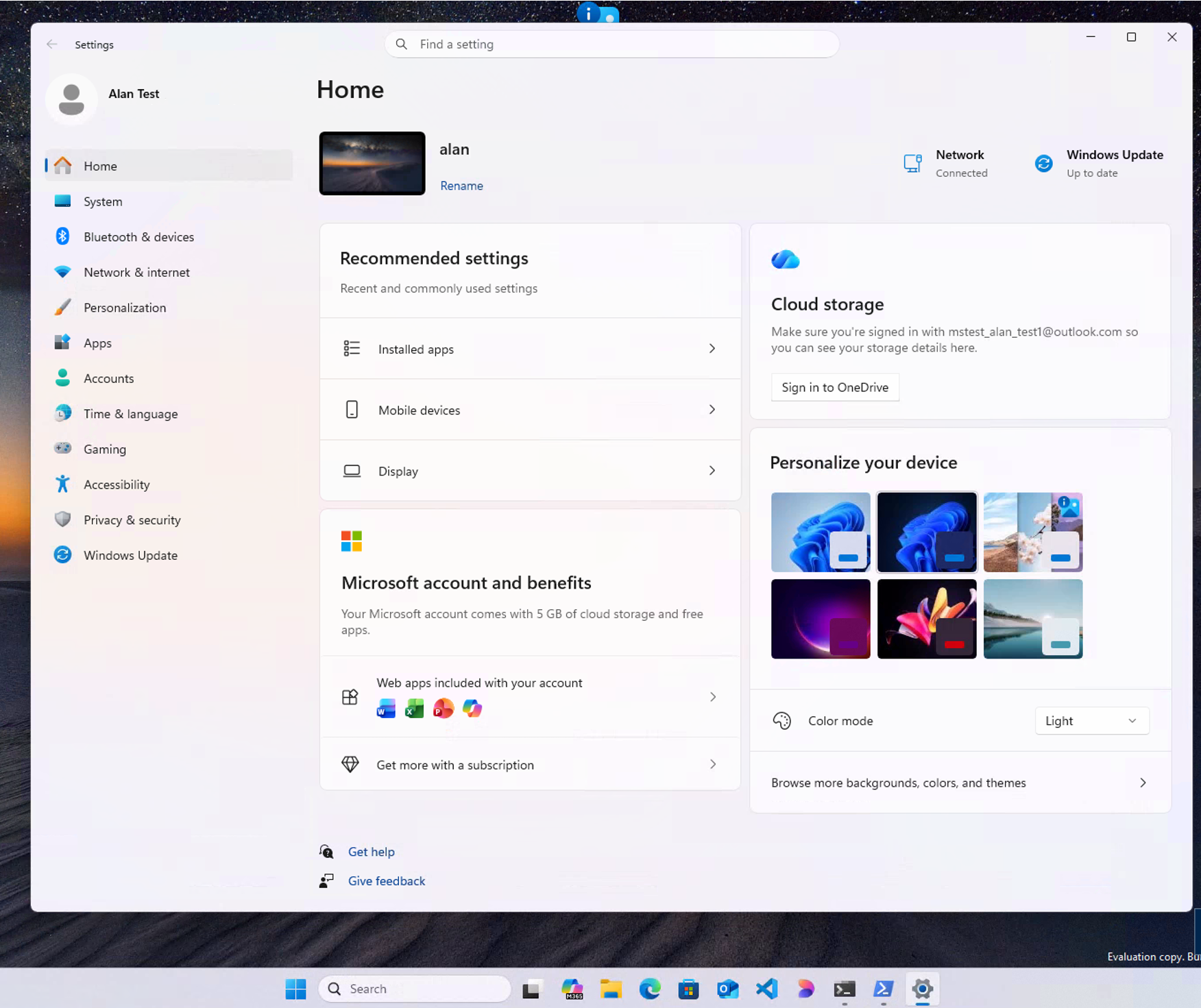
Microsoft account benefits and services available in Windows Settings.
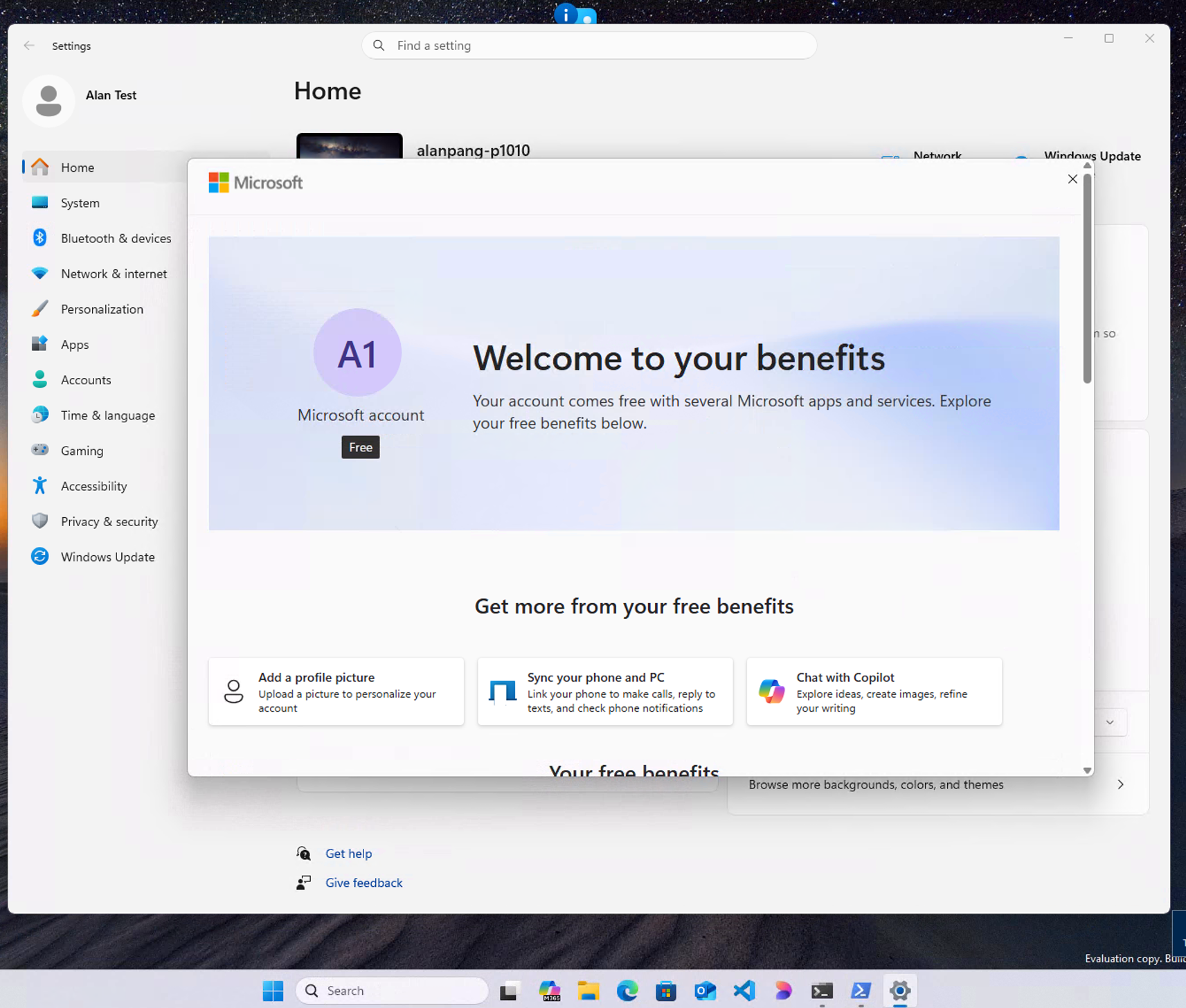
Microsoft account benefits welcome page.
[Known issues]
- Reports from Insiders that the CPU speed shown in Task Manager no longer updates after the latest flights are under investigation.
Reminders for Windows Insiders in the Experimental channel
Updates are based on Windows 11, version 26H2 via an enablement package (Build 26340.9882).
Many features are rolled out using Controlled Feature Rollout technology, starting with a subset of Insiders and ramping up over time. We monitor feedback to see how they land before pushing them out to everyone in this channel.
The desktop watermark shown at the lower right corner of the desktop is normal for Windows Insider pre-release builds.
Features and experiences included in these builds might never get released as we try out different concepts and get feedback. Features might change over time, be removed, or replaced and never get released beyond Windows Insiders. Some of these features and experiences could show up in future Windows releases when they're ready.
Some features in active development we preview with Windows Insiders might not be fully localized, and localization will happen over time as features are finalized. As you see issues with localization in your language, report those issues to us via Feedback Hub.
Check out Flight Hub for a complete look at what build is in which Insider channel.