Note
Access to this page requires authorization. You can try signing in or changing directories.
Access to this page requires authorization. You can try changing directories.
This tutorial series demonstrates how to create a WinUI app using XAML and C#. The app you'll create is a note app, where the user can create, save, and load multiple notes. You can download or view the code for this tutorial from the GitHub repo.
Start here after you can build and run a blank project. This is a step-by-step introduction to WinUI 3 fundamentals using Visual Studio; no AI coding assistant or MVVM Toolkit is required.
In this tutorial, you learn how to:
- Use XAML markup to define the user interface of the app.
- Interact with XAML elements through C# code.
- Save and load files from the local file system.
- Create views and bind them to data.
- Use navigation to move to and from pages in the app.
- Use resources like documentation and sample apps to create your own app.
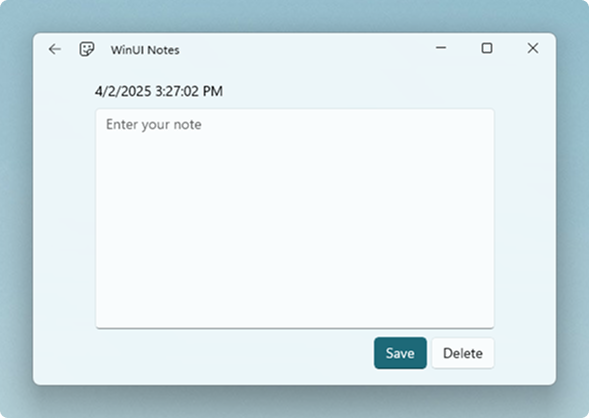
You'll create an app that you can use to enter a note and save it to local app storage. The app will have two pages:
NotePage- a page for editing a single note.AllNotesPage- a page to show all the saved notes.
The final application is shown below:
AllNotesPage

NotePage
Create the Visual Studio project
Follow the Visual Studio path in Quickstart: Create and run a WinUI 3 project for tool installation and project creation. Use a packaged C# project with these tutorial-specific settings:
Project Name
This must be set to
WinUINotes. If the project is named something different, the code you copy and paste from this tutorial may result in build errors. This is because Visual Studio uses the project name as the default namespace for your app code.Windows App SDK
This tutorial uses features that are available in Windows App SDK 1.7 and later. Make sure the Windows App SDK NuGet package is updated to version 1.7 or later.
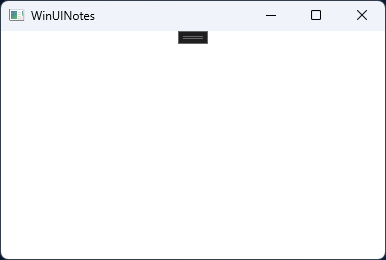
Build and launch the blank WinUINotes project before continuing. You should see an empty window that looks like this:
Tip
You'll frequently refer to API reference docs and conceptual docs while building Windows apps. In this tutorial, you'll see links inline in the text, and in groups labeled, "Learn more in the docs:". These links are optional; you don't need to follow them to complete the tutorial. They're provided in case you want to make note of where to find the information you'll need when you start to create your own apps.
Collaborate with us on GitHub
The source for this content can be found on GitHub, where you can also create and review issues and pull requests. For more information, see our contributor guide.

Windows developer