BackdropSaturationBrush
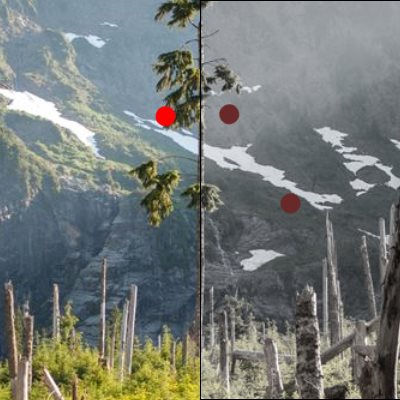
The BackdropSaturationBrush is a Brush that blurs whatever is behind it in the application.
Syntax
<Border BorderBrush="Black" BorderThickness="1" VerticalAlignment="Center" HorizontalAlignment="Center" Width="400" Height="400">
  <Border.Background>
    <media:BackdropSaturationBrush Saturation="0.25" />
  </Border.Background>
</Border>
Example Image
Properties
| Property | Type | Description |
|---|---|---|
| Saturation | double | The Saturation property specifies a double value for the amount of Saturation to apply from 0.0 - 1.0. Zero being monochrome, and one being fully saturated. The default is 0.5. |
Sample Project
BackdropSaturationBrush sample page Source. You can see this in action in the Windows Community Toolkit Sample App.
Requirements
| Device family | Universal, 10.0.16299.0 or higher |
|---|---|
| Namespace | Microsoft.Toolkit.Uwp.UI.Media |
| NuGet package | Microsoft.Toolkit.Uwp.UI.Media |
API
Related Topics
Feedback
Coming soon: Throughout 2024 we will be phasing out GitHub Issues as the feedback mechanism for content and replacing it with a new feedback system. For more information see: https://aka.ms/ContentUserFeedback.
Submit and view feedback for