Note
Access to this page requires authorization. You can try signing in or changing directories.
Access to this page requires authorization. You can try changing directories.
Warning
This docs page is outdated and the Platform Specific Analyzers have been removed. Improvements are continually being made to the Visual Studio development experience, so please ensure you are on the latest version.
When writing version or platform adaptive code, the developers should ensure that code checks for presence of API before calling it. The platform specific analyzer is a Roslyn Analyzer that can parse through code and suggest fixes where appropriate.
Installation
The analyzer is available both as a nuget package
- References > Manage NuGet References > install Microsoft.Toolkit.Uwp.PlatformSpecificAnalyzer
Sample Output
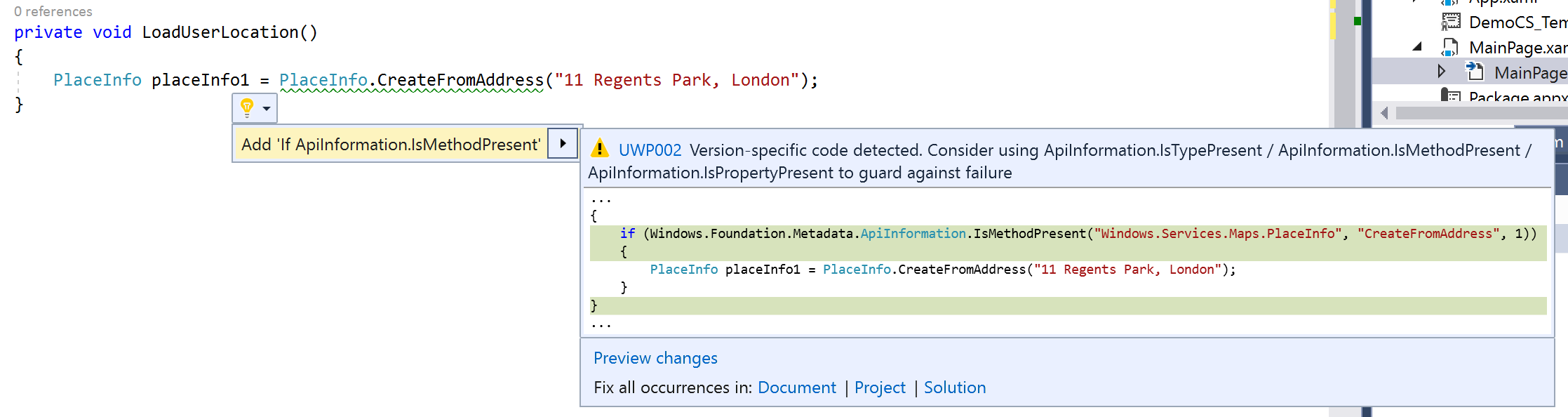
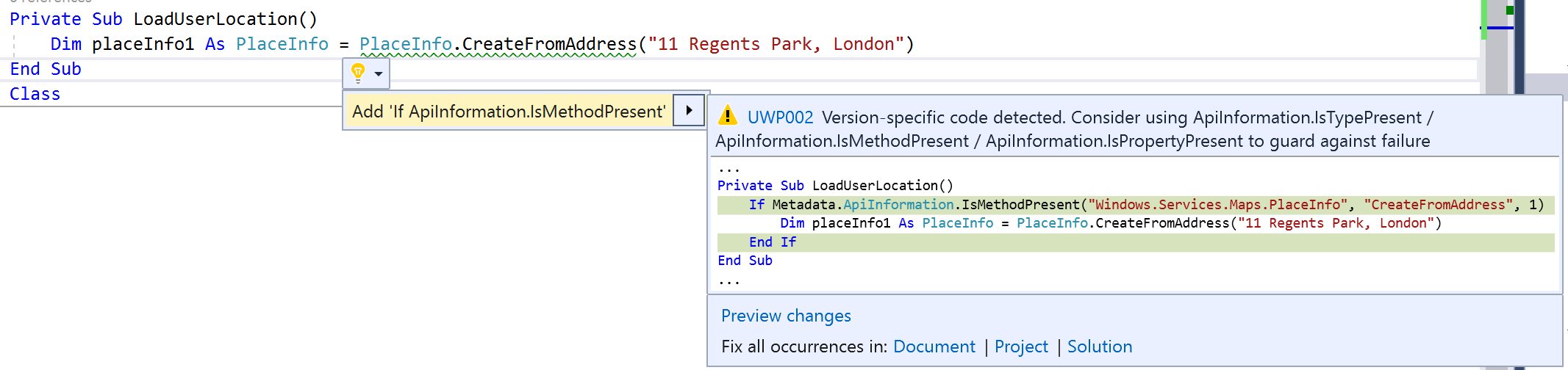
The analyzer automatically kicks in when code is opened in Visual Studio and supports both C# and Visual Basic
C#

Visual Basic

Sample Project
You can see this in action in the Windows Community Toolkit Sample App.
Requirements
| Device family | Universal, 10.0.16299.0 or higher |
|---|---|
| Namespace | Microsoft.Toolkit.Uwp.PlatformSpecificAnalyzer |
| NuGet package | Microsoft.Toolkit.Uwp.PlatformSpecificAnalyzer |