Note
Access to this page requires authorization. You can try signing in or changing directories.
Access to this page requires authorization. You can try changing directories.

 What Is Windows 365?
Windows 365 provides organizations and users with Cloud PCs—a complete and secured Windows desktop experience, hosted in the Microsoft Cloud and accessible on any device.
IT admins can provision and manage Cloud PCs alongside their physical devices, with Microsoft supporting and managing the supporting infrastructure. They can select to provision a full Windows desktop or just the apps they need, using configuration available in the Microsoft 365 admin center or windows365.microsoft.com (for Windows 365 Business) or in Microsoft Intune (for Windows 365 Enterprise, Windows 365 Flex and more).
Windows 365 provides an alternative to traditional virtual desktop infrastructure (VDI) solution, in that it is simple to deploy, predictable in cost, seamless for end users and centrally managed alongside physical devices.
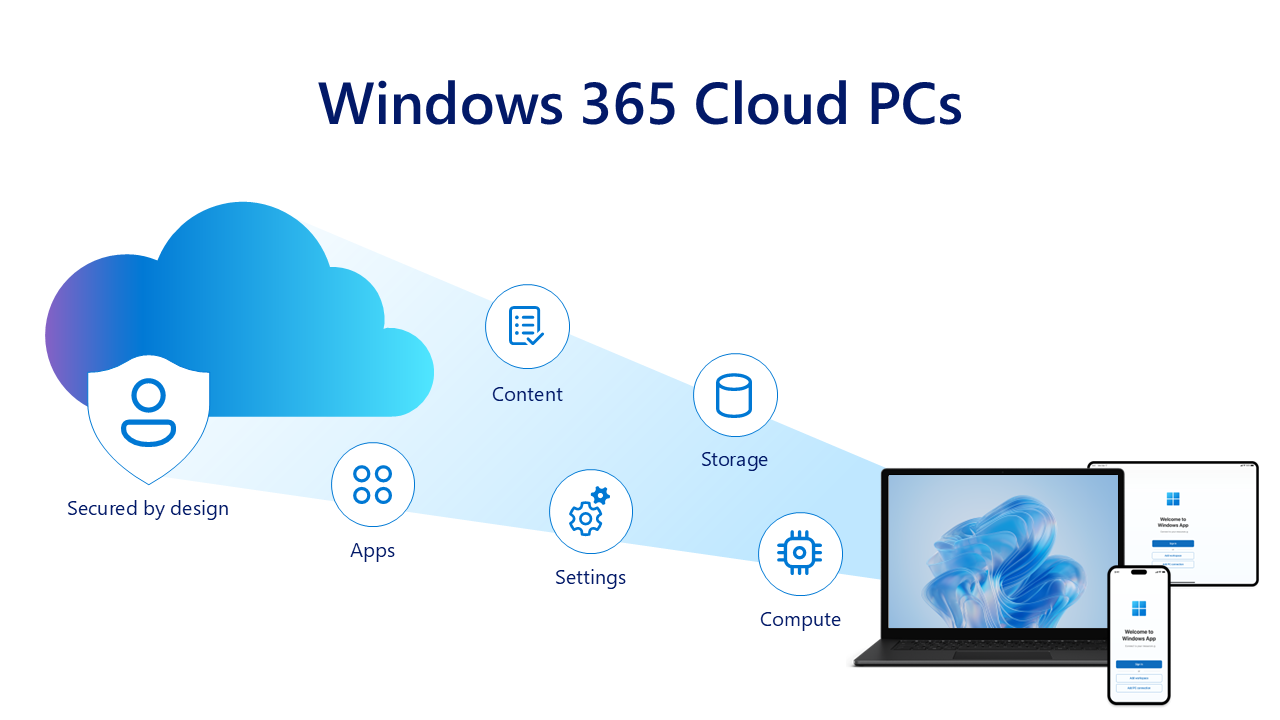
Security controls for Bring Your Own Device (BYOD) with Windows 365
As organizations adopt Bring Your Own Device (BYOD) models, enabling secured access to corporate resources has become a top priority. Users may want the freedom to work from their personal laptops, tablets, and smartphones.
Organizations may find it more cost effective or flexible to provide resources using a BYOD model, while IT teams must still protect sensitive data against unauthorized access, leakage, and cyber-attacks.
The security built into Windows 365 provides the foundation for balancing flexibility and control. By combining a Cloud PC with enterprise-grade security, organizations can extend a consistent Windows experience across devices without compromising compliance or performance.
Every user can access a persistent Cloud PC or specific applications so they can use the tools they need be productive, while IT maintains full oversight of corporate data, applications, and identity security.
Key benefits of using Windows 365 for BYOD:
- Full desktop experience: Windows 365 provides users with a full Windows desktop experience, with the familiarity of a Windows operating system, and the security controls, settings, and customization that organizations have come to expect from Microsoft. Organizations may also choose to stream specific apps, instead of full desktop experiences, with Windows 365 Cloud Apps.
- Data security: Features such as screen capture protection, clipboard restrictions, and other controls prevent corporate information from leaving the Cloud PC.
- Centralized management with Microsoft Intune: IT admins can create and manage their organization's Cloud PCs in Intune, alongside their physical clients. Configurations and policies are centrally managed using the familiar tools of Intune and the integrations across other Microsoft Security solutions.
- Intune Mobile Application Management (MAM) support: Even without enrolling a personal device into full mobile device management (MDM), IT can apply MAM policies to corporate apps. This enables data loss prevention (DLP) controls, such as blocking copy/paste between work and personal apps or requiring encryption of work-related data without managing the entire device. Intune MAM also enforces device posture checks—such as OS version, client app version, and antivirus status—and grants access only when all predefined security criteria are met.
- "Secure by default" redirection settings: When new Cloud PCs are created, redirections (such as the ability to use USB, clipboard, local drives, and printers) are turned off by default. IT can further refine these settings to ensure sensitive data isn't exfiltrated via removable media or redirected to unmanaged environments, while still allowing safe workflows.
- Flexible access models: Employees, contractors, and partners can securely access applications and data without IT needing to issue hardware.
- Resilient infrastructure: Built on Microsoft infrastructure, using secure by design and secured by default principles, Windows 365 benefits from the security and resiliency of the Microsoft cloud. Windows 365 also offers point-in-time restore capabilities, allowing IT admins or end users to roll back their Cloud PCs to a good state in case of compromise or incident.
- Disaster and incident recovery: Windows 365 has add-on solutions to help with business continuity and disaster recovery, including Windows 365 cross-region disaster recovery and Windows 365 disaster recovery plus. For users not currently on Windows 365 Cloud PCs, Windows 365 Reserve offers temporary, secure, and dedicated Cloud PC access when physical devices are unavailable or short-term access is required. It offers up to 10 days of Cloud PC use per year, helping organizations respond quickly to disruptions, minimize downtime, and maintain a seamless user experience.
 Learn more