Note
Access to this page requires authorization. You can try signing in or changing directories.
Access to this page requires authorization. You can try changing directories.
When data costs are charged
You are charged for a Data Marketplace segment only when all of the following occur:
- The segment is used to add the curated deal to the auction.
- The buyer submits a winning bid through that curated deal.
- An impression is served.
Whether a segment is charged depends on the segment targeting logic configured for the curated deal.
Note
Data costs aren't charged when a curated deal is added to an auction but doesn't result in a winning impression. For example, no charges apply if:
- A buyer doesn't submit a bid.
- A buyer submits a bid but doesn't win the auction.
Relevant and used segments
Understanding the difference between relevant and used segments is important for understanding data cost calculations.
Relevant segment
A relevant segment matches one or more parameters in an ad request.
If none of a curated deal's targeted segments are relevant, the targeting criteria aren't met and the deal isn't added to the auction.
Used segment
A used segment is a segment that contributes to meeting the deal's targeting criteria and enables the curated deal to participate in the auction.
Not every relevant segment is necessarily used. Additional targeting settings, such as inventory and geography targeting, can also affect whether a curated deal enters an auction.
How data costs are calculated
Microsoft Curate calculates data costs using the following process:
- Identify all relevant segments based on the ad request.
- Determine which segments were used to satisfy the curated deal's targeting logic and qualify the deal for the auction.
- Run the auction.
- If the buyer wins the auction and an impression is served, calculate data costs based on:
- The used segments
- The data provider's pricing methodology
- The provider's rate card
Targeting scenarios
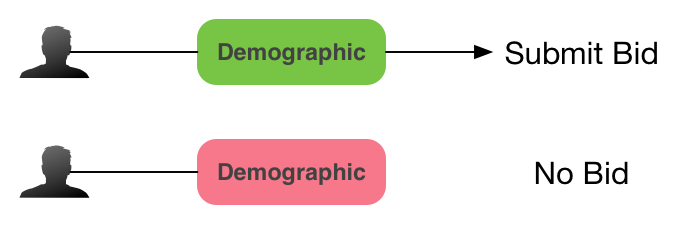
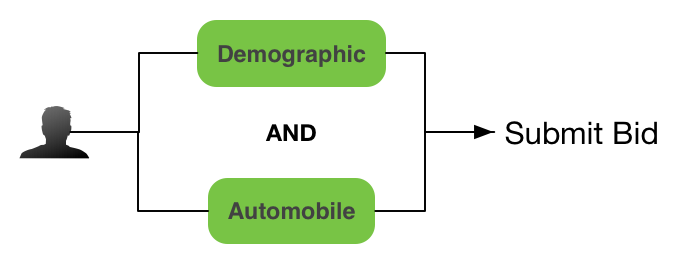
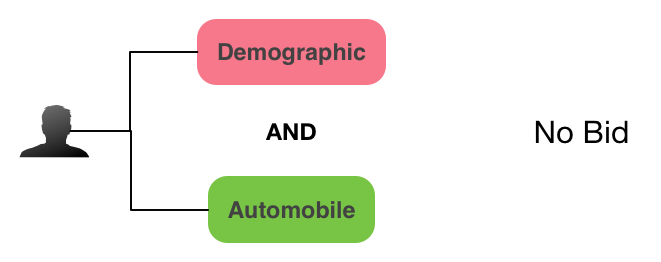
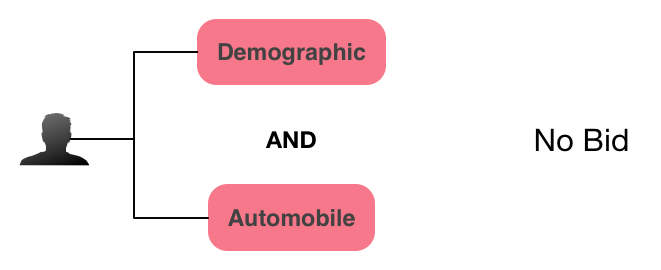
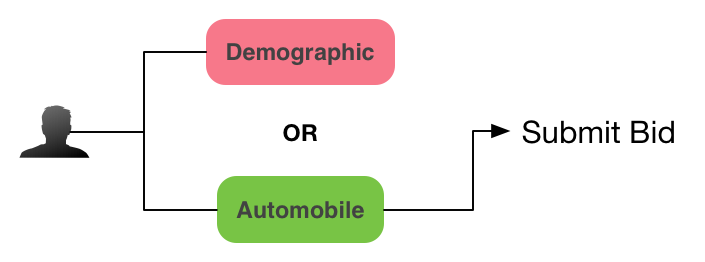
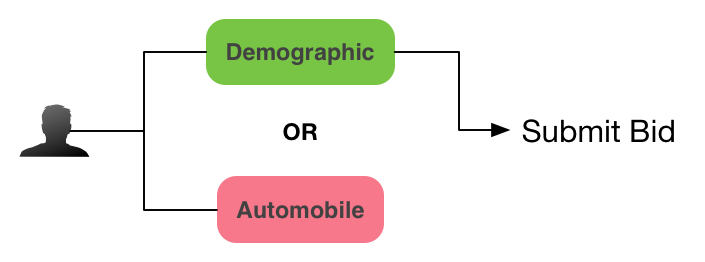
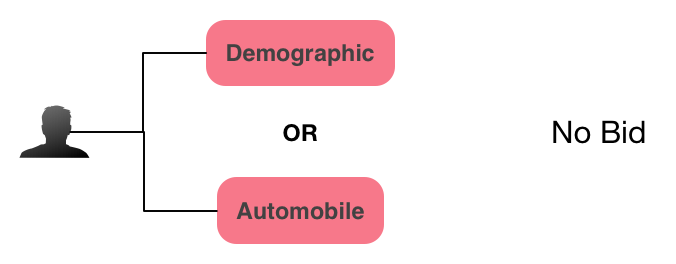
The following examples show how targeting logic affects segment usage and data costs. In the diagrams, green represents relevant segments and red represents non-relevant segments.
Target a single segment
When a curated deal targets a single segment:
- If the segment is relevant, the deal qualifies for the auction.
- If the segment isn't relevant, the deal doesn't qualify for the auction.
Target multiple segments
When a curated deal targets more than one segment, the configured Boolean logic determines whether the targeting criteria are met.
AND logic
The ad request must be relevant to all targeted segments.
- If all segments are relevant, the deal qualifies for the auction.
- If one or more segments aren't relevant, the deal doesn't qualify.
If the deal wins the impression, you're charged for all segments used to satisfy the targeting criteria.
OR logic
The ad request must be relevant to at least one targeted segment.
- If one or more segments are relevant, the deal qualifies for the auction.
- If no segments are relevant, the deal doesn't qualify.
When multiple targeted segments are relevant, Microsoft Advertising uses the lowest-priced qualifying segment to allocate the curated deal.

Target segment groups
Curators can organize segments into groups and apply Boolean logic both:
- Between segment groups
- Within individual groups
Because multiple levels of Boolean logic are evaluated, Microsoft Curate performs additional calculations to determine whether a curated deal qualifies for the auction and which segments are used.
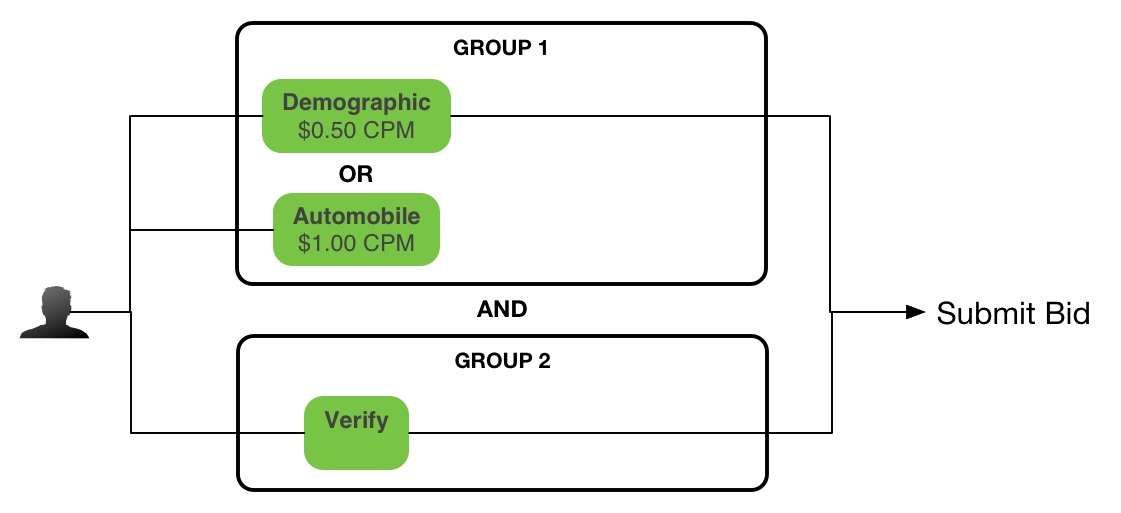
Target segment groups with AND logic
When segment groups are connected using AND:
- Segments within each group are evaluated using OR logic.
- At least one segment in each group must be relevant.
- One or more segments from every group are used to qualify the deal for the auction.
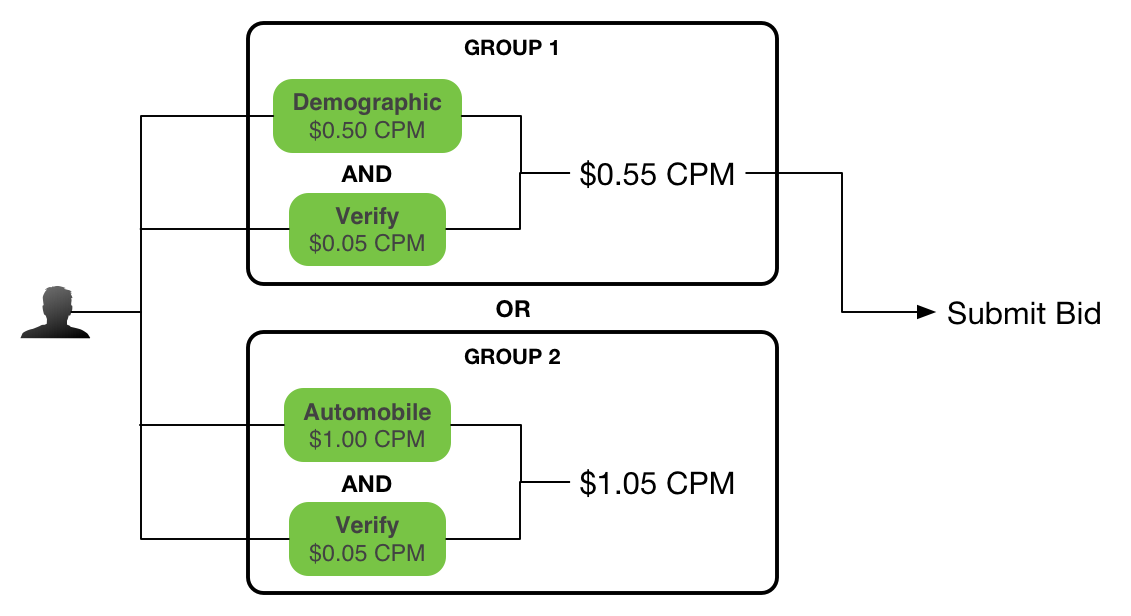
Target segment groups with OR logic
When segment groups are connected using OR:
- Segments within each group are evaluated using AND logic.
- Each group is evaluated independently.
- A qualifying group can be used to allocate the deal.
Exclusion targeting
Exclusion targeting prevents a curated deal from participating in auctions when matching users belong to specific segments.
- If the ad request matches an excluded segment, the curated deal isn't allocated.
- If the ad request doesn't match an excluded segment, the curated deal can be allocated.
Data charges for inclusion targeting
For inclusion targeting, you're charged for all segments that were used to win the impression.
The final price is determined using the data provider's pricing methodology and rate card.
For pricing details, contact your Microsoft Advertising representative or data provider. For provider contact information, see Data Marketplace Partners.
Data charges for exclusion targeting
For exclusion targeting, data charges apply when the impression is won.
This means charges can apply when the ad request doesn't belong to the excluded segment and the exclusion criteria are used during targeting decisions.