Note
Access to this page requires authorization. You can try signing in or changing directories.
Access to this page requires authorization. You can try changing directories.
Game Bar is a dependable overlay destination where players can find the utilities they need during gameplay, without sacrificing device performance.
- Enhance gaming experiences: Utilities such as widgets and notifications help players improve their gaming experience. This can include communicating with friends, listening to music, monitoring device performance, and more, while preserving a performant experience.
- Act in 5 seconds or less: Widgets in Game Bar should be quickly actionable and useful to reference while players focus on their game. Content should aid players in furthering their game session goals, and help players find a way out of the overlay for more engaging experiences.
- One design for scalability: Widgets should be scalable to both high-density PC screens and low-density handheld and TV screens.
Two Modes of Game Bar
Depending on how users want to play, their needs and expectations differ. The player’s choice hinges on a couple of factors:
- The amount of immersion and focus the player wants in their experience. Are they looking for a full-screen experience that hides the rest of the system so they can focus on gaming? Or are they enjoying the power and familiarity of their full system?
- The effective size of the screen at their desired viewing distance. A small screen viewed at 2’ is like a large screen viewed at 10’. Medium-to-large screens viewed at 2’ provide players with a much denser surface for their experience.
Desktop Mode
Powerful, Configurable, Immediate
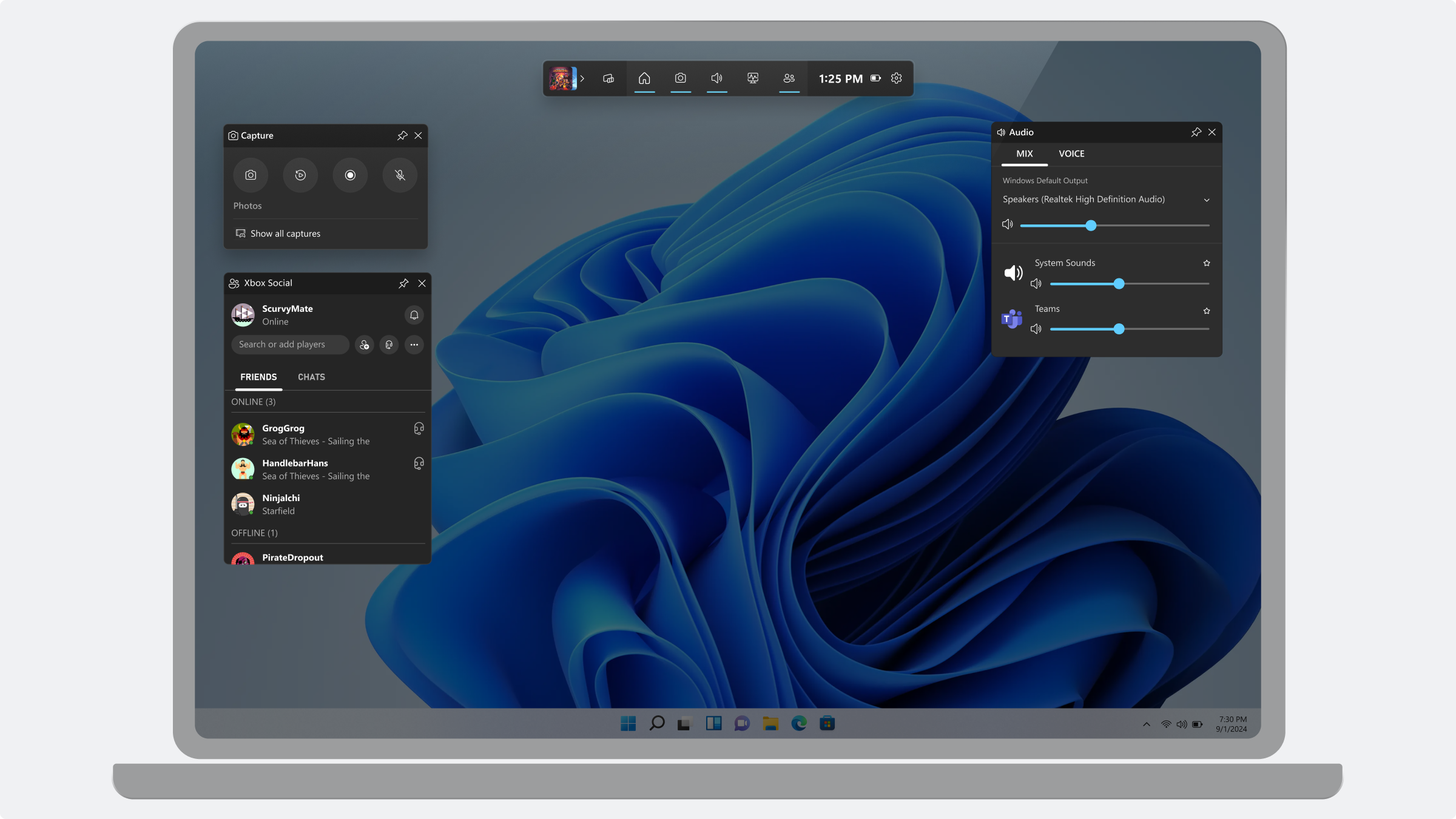
This desktop mode allows:
- Players to have deep control over their layout
- Viewing multiple apps and features at the same time
- Compare content onscreen at the same time
- Dedicate areas of the screen to specific content, using spatial awareness to return to frequently used features
- Desktop mode is optimized for mouse and keyboard input.
Compact Mode
Cinematic, Immersive, Focused
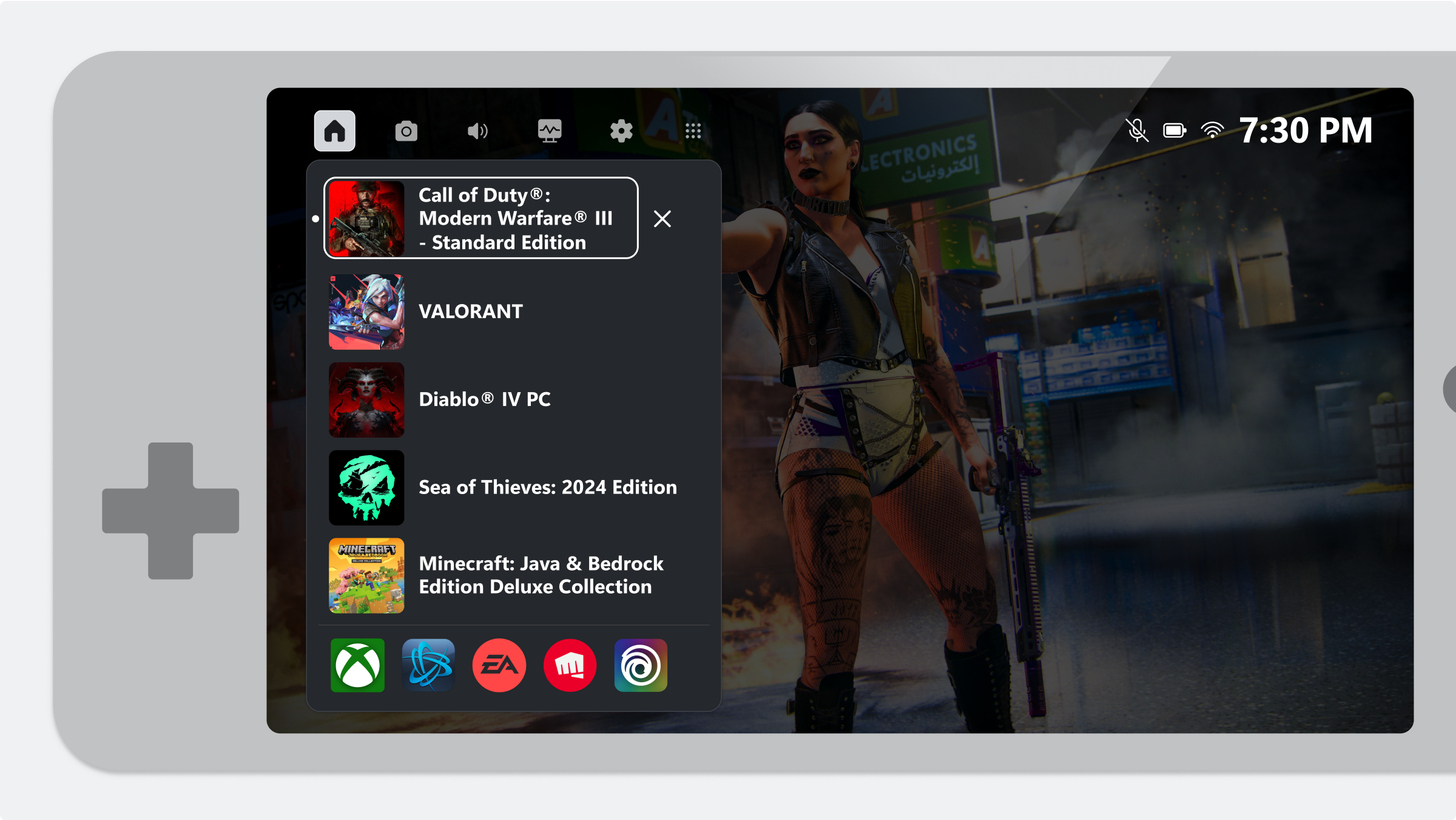 Compact Mode is intended for a console-like experience that narrows the player’s focus to the single task on screen. This is useful for small handheld devices or viewing on a TV screen from across the room.
This console-like interaction mode allows:
- Single app or feature view at a time
- Drill-in style navigation
- More controlled and linear structure to access tools
- Compact mode is optimized for controller and touch input.