Note
Access to this page requires authorization. You can try signing in or changing directories.
Access to this page requires authorization. You can try changing directories.
You can use IPv6 in a dual-stack configuration for Azure VPN Gateway. This configuration allows seamless IPv6 traffic traversal within the VPN tunnel when connecting from on-premises or remote user devices to Azure VPN Gateway.
This article helps you configure IPv6 in dual stack for VPN Gateway using the Azure portal. Configuration steps are similar to the existing IPv4 configuration. You can also use PowerShell or CLI for this configuration. If you use PowerShell or CLI, you can configure IPv6 addresses along with IPv4 addresses.
Configure using the Azure portal
When you deploy VPN Gateway with IPv6 in dual stack mode, you can use the same steps as you would for an IPv4 deployment, but with IPv6 addresses. The following steps show how to configure IPv6 in dual stack mode using the Azure portal.
Create a virtual network with IPv4 and IPv6 address ranges.
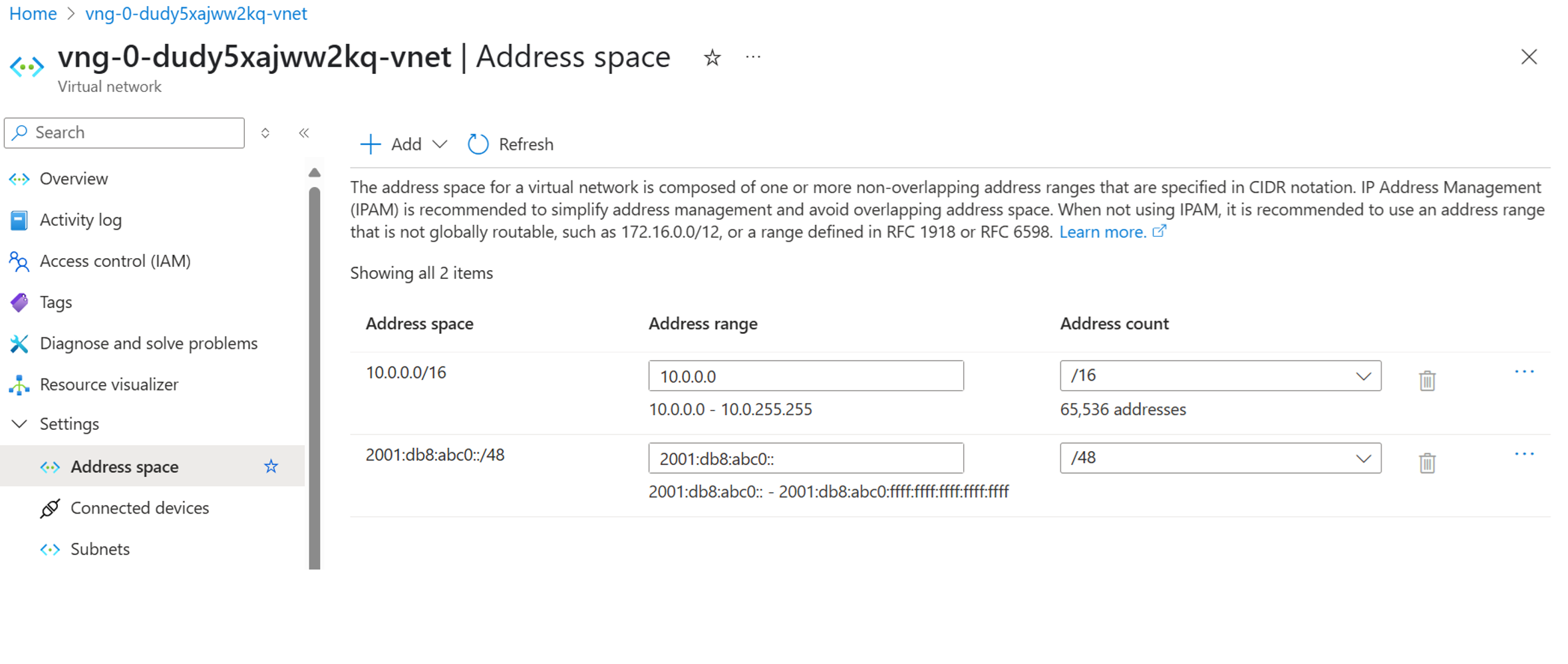
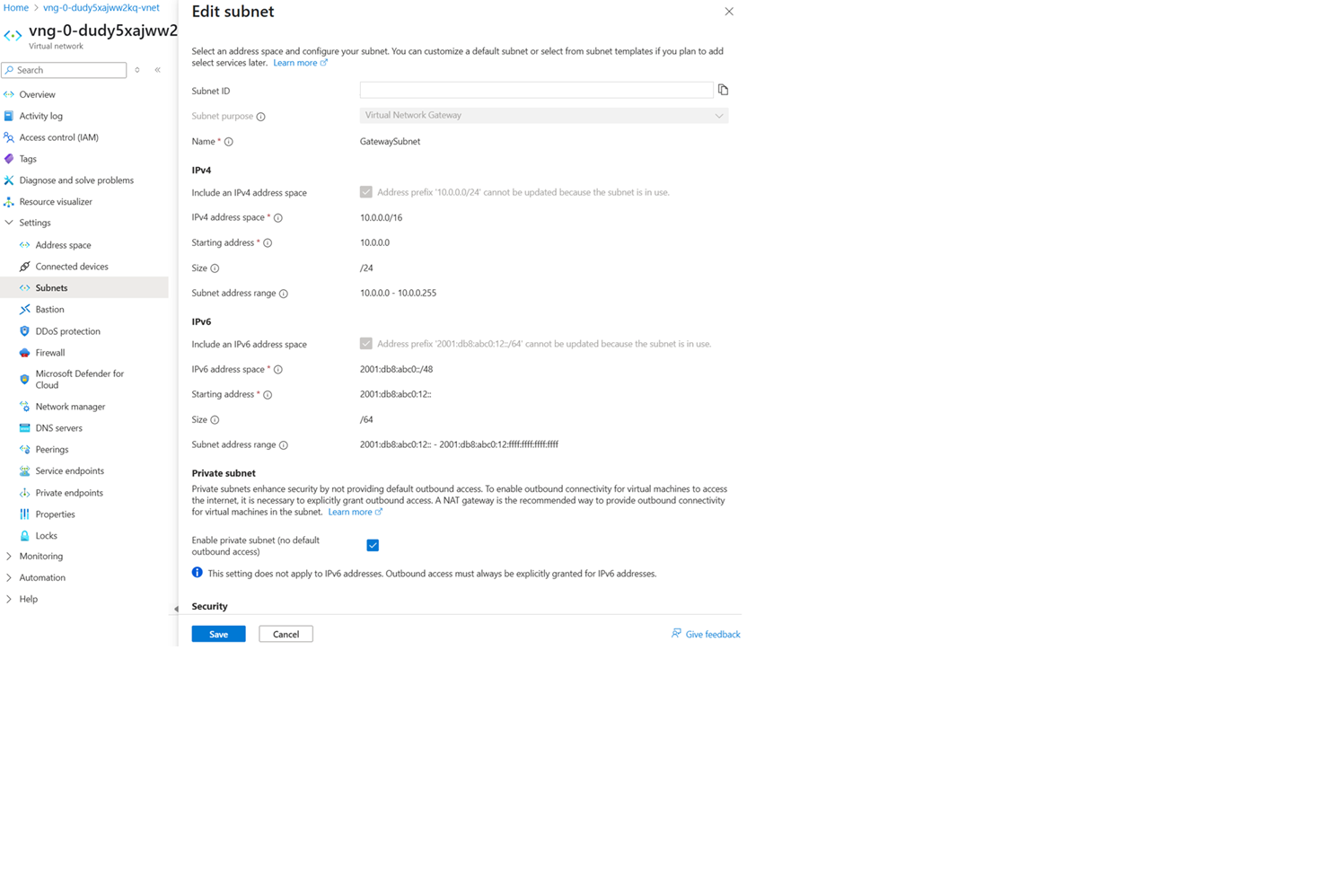
Create the gateway subnet with IPv4 and IPv6 address ranges.
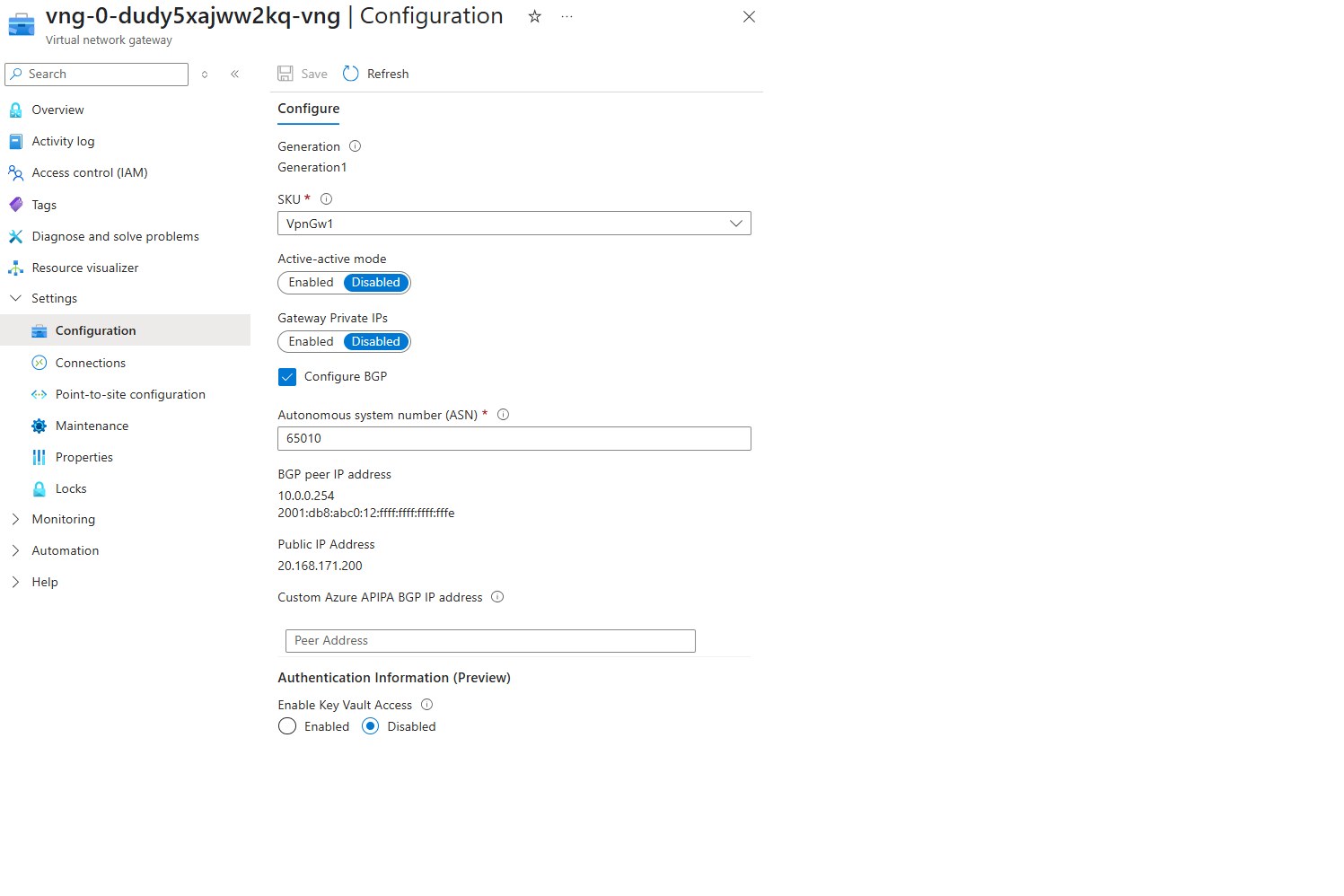
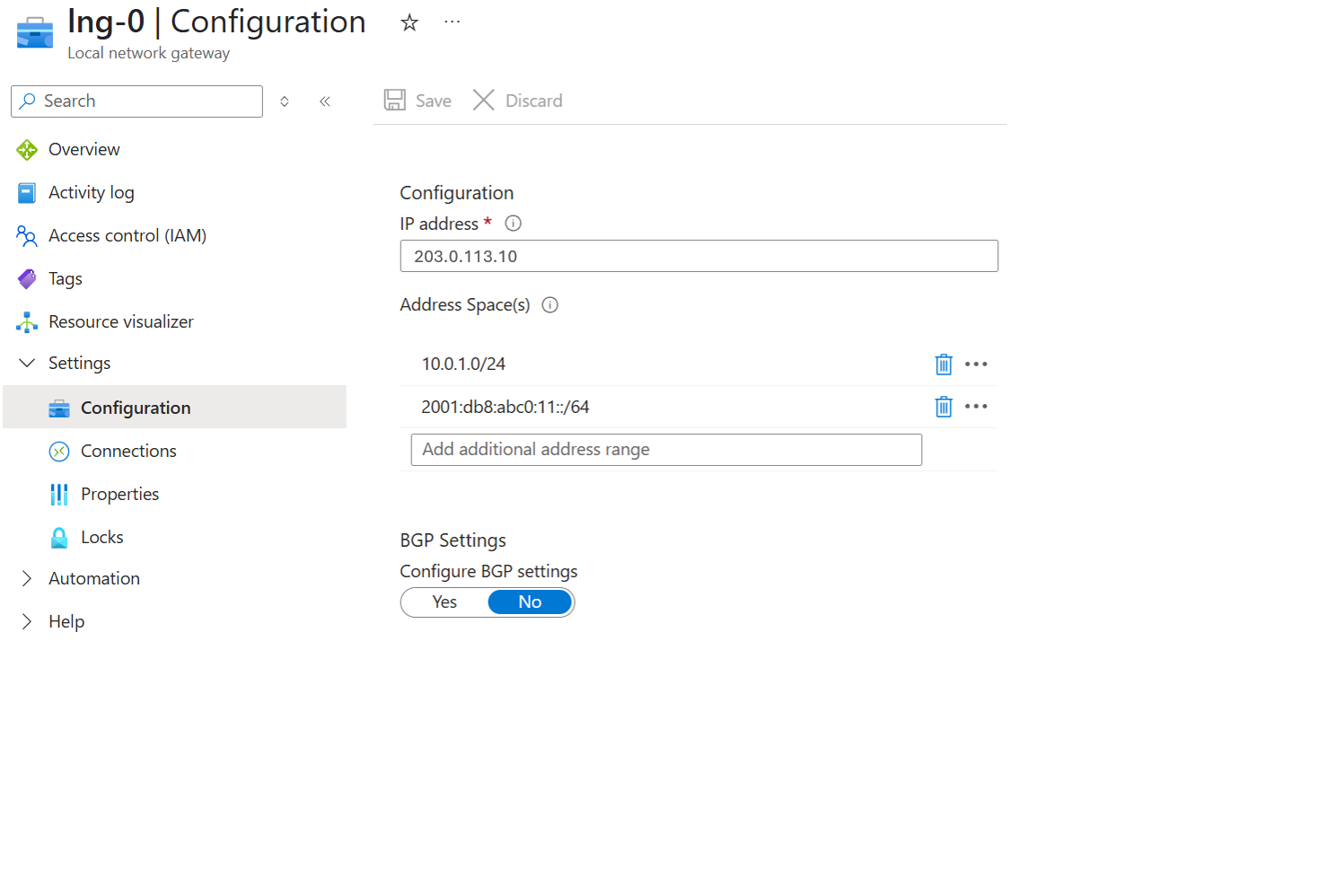
Create the virtual network gateway and local network gateway using IPv4 and IPv6 configuration settings.
Virtual network gateway
Local network gateway
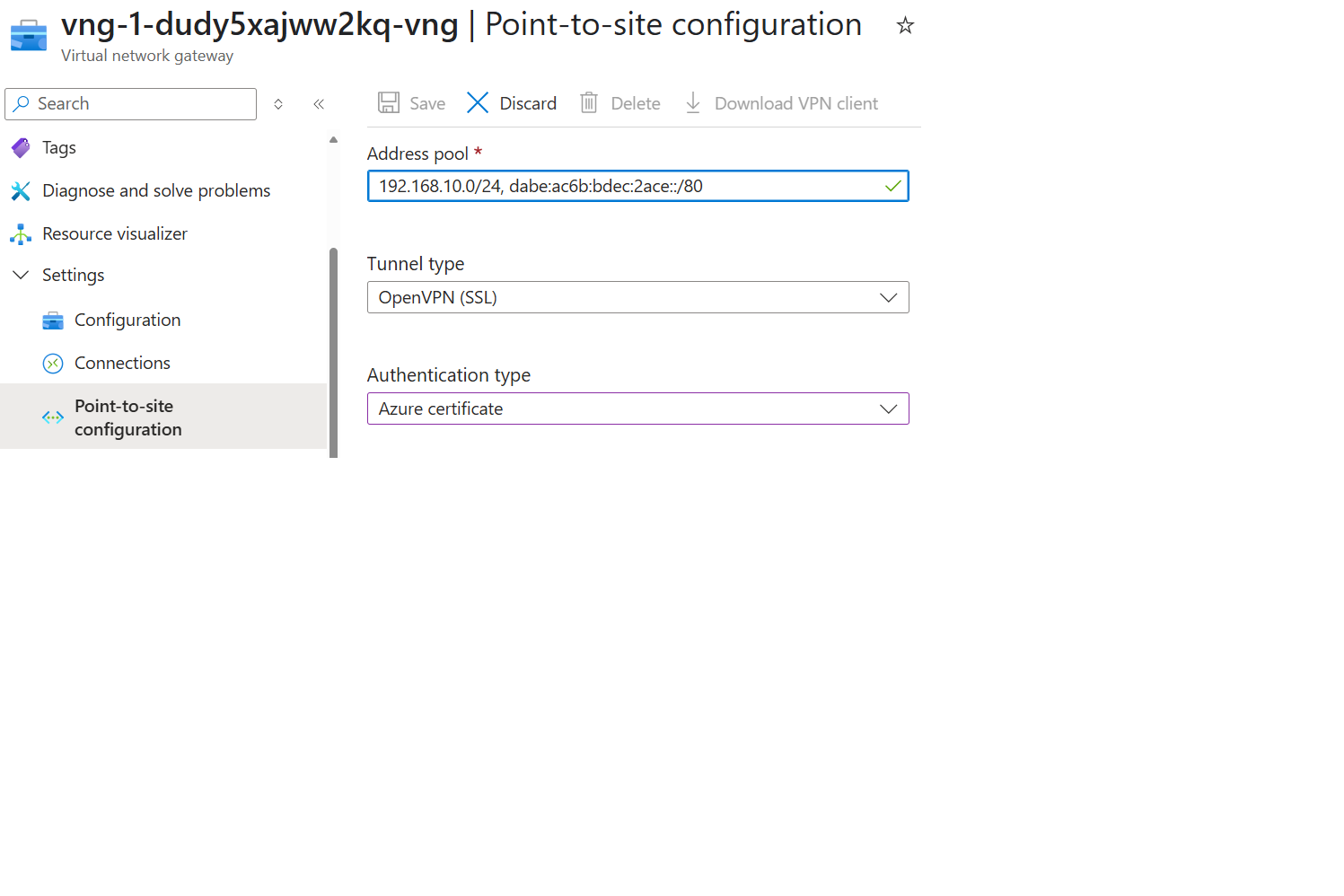
Address pool
Limitations
The following limitations apply to IPv6 in dual stack configuration for VPN Gateway:
- VpnGw1AZ through VpnGw5AZ support IPv6 dual stack deployments.
- A VPN gateway deployed in IPv6 dual stack mode can't be moved to an IPv4 only configuration.
- Point-to-Site VPN gateways using IKEv2 and OpenVPN protocols support IPv6. Point-to-Site VPN gateways don't support IPv6 when using SSTP protocol.
- Site-to-Site VPN gateways don't support IPv6 when using IKEv1 protocol.
- IPv6 support is available for inner traffic only. Currently, support for IPv6 in the outer VPN tunnel isn't available.
Next steps
For more information about VPN Gateway, see the VPN Gateway FAQ.