Azure Monitor
An Azure service that is used to collect, analyze, and act on telemetry data from Azure and on-premises environments.
This browser is no longer supported.
Upgrade to Microsoft Edge to take advantage of the latest features, security updates, and technical support.
' cx='32' cy='32' r='32' /%3E%3Ctext x='50%25' y='55%25' dominant-baseline='middle' text-anchor='middle' fill='%23FFF' %3EDB%3C/text%3E%3C/svg%3E)
I have problem with Azure Data Factory Analytics. I have set diagnostic setting like this:
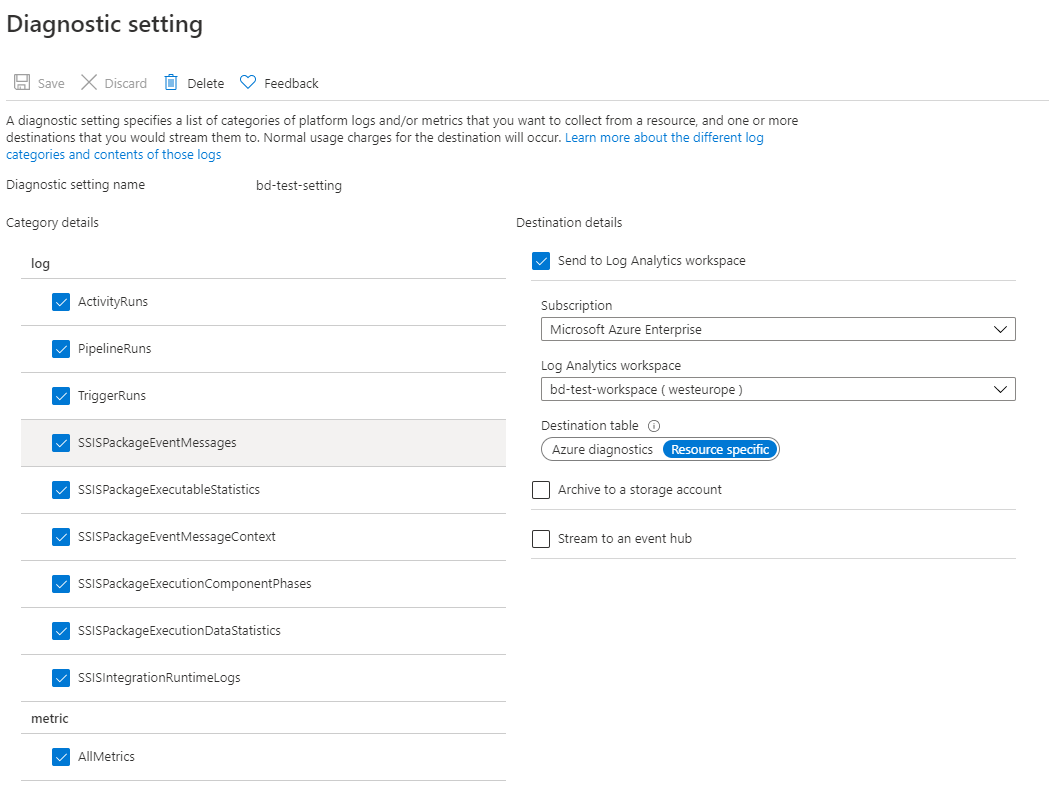
But I can't see nothing in data factory analytics
An Azure service that is used to collect, analyze, and act on telemetry data from Azure and on-premises environments.
An Azure service for ingesting, preparing, and transforming data at scale.
' cx='32' cy='32' r='32' /%3E%3Ctext x='50%25' y='55%25' dominant-baseline='middle' text-anchor='middle' fill='%23FFF' %3EKM%3C/text%3E%3C/svg%3E)
Hi @Dobrowolska Beata ,
Just checking in to see if the above suggestion was helpful to resolve your issue? And, if you have any further query do let us know.
Thank you
Answer accepted by question author
Hi @Dobrowolska Beata ,
Welcome to Microsoft Q&A forum and thanks for your query.
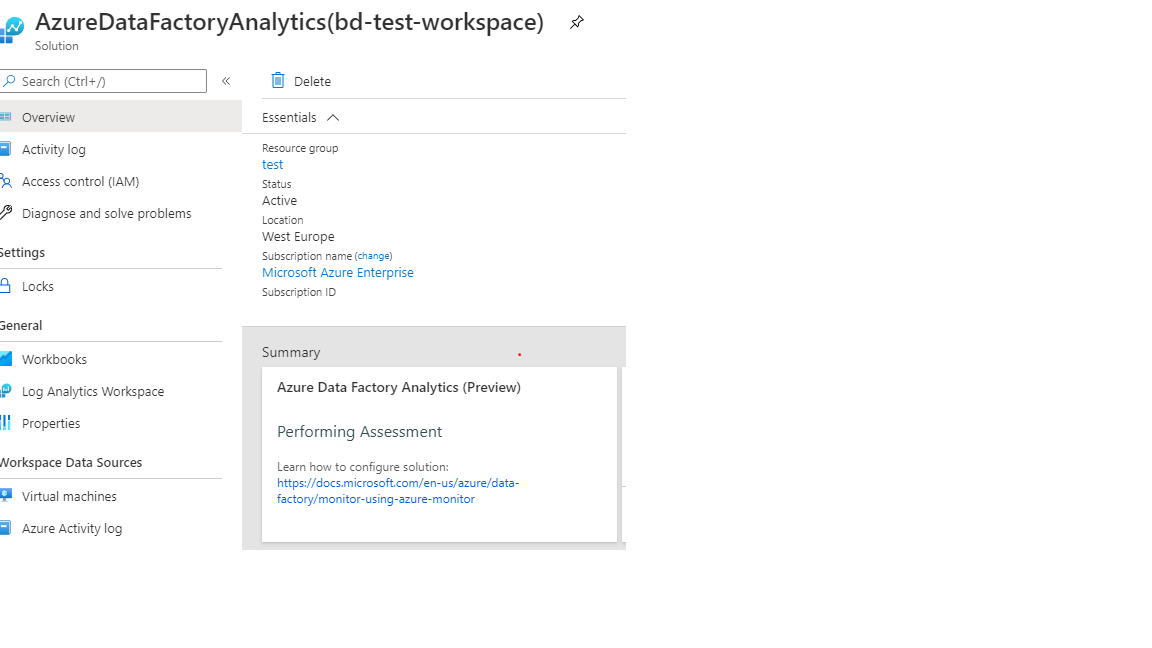
Installing Azure Data Factory Analytics solution creates a default set of views inside the workbooks section of the chosen Log Analytics workspace.
Could you please click on Workbooks under General and then click on AzureDataFactoryAnalytics and let us know if you are able to visualize any metrics of your Data factory?

From here you can visualize the preceding metrics, you can look at the queries behind those metrics, edit the queries, create alerts, and take other actions.

Related MS doc: Monitor Data Factory metrics
Let us know how it goes.
Looking forward to your confirmation.
Thank you
Hi,
thank you for your help. It worked :)
@Dobrowolska Beata Glad to know that the above information helpful to resolve your issue and thanks for confirming the resolution. Please do consider to click on "Accept Answer" and "Upvote" on the post that helps you, as it can be beneficial to other community members reading this thread.
Have a good day!