Community Center | Not monitored
Tag not monitored by Microsoft.

This browser is no longer supported.
Upgrade to Microsoft Edge to take advantage of the latest features, security updates, and technical support.
' cx='32' cy='32' r='32' /%3E%3Ctext x='50%25' y='55%25' dominant-baseline='middle' text-anchor='middle' fill='%23FFF' %3EAW%3C/text%3E%3C/svg%3E)
Hi all,
my data original input the date format as text "dd.mm.yyyy", I have tried to change to Data type by using "Date" function, it came out as the format "m/dd/yyyy", and I also tried to use "Using Locale..." function to change the date format, no matter how I change the region (US, UK, HK....), the out come only came out as the format "m/dd/yyyy", but I need to have the format "dd/mm/yyyy", may someone could help me on this issue, thank you.
Thanks
Alex
Tag not monitored by Microsoft.

Hi @Alex Wong
Could you try the following and if this doesn't work let me know what your System Regional Settings are
let
    // Table for demo
    Source = Table.FromColumns(
        { {"01.01.2021","01.02.2021"} },
        type table [Date=text]
    ),
    //
    ReplacedValue = Table.ReplaceValue(Source, ".", "/", Replacer.ReplaceText, {"Date"}),
    ChangedType = Table.TransformColumnTypes(ReplacedValue, {{"Date", type date}})
in
    ChangedType
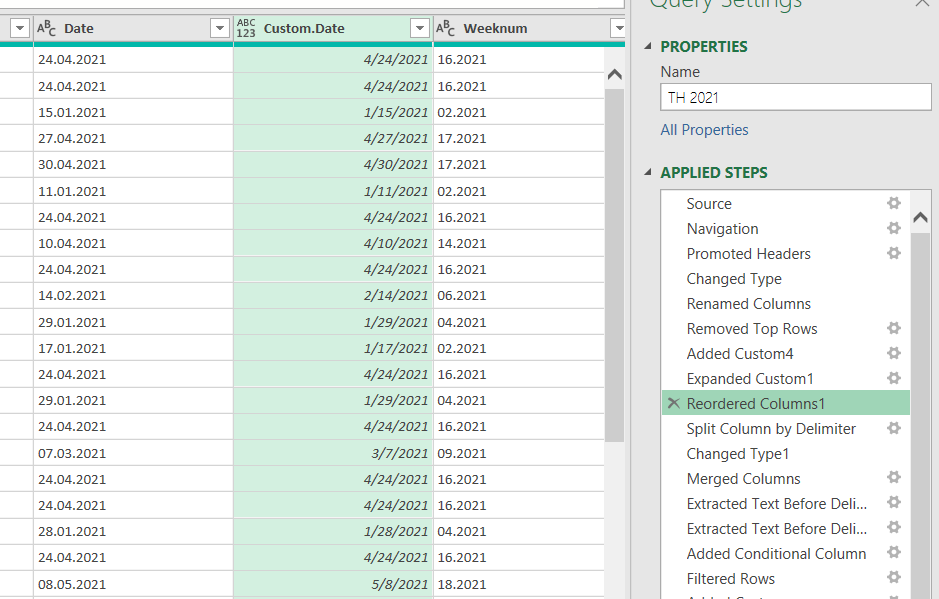
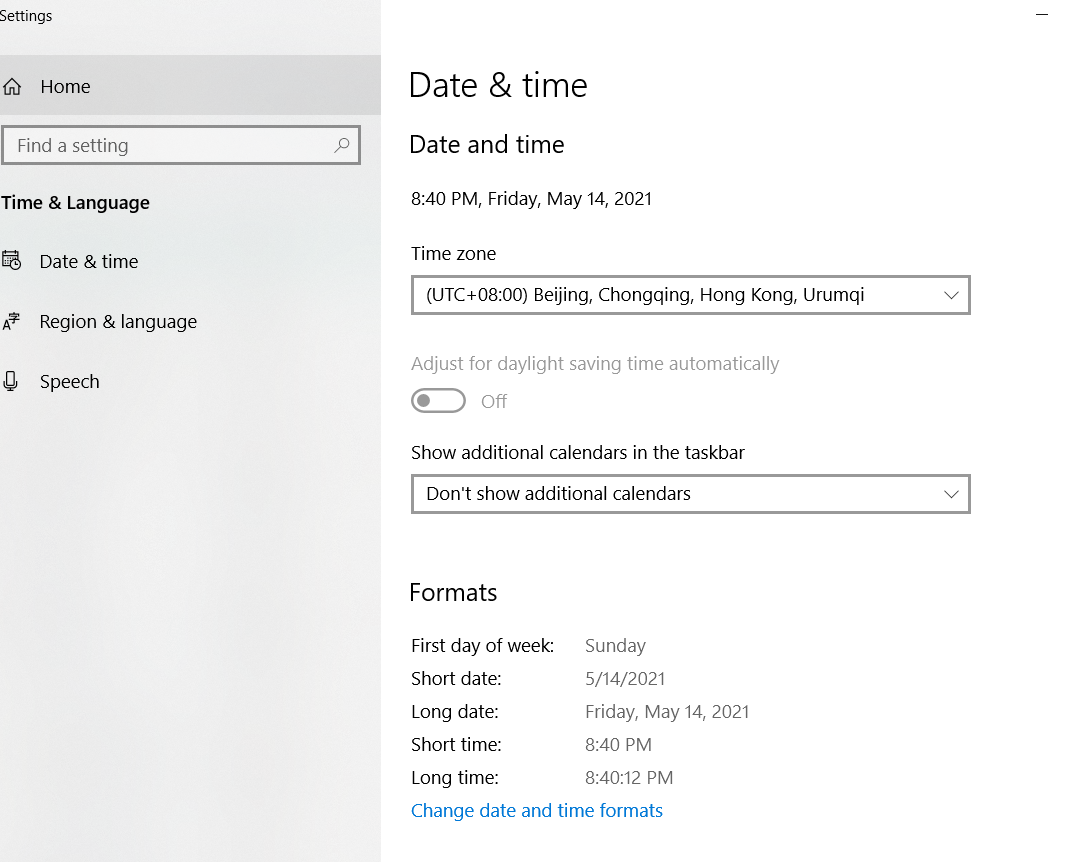
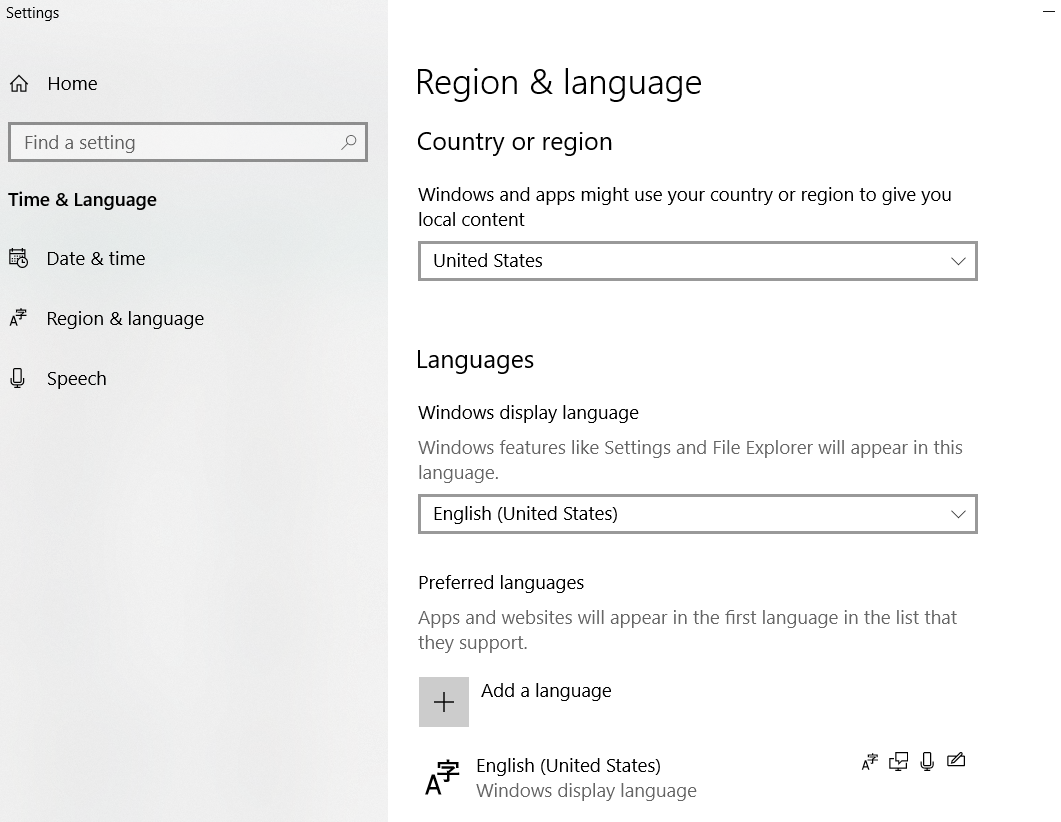
Dear @Lz365 , thank you for your help, I have tried but its doesn't work.....the "Date column is the original data I have extracted from SQL sever, and the "Custom.Date" is the result with the following I have added below, and my System Regional language and date/time setting as below, thank you again of your kind assistance.
let
// Table for demo
Source = Table.FromColumns(
{ {[Date]} },
type table [Date=text]
),
//
ReplacedValue = Table.ReplaceValue(Source, ".", "/", Replacer.ReplaceText, {"Date"}),
ChangedType = Table.TransformColumnTypes(ReplacedValue, {
{"Date", type date}})
in
ChangedType
OK @Alex Wong
With your System Regional Settings = US where the date format is mm/dd/yyyy, Dates will always display as mm/dd/yyyy in the Power Query Editor (except if your change your System Regional Settings to i.e. UK)
So the question is: what do you need to do in PQ once you get a Date value from the Text value?
OK @Alex Wong . So, if topic closed would you mind Accepting as answer to help others please? Thanks