Microsoft 365 and Office | SharePoint Server | For business
A family of Microsoft on-premises document management and storage systems.

This browser is no longer supported.
Upgrade to Microsoft Edge to take advantage of the latest features, security updates, and technical support.
' cx='32' cy='32' r='32' /%3E%3Ctext x='50%25' y='55%25' dominant-baseline='middle' text-anchor='middle' fill='%23FFF' %3ES%3C/text%3E%3C/svg%3E)
After entering details and submitting the item getting below error.
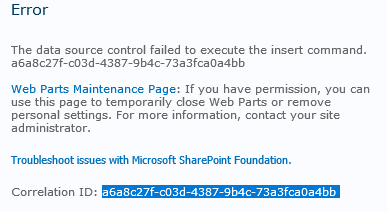
I have captured the ULS logs from the help of above correlation id.
What could be the cause please help
Microsoft.SharePoint.WebPartPages.DataFormWebPartException: The data source control failed to execute the insert command. a6a8c27f-c03d-4387-9b4c-73a3fca0a4bb
at Microsoft.SharePoint.WebPartPages.DataFormWebPart.InsertCallback(Int32 affectedRecords, Exception ex)
at System.Web.UI.DataSourceView.Insert(IDictionary values, DataSourceViewOperationCallback callback)
at Microsoft.SharePoint.WebPartPages.DataFormWebPart.FlatCommit()
at Microsoft.SharePoint.WebPartPages.DataFormWebPart.HandleOnSave(Object sender, EventArgs e)
at Microsoft.SharePoint.WebControls.SaveButton.OnBubbleEvent(Object source, EventArgs e)
at System.Web.UI.Control.RaiseBubbleEvent(Object source, EventArgs args)
at System.Web.UI.Page.RaisePostBackEvent(IPostBackEventHandler sourceControl, String eventArgument)
at System.Web.UI.Page.ProcessRequestMain(Boolean includeStagesBeforeAsyncPoint, Boolean includeStagesAfterAsyncPoint)
I used ?contents=1 at the end of the url showing below web part,

A family of Microsoft on-premises document management and storage systems.
Answer accepted by question author
' cx='32' cy='32' r='32' /%3E%3Ctext x='50%25' y='55%25' dominant-baseline='middle' text-anchor='middle' fill='%23FFF' %3EMM%3C/text%3E%3C/svg%3E)
Hi, @sns ,
I find a similar issue in this thread, you could this way. It may work for you. data-source-control-failed-to-execute-the-insert-command
Open your page with SharePoint Designer, change the code in this form web part:
<SharePoint:SPDataSource runat="server" DataSourceMode="List"

To

<SharePoint:SPDataSource runat="server" DataSourceMode="ListItem"
Reference:
https://eric.oszakiewski.net/the-data-source-control-failed-to-execute-the-insert-command/