Microsoft Security | Intune | Configuration Manager | Other
Other Configuration Manager-related features and issues

This browser is no longer supported.
Upgrade to Microsoft Edge to take advantage of the latest features, security updates, and technical support.
' cx='32' cy='32' r='32' /%3E%3Ctext x='50%25' y='55%25' dominant-baseline='middle' text-anchor='middle' fill='%23FFF' %3EDD%3C/text%3E%3C/svg%3E)
Hello,
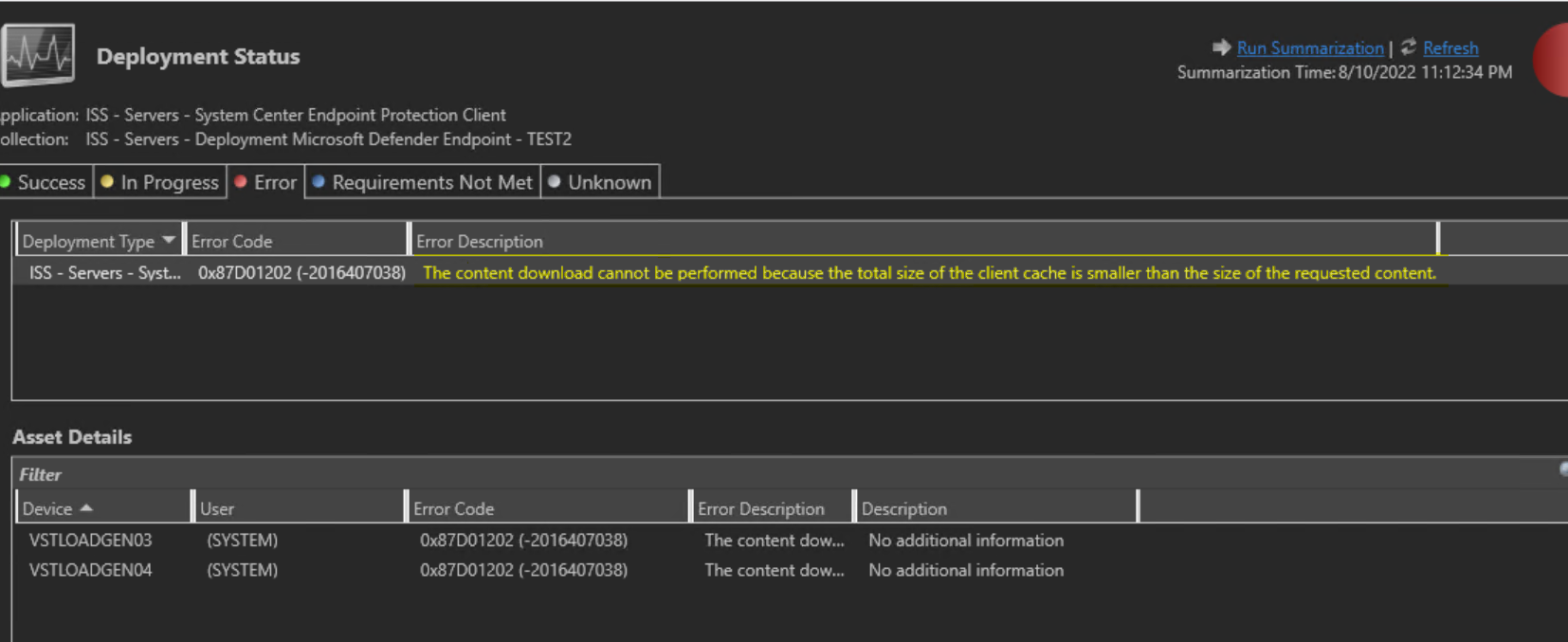
Where do I see the size needed by this download?
Thanks,
Dom
Other Configuration Manager-related features and issues
Answer accepted by question author

Hi,
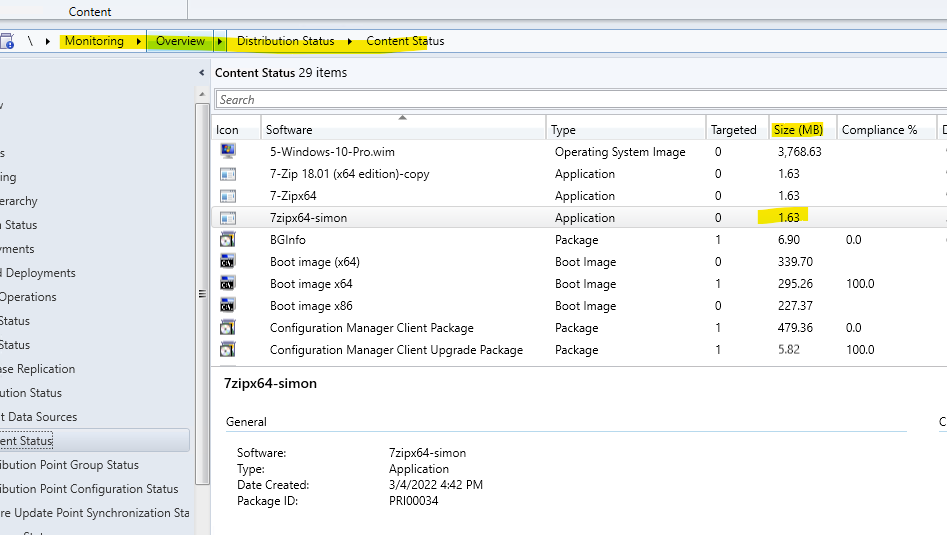
Navigate to Monitor\Distribution Status\Content Status\ (Your application)\Size (MB), we can see the application needed size here. As shown below:
Hope it helps. Thanks for your time.
Best regards,
Simon
If the response is helpful, please click "Accept Answer" and upvote it.
Note: Please follow the steps in our documentation to enable e-mail notifications if you want to receive the related email notification for this thread.