Note
Access to this page requires authorization. You can try signing in or changing directories.
Access to this page requires authorization. You can try changing directories.
I have recently been playing around with the new Windows Live Group feature and have found it very easy to use.
But first you may be asking what a Windows Live Group is…
Well it enables your selected group of contacts in Windows Live Messenger to have a group conversation with and also you get your own mini website for just your contacts to share photo’s and files, a calendar and even have your own mini discussion forum…
Setting up your group couldn’t be simpler, start by logging into Windows Live Messenger
| 1. From your messenger window, choose the menu option on the right hand side and select Contacts – and the Create a Group to start the process off | 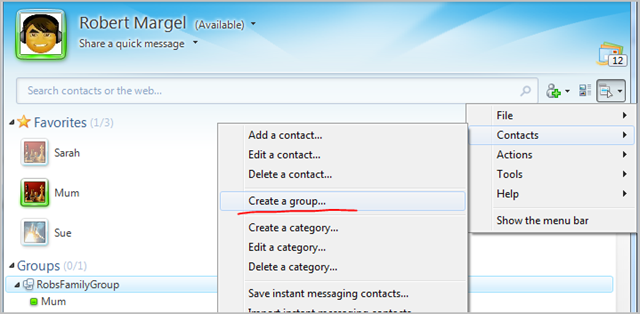 |
| 2. Choose a name for your group, remember to make it obvious so that everyone in the group knows what it is for. Press Next | 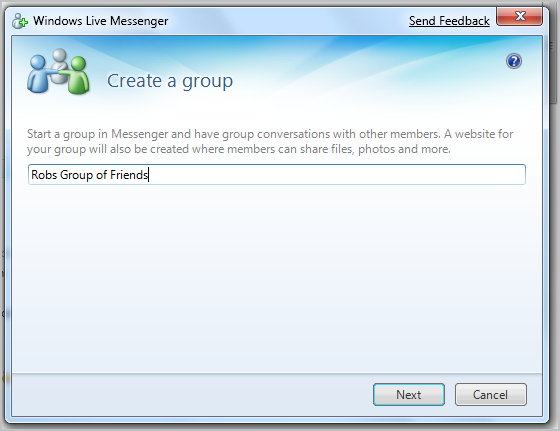 |
| 3. Enter in the contacts you want to join your group, either there email addresses, or far easier is to choose Select from your contact list , which lets you choose who from your current contact list you want. They will appear in the bottom of the window and press OK. Then I strongly suggest you add a message to include in your invitation, describing why you want them to join and what you will share. Press Next Note you can only have 20 members in any one group | 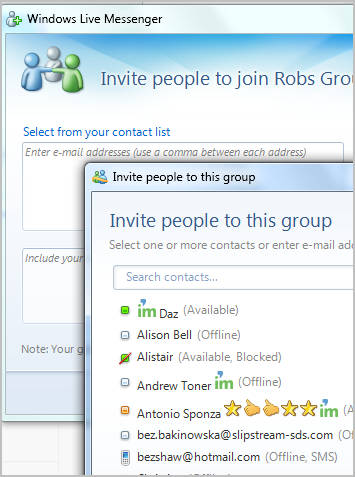 |
| 4. and that's pretty much it for getting it setup, your contacts will get an invite via email and hopefully they will accept. Done | 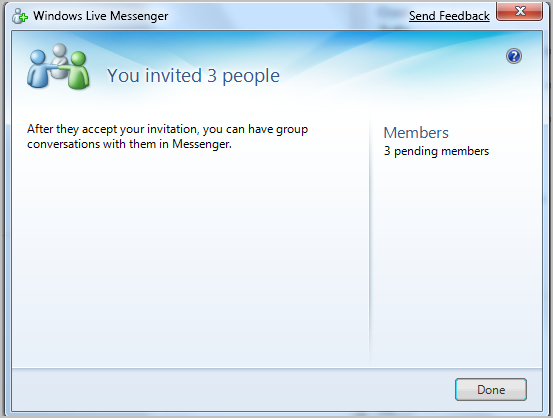 |
| 5. Now you should be able to see the group in Windows Live Messenger, and who has joined and there status | 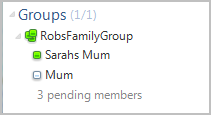 |
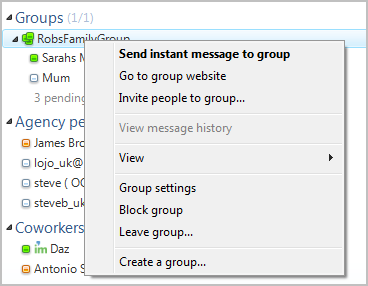
| 6. Getting to you group web site is simple as well. Right click your group and select Go to group website |
|
Hopefully i will write up another entry on doing things such as adding photo galleries etc
Rob
Technorati Tags: Windows Live Groups
Comments
Anonymous
February 18, 2009
PingBack from http://www.clickandsolve.com/?p=10507Anonymous
April 27, 2009
Hi, We already have 20 members but how do you start the group conversation? Can there be less than 20 in the conversation or it has to be 20. Thanks. Yours sincerely, MaggieAnonymous
April 27, 2009
Maggie - I believe the maximum in a group is 20, you can have less for the conversation robAnonymous
July 30, 2009
how can make a group more than 20 members ?? becos i got more than 20 persons wan to join..Anonymous
August 03, 2009
Aeroplane - I don't think you can unless something has changedAnonymous
February 01, 2010
How do I get Windows Live Groups telephone support? Mail sent from my Group page to domains with a ".edu" extension are returning an Undelverable status; but I get no header that I can open to see the point of undeliverability. I need to talk to a real person to get this resolved or I will have to stop using Windows Live Groups for my class.Anonymous
February 01, 2010
jim - where in the world are you? robAnonymous
December 24, 2011
can only users with Live ID join the group? my friends are on yahoo and other domains, and they can't accept their invitations.