Note
Access to this page requires authorization. You can try signing in or changing directories.
Access to this page requires authorization. You can try changing directories.
Linux Integration Components for Microsoft Hyper-V is available publicly.
To get it, please the following steps:
1. Login to https://connect.microsoft.com with a Live ID.
2. Click “CONNECTION DIRECTORY” on the top of the page
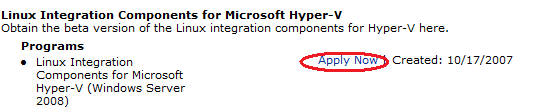
3. Click Category: Server, and scroll to find the “Linux Integration Components for Microsoft Hyper-V” in the middle of the page.
4. Click “Apply Now” to apply for access.
Comments
Anonymous
January 28, 2009
Krótka instrukcja jak można pobrać Linux Integration Components do Hyper-V - Hyper-V How To: DownloadAnonymous
February 03, 2009
Linux Integration Components for Microsoft Hyper-V są dostępne publicznie. Aby pobrać pakiet należy: