Note
Access to this page requires authorization. You can try signing in or changing directories.
Access to this page requires authorization. You can try changing directories.
If you need to produce diagrams as part of your Hyper-V deployment planning, you can download Hyper-V stencils for Visio and simultaneously using the free Microsoft Office Visio 2007 Professional Add-In for Rack Server Virtualization (Virtual Rack). Installing this add-In adds a new template called “Rack Server Virtualization“ under the “Connectors” Templates category. You can use this template without running the tool.
NOTE: this tool requires local admin privileges on every server you run it on, as well as:
1. .NET Framework 2.0
2. Microsoft Office Visio 2007
3. Microsoft VSTO 2005 SE Runtime
Running the inventory and analysis tool (if your datacenter allows it) gives you a visual picture of Power Drop and Rack space saved according the target virtualization consolication factor you entered (by default 3:1):
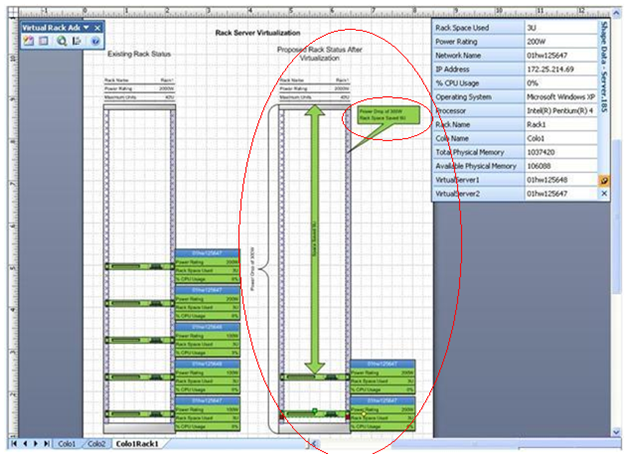
You can set the consolidation criteria based on several factors:
1. Power Rating: The server with higher Power Rating is considered to be a better candidate than server with lower Power Rating.
2. Rack Space Used: A Server that occupies more space is merged into the Server that occupies less space to minimize the space occupied by the Servers within a Rack.
3. CPU Utilization: A Server with lower CPU Utilization is merged into the Server with higher CPU Utilization.
4. Physical Memory: Server with lower Physical Memory will be merged into the Server with higher Physical Memory.