Assess and improve AI security posture with Cloud Security Posture Management (CSPM)
As your AI environment grows, new models, data connections, and services increase the chance of misconfiguration. With Cloud Security Posture Management (CSPM) in Microsoft Defender for Cloud, you can assess these risks across your AI workloads and dependencies, ensuring that each resource follows security best practices.
The AI workloads plan you enabled earlier feeds its discovery results into CSPM. From there, you can use tools like Cloud Security Explorer and attack path analysis to locate misconfigurations that could expose sensitive data or disrupt model performance.
The diagram illustrates where Cloud Security Posture Management fits within Defender for Cloud's lifecycle coverage, linking development and runtime protection.
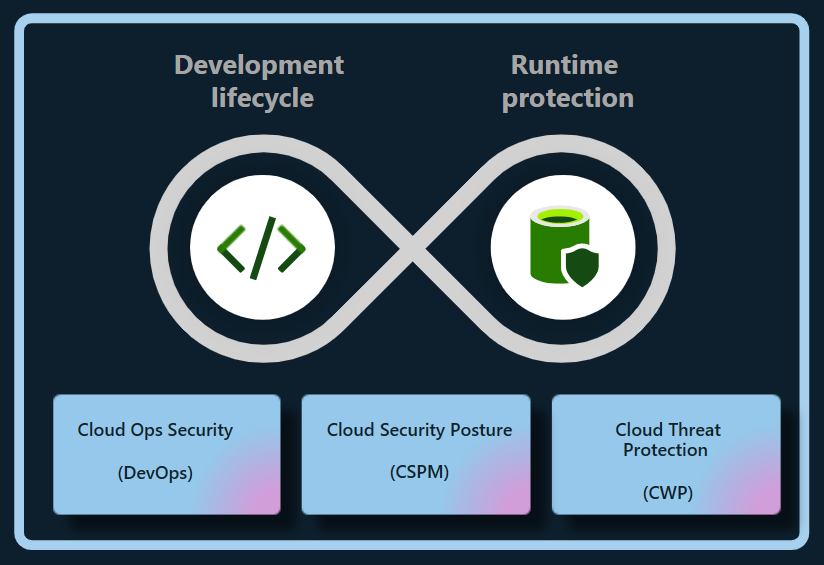
Defender for Cloud connects development, posture, and runtime protection to provide end-to-end coverage for AI workloads.
Discover AI workloads and assess posture
CSPM automatically builds an AI Bill of Materials (AI BOM) that maps deployed AI models, datasets, and related services. This inventory lets you confirm where AI workloads are running and whether they align with your organization's security requirements.
To view AI workloads in your environment:
Sign in to the Azure portal.
Search for and select Microsoft Defender for Cloud.
Under General, select Cloud Security Explorer.
Select AI workloads and models in use query template, then select Open query.
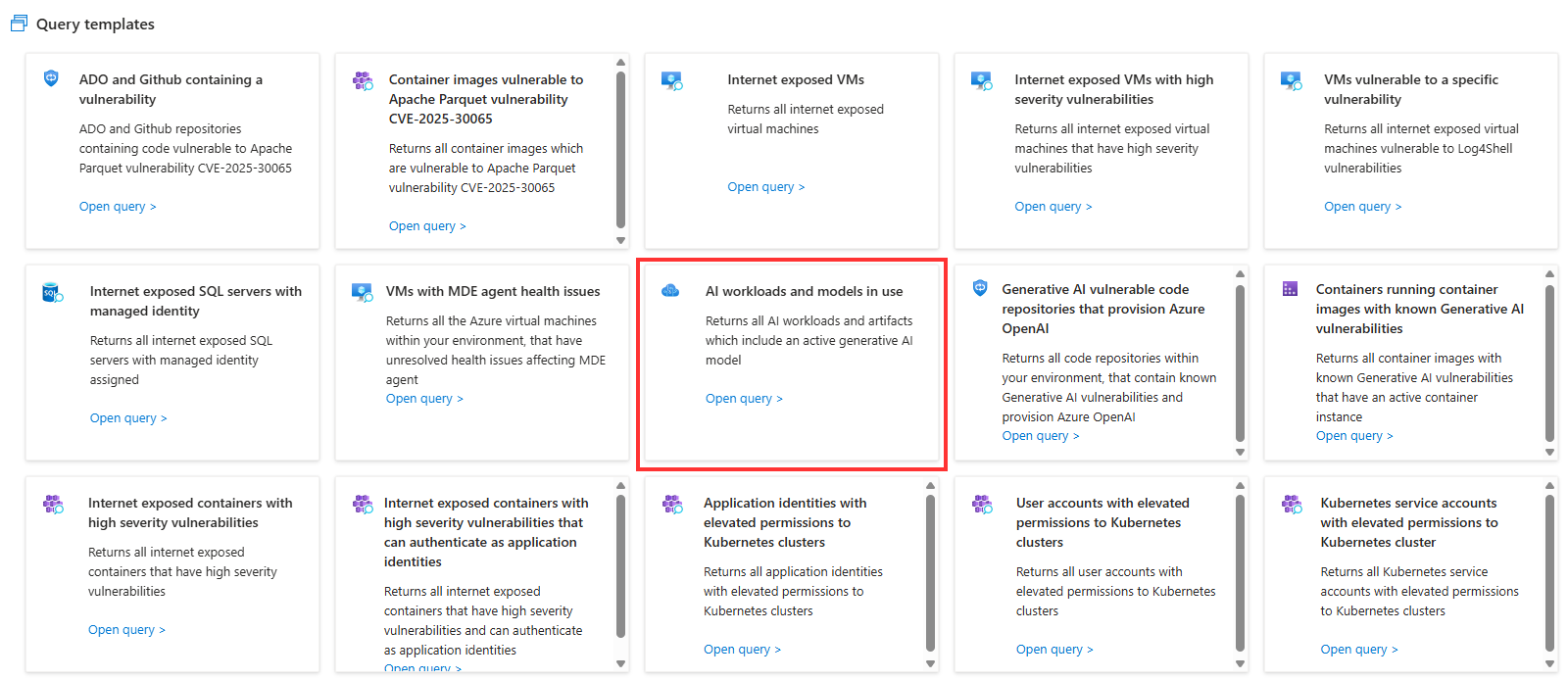
Select Search to run the query and view the results.
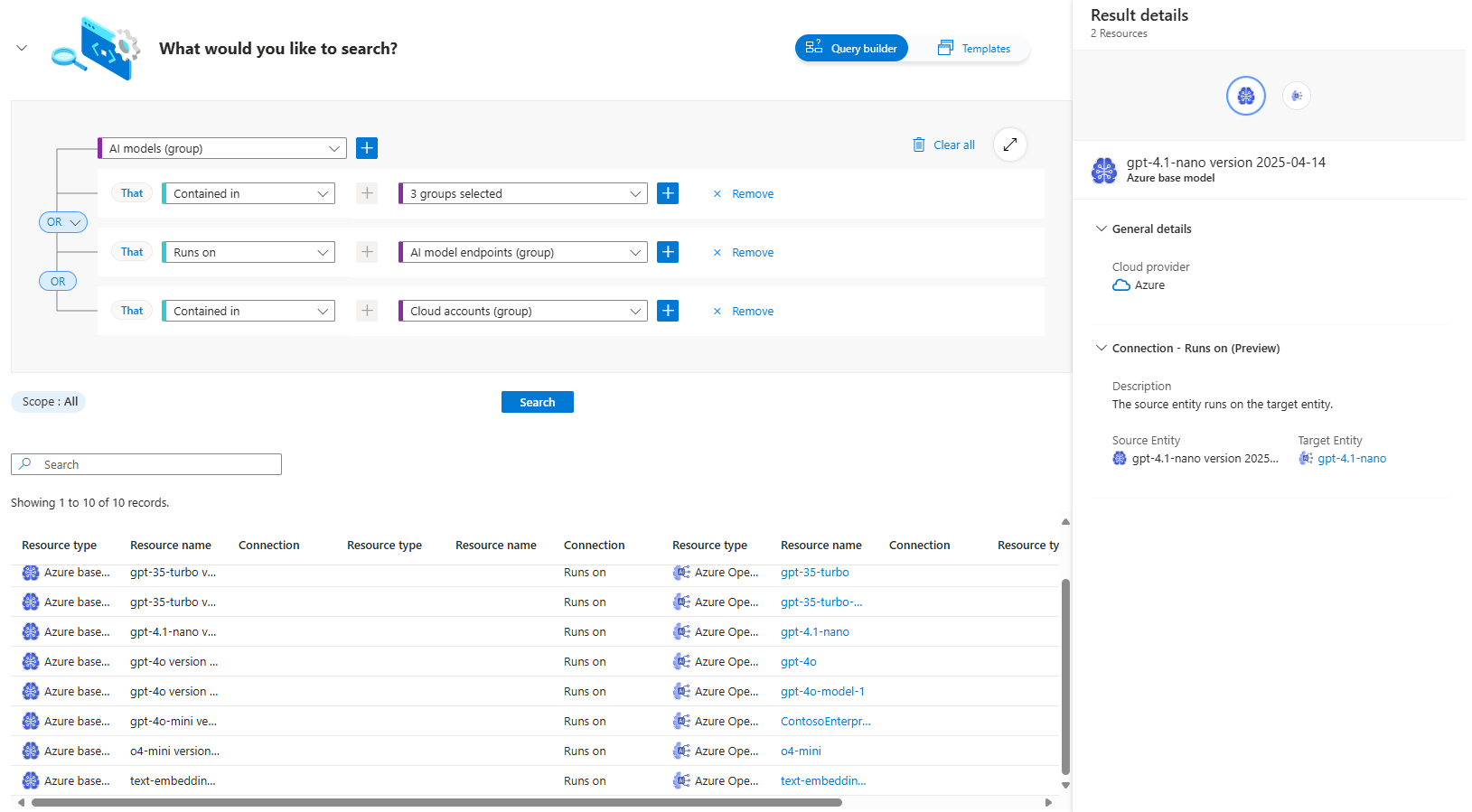
Each result represents a discovered AI workload, including details about its model, data source, and resource group. Selecting a result opens a detailed view with model metadata and configuration context.
You can also use other AI-related query templates to identify risks earlier in the development process. For example, Generative AI vulnerable code repositories that provision Azure OpenAI helps you find code repositories with known vulnerabilities that could expose model configurations or API keys. Together, these queries give you visibility into both deployed AI workloads and the code that supports them.
Use these details to confirm that sensitive or regulated data isn't exposed through public access or unsecured endpoints.
Investigate risks and attack paths
Defender for Cloud uses attack path analysis to connect related configuration risks across resources. This feature visualizes potential routes an attacker could exploit to reach sensitive AI data or services, like exposed storage accounts or unprotected endpoints that feed AI models.
The diagram illustrates where Cloud Security Posture Management fits within Defender for Cloud's lifecycle coverage, linking development and runtime protection.
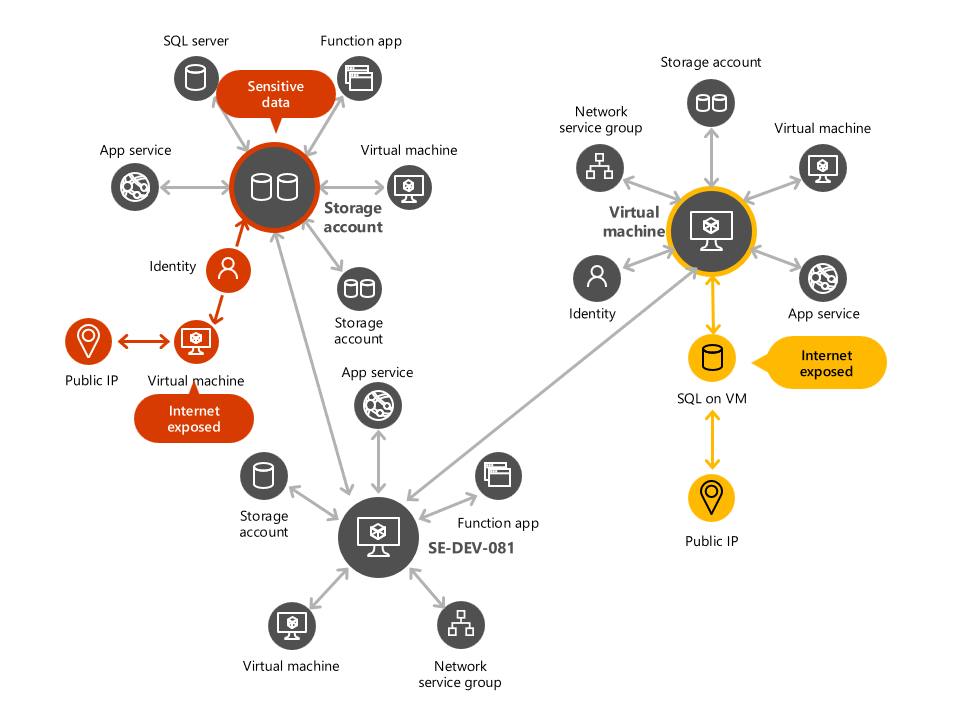
Attack paths help you focus on the issues that matter most by showing how individual misconfigurations are linked.
Apply recommendations to improve posture
CSPM generates security recommendations that identify configuration weaknesses and remediation steps. Key recommendation categories include:
| Risk area | Recommended action |
|---|---|
| Identity and access | Require managed identities for AI services instead of static keys. |
| Network exposure | Restrict public endpoints and use private links where possible. |
| Data protection | Enable encryption at rest for all storage and datasets. |
| Dependencies | Update vulnerable AI frameworks or libraries. |
Remediating these findings improves the overall security posture of your AI workloads and reduces exposure risk across your environment.
CSPM connects discovery to action. It gives you visibility into your deployed AI workloads, highlights where configuration issues exist, and provides guidance for correcting them. By applying these recommendations, you've addressed configuration risks and improved your AI posture. The next step is protecting workloads while they're active with Cloud Workload Protection (CWP).