Review insights in the Data & AI security dashboard
After enabling the AI workloads plan, Defender for Cloud begins discovering AI resources and assessing their configurations. The results appear in the Data & AI security dashboard, which provides a centralized view of your organization's AI posture and risks. The dashboard includes several sections that organize findings by scope and focus area:
Overview shows all data and AI resources by cloud and protection status, whether fully, partially, or not protected.

Top issues lists the most critical recommendations, alerts, and attack paths that need attention.

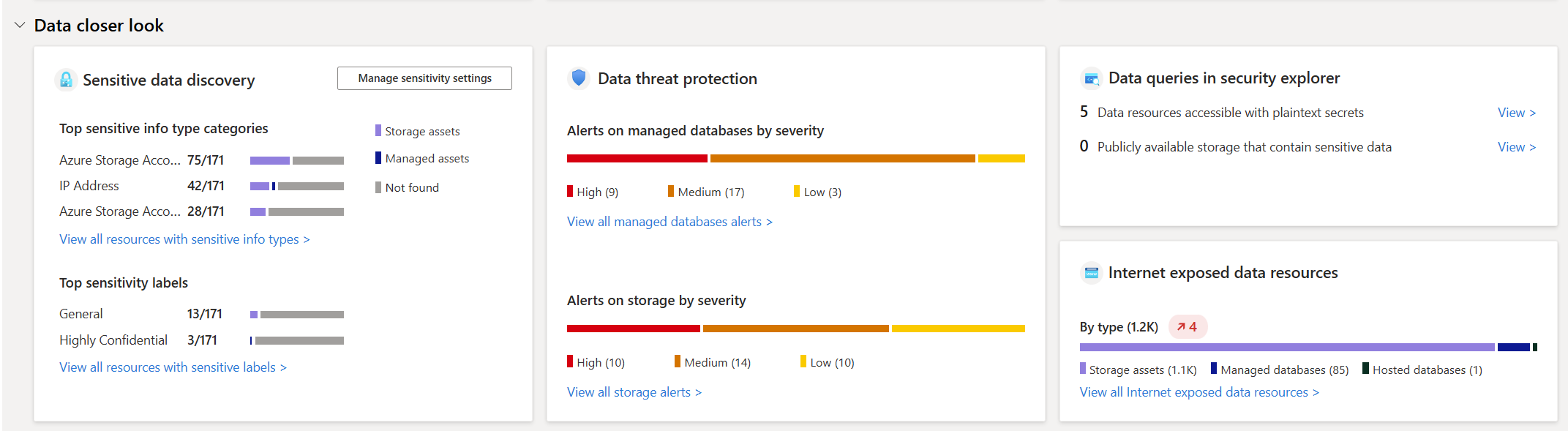
Data closer look highlights sensitive data discovery results, common information types, and any internet-exposed data assets.
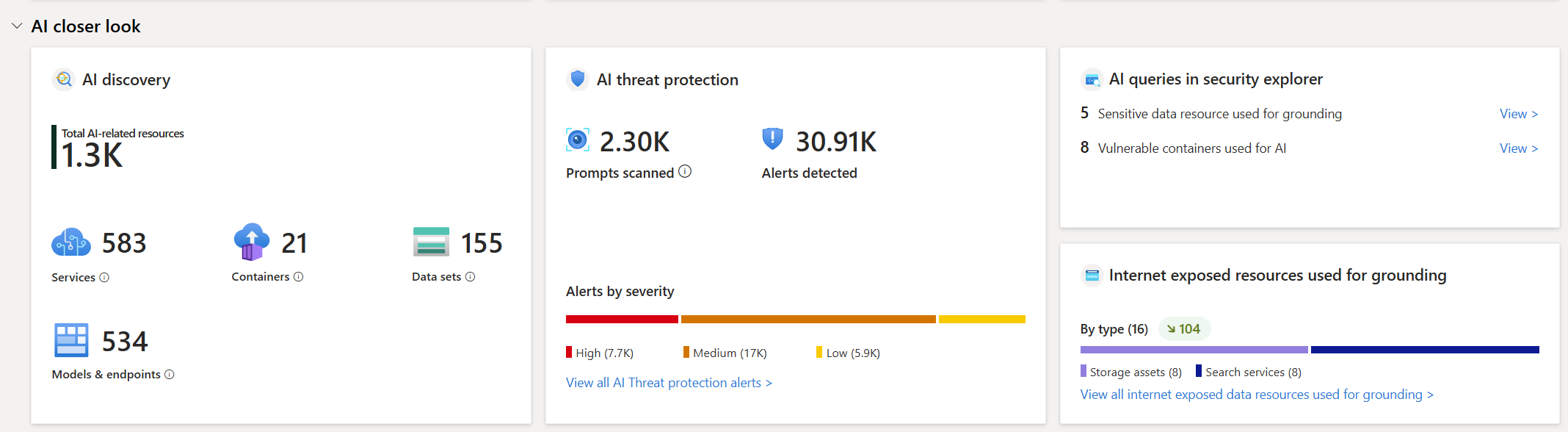
AI closer look summarizes discovered AI services, prompt and response alerts, and internet-exposed resources used for grounding or fine-tuning.
Each section provides entry points for investigation. For example, selecting an attack path opens contextual details that show how a misconfigured storage account could expose grounding data to the internet.
Imagine you notice an exposed storage account in the Top issues section. You can trace how the exposure occurred, identify which AI service depends on it, and use the linked recommendation to remediate the issue.
Use initial findings to strengthen AI security posture
With discovery complete, focus on a few key checks before moving on:
- Confirm that AI services use private endpoints rather than public access.
- Verify that managed identities are used for Azure AI accounts instead of embedded credentials.
- Review sensitive data findings associated with AI storage or indexes, and ensure encryption at rest is enabled.
- Note any internet-exposed data or compute resources that support AI workloads. These should be addressed first in Cloud Security Posture Management (CSPM).
By enabling the AI workloads plan and reviewing insights in the Data & AI dashboard, you now have visibility into where AI resources exist, how they're protected, and which configuration issues present the highest risk.
Reviewing these insights helps you pinpoint which areas of your AI environment need attention. From here, you can use Defender for Cloud's posture and workload protection tools to remediate configuration issues and strengthen your overall AI security.