Input and output variables
While Power Automate desktop app can work autonomously, you might need to exchange data with other products of the Power Automate platform.
Power Automate desktop app provides this functionality through the input and output variables. By using these variables, you can pass data to and from Power Automate desktop app and develop sophisticated flows.
This feature creates unlimited potential, so you can make the most out of the platform and create a complete automation solution.
Note
For more information about passing data between Power Automate desktop app and Power Automate, see Link a Power Automate desktop flow with a cloud flow.
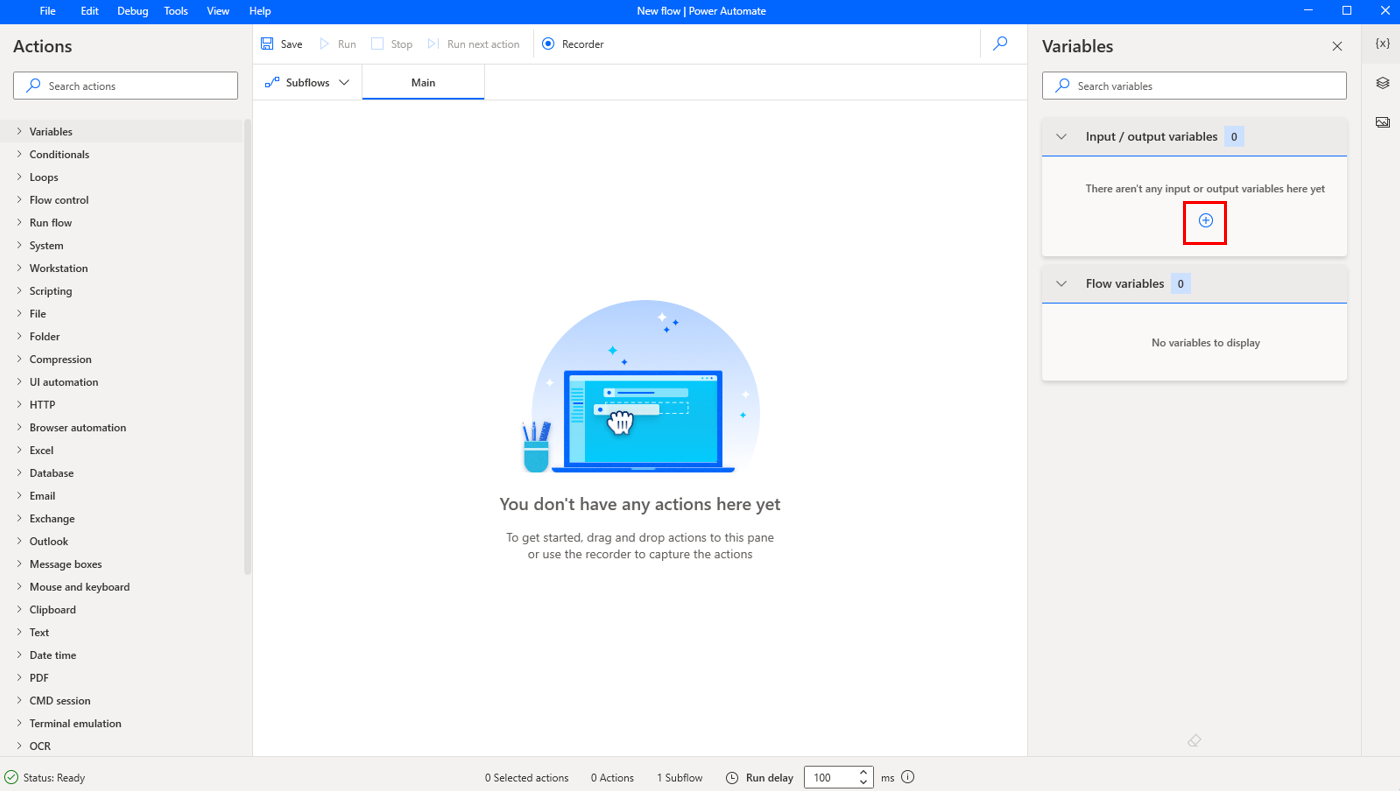
To create an input or output variable, select the + button in the variables pane, and choose the respective option.
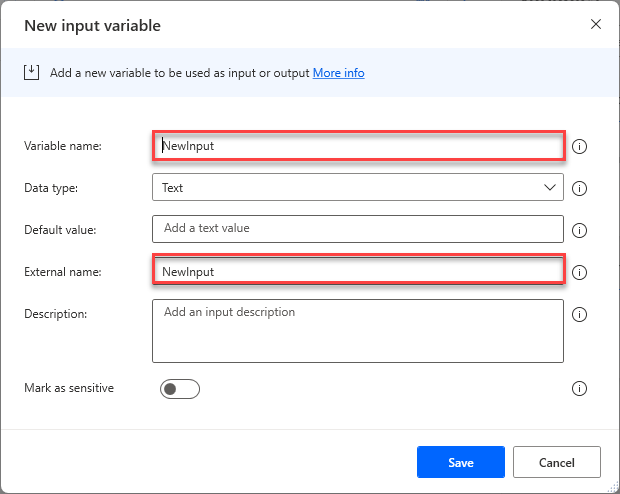
In the dialog, enter the variable's name, the external name, the default value, and a description.
The Variable name represents the variable's name in the flow, while the External name represents the name used outside the flow in Power Automate.
After you create input and output variables in your Power Automate desktop flow, you can pass data back and forth from a Power Automate cloud flow.