Note
Access to this page requires authorization. You can try signing in or changing directories.
Access to this page requires authorization. You can try changing directories.
This article outlines the steps to create a PostgreSQL database connection.
Summary
The PostgreSQL database connector supports the following authentication types for copy and dataflow Gen2 respectively.
| Authentication type | Copy | Dataflow Gen2 |
|---|---|---|
| Basic (Username/Password) | n/a | √ |
Set up your connection for Dataflow Gen2
You can connect a dataflow Gen2 in Fabric to a PostgreSQL database by using Power Query connectors. Follow these steps to create your connection:
- Check capabilities to make sure your scenario is supported.
- Complete prerequisites for PostgreSQL database.
- Get data in Fabric.
- Connect to a PostgreSQL database.
Prerequisites
Power BI Desktop has included the Npgsql provider for PostgreSQL connector since December 2019, eliminating the need for more installations. Starting with the October 2024 version, it incorporates Npgsql version 4.0.17. Separate Npgsql GAC installation overrides this default version.
The PostgreSQL connector is supported for cloud connection and via virtual network data gateway or on-premises data gateway. Since the June 2025 release, the on-premises data gateway includes the Npgsql provider, so no extra installation is needed. Separate Npgsql GAC installation overrides this default version.
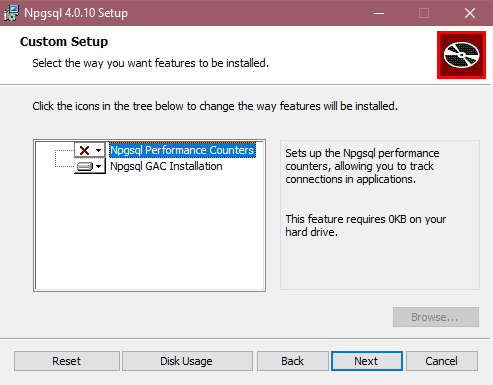
For Power BI Desktop versions released before December 2019 and on-premises data gateway released before June 2025, you must install the Npgsql provider on your local machine to use the PostgreSQL connector. To install the Npgsql provider, go to the releases page for version 4.0.17, download, and run the .msi file. The provider architecture (32-bit or 64-bit) needs to match the architecture of the product where you intend to use the connector. When installing, make sure that you select Npgsql GAC Installation to ensure Npgsql itself is added to your machine. Npgsql 4.1 and up aren't supported due to .NET version incompatibilities.
Important
To use PostgreSQL as a Dataflow Gen2 data destination through an on-premises data gateway, install the June 2026 gateway update (version 3000.322) or later.
Supported capabilities
- Import
- DirectQuery (Power BI semantic models)
- Advanced options
- Command timeout in minutes
- Native SQL statement
- Relationship columns
- Navigate using full hierarchy
Connection settings
Get data
To get data in Data Factory:
On the left side of Data Factory, select Workspaces.
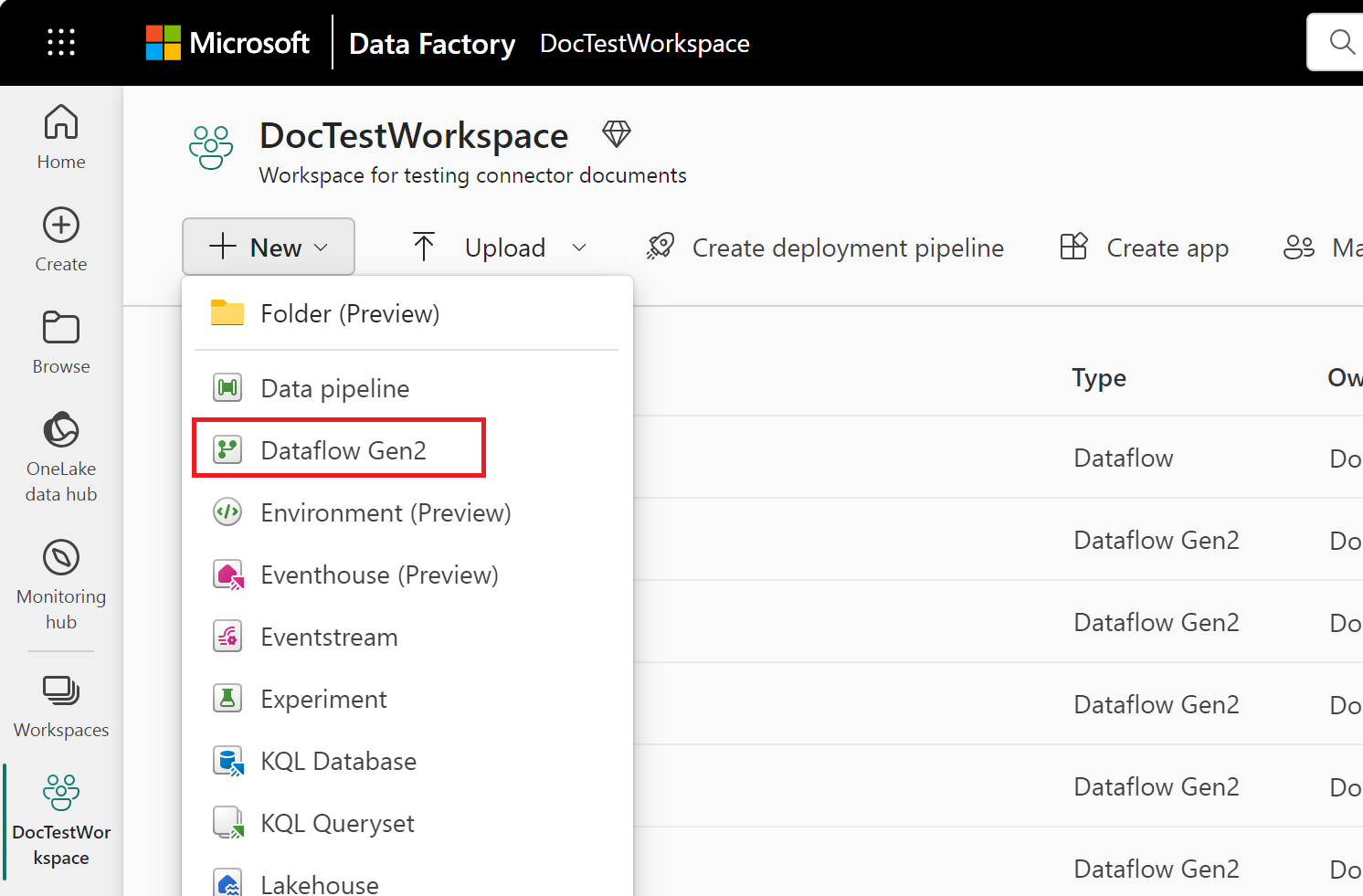
From your Data Factory workspace, select New > then select your data factory item: a dataflow, pipeline, copy job, or mirroring job.
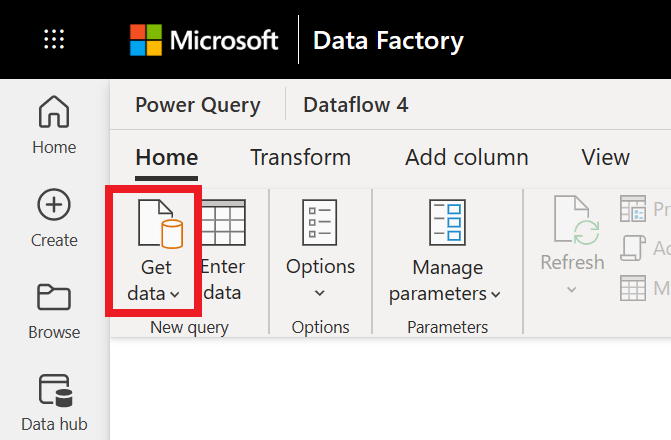
In Power Query, either select Get data in the ribbon or select Get data from another source in the current view.
In the Choose data source page, use Search to search for the name of the connector, or select View more to the right of the connector list to see all the connectors available in Data Factory.

If you choose to view more connectors, you can still use Search to search for the name of the connector, or choose a category to see a list of connectors associated with that category.


Connection instructions
To make the connection, take the following steps:
Select the PostgreSQL database option in the connector selection. For more information, go to Where to get data.
In the PostgreSQL database dialog that appears, provide the name of the server and database.
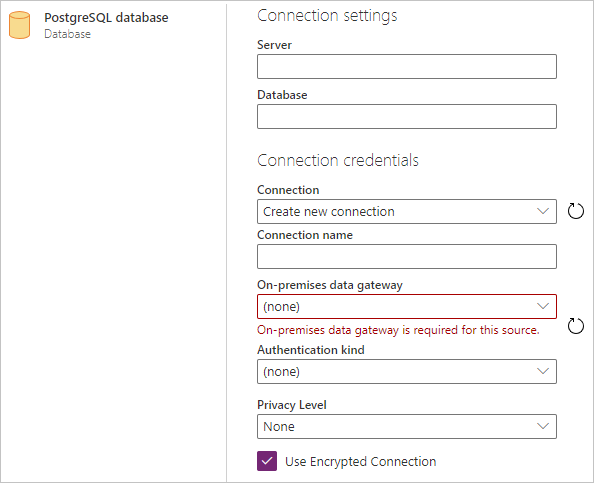
Select the name of the on-premises data gateway you want to use.
Select the Basic authentication kind and input your PostgreSQL credentials in the Username and Password boxes.
If your connection isn't encrypted, clear Use Encrypted Connection.
Select Next to connect to the database.
In Navigator, select the data you require, then select Transform data to transform the data in Power Query editor.