Nóta
Teastaíonn údarú chun rochtain a fháil ar an leathanach seo. Is féidir leat triail a bhaint as shíniú isteach nó eolairí a athrú.
Teastaíonn údarú chun rochtain a fháil ar an leathanach seo. Is féidir leat triail a bhaint as eolairí a athrú.

This article describes how to start a kernel mode session with WinDbg.
The process is similar to how it was done with previous versions of WinDbg. Select the tab for the type of transport that you're using, fill in the required fields, and select OK.
Note
Local kernel debugging requires WinDbg to start with elevated privileges.
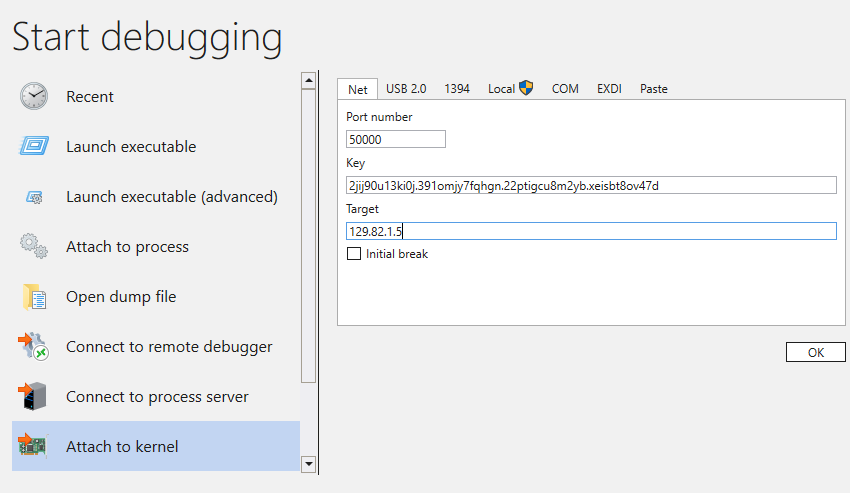
On the Paste tab, you can paste in custom connection strings.
If you aren't familiar with how to set up a debugger kernel-mode session, see Get started with WinDbg (kernel mode).