Nota
L'accesso a questa pagina richiede l'autorizzazione. È possibile provare ad accedere o modificare le directory.
L'accesso a questa pagina richiede l'autorizzazione. È possibile provare a modificare le directory.
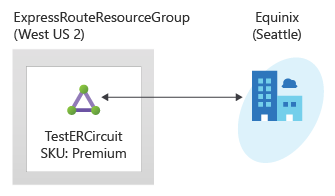
In questa guida introduttiva si usa Terraform per creare un circuito Azure ExpressRoute e l'infrastruttura associata. Il modello Terraform crea un'installazione di ExpressRoute completa, tra cui una rete virtuale, un gateway ExpressRoute, una configurazione del circuito e un peering privato. Tutte le risorse vengono distribuite con parametri configurabili che consentono di personalizzare la distribuzione per i requisiti specifici.
Terraform abilita la definizione, l'anteprima e la distribuzione dell'infrastruttura cloud. Con Terraform si creano file di configurazione usando la sintassi HCL. La sintassi HCL consente di specificare il provider di servizi cloud, ad esempio Azure, e gli elementi che costituiscono l'infrastruttura cloud. Dopo aver creato i file di configurazione, si crea un piano di esecuzione che consente di visualizzare in anteprima le modifiche dell'infrastruttura prima della distribuzione. Dopo aver verificato le modifiche, è possibile applicare il piano di esecuzione per distribuire l'infrastruttura.
In questo articolo vengono illustrate le operazioni seguenti:
- Creare un gruppo di risorse di Azure con un nome univoco
- Creare una rete virtuale con una subnet per il gateway
- Creare un gateway ExpressRoute con SKU configurabile
- Creare un circuito ExpressRoute con impostazioni configurabili del provider di servizi
- Configurare il peering privato per il circuito ExpressRoute
- Identificatori della risorsa chiave di output e dettagli di configurazione
Prerequisiti
Creare un account Azure con una sottoscrizione attiva. È possibile creare gratuitamente un account.
Implementare il codice Terraform
Note
Il codice di esempio per questo articolo si trova nel repository GitHub di Azure Terraform. È possibile visualizzare il file di log contenente i risultati del test delle versioni correnti e precedenti di Terraform.
Vedere altri articoli e codice di esempio che illustrano come usare Terraform per gestire le risorse di Azure.
Creare una directory in cui testare ed eseguire il codice Terraform di esempio e impostarla come directory corrente.
Creare un file denominato
main.tfe immettere il codice seguente:# Create Resource Group resource "random_pet" "rg_name" { prefix = var.resource_group_name_prefix } resource "azurerm_resource_group" "rg" { location = var.resource_group_location name = random_pet.rg_name.id tags = var.tags } # Random String for unique naming resource "random_string" "name" { length = 8 special = false upper = false lower = true numeric = false } # Create Virtual Network resource "azurerm_virtual_network" "vnet" { name = "vnet-${random_string.name.result}" address_space = var.virtual_network_address_space location = azurerm_resource_group.rg.location resource_group_name = azurerm_resource_group.rg.name tags = var.tags } # Create ExpressRoute Gateway using Azure Verified Module with HOBO module "expressroute_gateway" { source = "Azure/avm-ptn-vnetgateway/azurerm" version = "~> 0.10.0" # Basic Configuration location = azurerm_resource_group.rg.location name = "vgw-${random_string.name.result}" parent_id = azurerm_resource_group.rg.id # ExpressRoute Gateway Configuration type = "ExpressRoute" sku = var.gateway_sku hosted_on_behalf_of_public_ip_enabled = var.enable_hosted_on_behalf_of_public_ip # Enable Azure-managed public IP (HOBO) # Virtual Network Configuration virtual_network_id = azurerm_virtual_network.vnet.id subnet_address_prefix = var.gateway_subnet_address_prefix # GatewaySubnet CIDR # Optional: Enable telemetry for Azure Verified Module enable_telemetry = true # Express Route Circuit Connection (if circuit is provided) express_route_circuits = var.express_route_circuit_id != null ? { "primary" = { id = var.express_route_circuit_id connection = { authorization_key = var.express_route_authorization_key } } } : {} tags = merge(var.tags, { environment = "production" project = "expressroute-hobo" gateway_type = "ExpressRoute" deployment = "azure-verified-module" }) depends_on = [azurerm_virtual_network.vnet] } # Create ExpressRoute Circuit (if enabled) resource "azurerm_express_route_circuit" "circuit" { count = var.create_express_route_circuit ? 1 : 0 name = "erc-${random_string.name.result}" resource_group_name = azurerm_resource_group.rg.name location = azurerm_resource_group.rg.location service_provider_name = var.service_provider_name peering_location = var.peering_location bandwidth_in_mbps = var.bandwidth_in_mbps sku { tier = var.circuit_sku_tier family = var.circuit_sku_family } tags = merge(var.tags, { environment = "production" project = "expressroute-hobo" }) } # Create ExpressRoute Circuit Peering (if circuit is created) resource "azurerm_express_route_circuit_peering" "private" { count = var.create_express_route_circuit && var.create_private_peering ? 1 : 0 peering_type = "AzurePrivatePeering" express_route_circuit_name = azurerm_express_route_circuit.circuit[0].name resource_group_name = azurerm_resource_group.rg.name primary_peer_address_prefix = var.primary_peer_address_prefix secondary_peer_address_prefix = var.secondary_peer_address_prefix vlan_id = var.vlan_id peer_asn = var.peer_asn }Creare un file denominato
outputs.tfe immettere il codice seguente:output "resource_group_name" { description = "Name of the resource group" value = azurerm_resource_group.rg.name } output "express_route_circuit_id" { description = "ID of the ExpressRoute circuit (if created)" value = var.create_express_route_circuit ? azurerm_express_route_circuit.circuit[0].id : null } output "express_route_circuit_service_key" { description = "Service key for the ExpressRoute circuit (if created)" value = var.create_express_route_circuit ? azurerm_express_route_circuit.circuit[0].service_key : null sensitive = true } output "gateway_id" { description = "ID of the ExpressRoute Virtual Network Gateway" value = module.expressroute_gateway.virtual_network_gateway.id } output "gateway_name" { description = "Name of the ExpressRoute Virtual Network Gateway" value = module.expressroute_gateway.virtual_network_gateway.name } output "gateway_subnet_id" { description = "ID of the GatewaySubnet created by the module" value = module.expressroute_gateway.subnet.id } output "hosted_on_behalf_of_public_ip_note" { description = "Information about the Azure-managed public IP for ExpressRoute gateway" value = "This ExpressRoute Virtual Network Gateway uses an Azure-managed public IP address. The public IP is automatically provisioned and managed by Azure, and is not visible in your subscription's public IP resources. This feature is only available for ExpressRoute gateways, not VPN gateways." } output "public_ip_addresses" { description = "Public IP addresses created by the module (empty when using HOBO for ExpressRoute)" value = module.expressroute_gateway.public_ip_addresses } output "virtual_network_id" { description = "ID of the virtual network" value = azurerm_virtual_network.vnet.id } output "virtual_network_gateway_connections" { description = "Virtual Network Gateway Connections created by the module" value = module.expressroute_gateway.virtual_network_gateway_connections }Creare un file denominato
providers.tfe immettere il codice seguente:terraform { required_version = ">= 1.3" required_providers { azapi = { source = "Azure/azapi" version = "~> 2.4" } azurerm = { source = "hashicorp/azurerm" version = "~> 4.0" } random = { source = "hashicorp/random" version = "~> 3.5" } } } provider "azurerm" { features {} }Creare un file denominato
variables.tfe immettere il codice seguente:variable "resource_group_location" { type = string default = "eastus" description = "Location of the resource group." } variable "resource_group_name_prefix" { type = string default = "rg" description = "Prefix of the resource group name that's combined with a random ID so name is unique in your Azure subscription." } variable "tags" { type = map(string) default = {} description = "A map of tags to assign to all resources." } # Virtual Network Configuration variable "virtual_network_address_space" { type = list(string) default = ["10.0.0.0/16"] description = "The address space that is used by the virtual network." validation { condition = length(var.virtual_network_address_space) > 0 error_message = "At least one address space must be provided." } } variable "gateway_subnet_address_prefix" { type = string default = "10.0.0.0/24" description = "The address prefix for the GatewaySubnet. Must be at least /29." validation { condition = can(cidrhost(var.gateway_subnet_address_prefix, 0)) && tonumber(split("/", var.gateway_subnet_address_prefix)[1]) <= 29 error_message = "gateway_subnet_address_prefix must be a valid CIDR block with at least /29 prefix." } } # ExpressRoute Gateway Configuration variable "gateway_sku" { type = string default = "ErGw1AZ" description = "The SKU of the ExpressRoute Virtual Network Gateway. Valid values: ErGw1AZ, ErGw2AZ, ErGw3AZ, ErGwScale, HighPerformance, Standard, UltraPerformance." validation { condition = contains(["ErGw1AZ", "ErGw2AZ", "ErGw3AZ", "ErGwScale", "HighPerformance", "Standard", "UltraPerformance"], var.gateway_sku) error_message = "gateway_sku must be one of: ErGw1AZ, ErGw2AZ, ErGw3AZ, ErGwScale, HighPerformance, Standard, UltraPerformance." } } variable "enable_hosted_on_behalf_of_public_ip" { type = bool default = true description = "Enable Azure-managed public IP for the ExpressRoute gateway (HOBO feature). When enabled, Azure manages the public IP internally and it won't appear in your subscription." } # ExpressRoute Circuit Configuration variable "create_express_route_circuit" { type = bool default = true description = "Whether to create an ExpressRoute circuit. Set to false if you want to connect to an existing circuit." } variable "express_route_circuit_id" { type = string default = null description = "ID of an existing ExpressRoute circuit to connect to. Only used if create_express_route_circuit is false." } variable "express_route_authorization_key" { type = string default = null description = "Authorization key for connecting to an existing ExpressRoute circuit." sensitive = true } variable "service_provider_name" { type = string default = "Equinix" description = "The name of the ExpressRoute circuit service provider." } variable "peering_location" { type = string default = "Washington DC" description = "The name of the peering location and not the Azure resource location." } variable "bandwidth_in_mbps" { type = number default = 50 description = "The bandwidth in Mbps of the ExpressRoute circuit." validation { condition = contains([50, 100, 200, 500, 1000, 2000, 5000, 10000], var.bandwidth_in_mbps) error_message = "bandwidth_in_mbps must be one of: 50, 100, 200, 500, 1000, 2000, 5000, 10000." } } variable "circuit_sku_tier" { type = string default = "Standard" description = "The service tier of the ExpressRoute circuit SKU." validation { condition = contains(["Basic", "Local", "Standard", "Premium"], var.circuit_sku_tier) error_message = "circuit_sku_tier must be one of: Basic, Local, Standard, Premium." } } variable "circuit_sku_family" { type = string default = "MeteredData" description = "The billing mode for the ExpressRoute circuit SKU." validation { condition = contains(["MeteredData", "UnlimitedData"], var.circuit_sku_family) error_message = "circuit_sku_family must be either MeteredData or UnlimitedData." } } # ExpressRoute Private Peering Configuration variable "create_private_peering" { type = bool default = true description = "Whether to create Azure Private Peering for the ExpressRoute circuit." } variable "primary_peer_address_prefix" { type = string default = "192.168.10.16/30" description = "A /30 subnet for the primary link." validation { condition = can(cidrhost(var.primary_peer_address_prefix, 0)) error_message = "primary_peer_address_prefix must be a valid CIDR block." } } variable "secondary_peer_address_prefix" { type = string default = "192.168.10.20/30" description = "A /30 subnet for the secondary link." validation { condition = can(cidrhost(var.secondary_peer_address_prefix, 0)) error_message = "secondary_peer_address_prefix must be a valid CIDR block." } } variable "vlan_id" { type = number default = 200 description = "A valid VLAN ID to establish this peering on." validation { condition = var.vlan_id >= 1 && var.vlan_id <= 4094 error_message = "vlan_id must be between 1 and 4094." } } variable "peer_asn" { type = number default = 65001 description = "A valid private ASN for the customer side BGP session." validation { condition = (var.peer_asn >= 64512 && var.peer_asn <= 65534) || (var.peer_asn >= 4200000000 && var.peer_asn <= 4294967294) error_message = "peer_asn must be a valid private ASN (64512-65534 or 4200000000-4294967294)." } }
Inizializzare Terraform
Eseguire terraform init per inizializzare la distribuzione di Terraform. Questo comando scarica il provider di Azure necessario per gestire le risorse di Azure.
terraform init -upgrade
Punti chiave:
- Il parametro
-upgradeaggiorna i plug-in del provider necessari alla versione più recente conforme ai vincoli di versione della configurazione.
Creare un piano di esecuzione Terraform
Eseguire terraform plan per creare un piano di esecuzione.
terraform plan -out main.tfplan
Punti chiave:
- Il comando
terraform planconsente di creare un piano di esecuzione, ma non di eseguirlo. Determina invece le azioni necessarie per creare la configurazione specificata nei file di configurazione. Questo modello consente di verificare se il piano di esecuzione corrisponde alle aspettative prima di apportare modifiche alle risorse effettive. - Il parametro
-outfacoltativo consente di specificare un file di output per il piano. L'uso del parametro-outgarantisce che il piano esaminato sia esattamente quello che viene applicato.
Applicare un piano di esecuzione Terraform
Eseguire terraform apply per applicare il piano di esecuzione all'infrastruttura cloud.
terraform apply main.tfplan
Punti chiave:
- Il comando
terraform applydi esempio presuppone che in precedenza sia stato eseguitoterraform plan -out main.tfplan. - Se è stato specificato un nome file diverso per il parametro
-out, usare lo stesso nome file nella chiamata aterraform apply. - Se non è stato usato il parametro
-out, chiamareterraform applysenza parametri.
Verificare i risultati
Ottenere il nome del gruppo di risorse di Azure.
resource_group_name=$(terraform output -raw resource_group_name)Ottenere il nome del circuito ExpressRoute.
circuit_name=$(terraform output -raw expressroute_circuit_name)Ottenere il nome del gateway.
gateway_name=$(terraform output -raw gateway_name)Eseguire
az network express-route showper visualizzare il circuito ExpressRoute.az network express-route show --name $circuit_name --resource-group $resource_group_nameEseguire
az network vnet-gateway showper visualizzare il gateway di rete virtuale di Azure.az network vnet-gateway show --name $gateway_name --resource-group $resource_group_name
Pulire le risorse
Quando le risorse create tramite Terraform non sono più necessarie, eseguire i passaggi seguenti:
Eseguire terraform plan e specificare il flag
destroy.terraform plan -destroy -out main.destroy.tfplanPunti chiave:
- Il comando
terraform planconsente di creare un piano di esecuzione, ma non di eseguirlo. Determina invece le azioni necessarie per creare la configurazione specificata nei file di configurazione. Questo modello consente di verificare se il piano di esecuzione corrisponde alle aspettative prima di apportare modifiche alle risorse effettive. - Il parametro
-outfacoltativo consente di specificare un file di output per il piano. L'uso del parametro-outgarantisce che il piano esaminato sia esattamente quello che viene applicato.
- Il comando
Eseguire terraform apply per applicare il piano di esecuzione.
terraform apply main.destroy.tfplan
Risolvere i problemi di Terraform in Azure
Risolvere i problemi comuni relativi all'uso di Terraform in Azure.
Passaggi successivi
Vedere altri articoli sul gateway di rete virtuale di Azure.
Per informazioni su come collegare una rete virtuale a un circuito, continuare con le esercitazioni su ExpressRoute.