Nota
L'accesso a questa pagina richiede l'autorizzazione. È possibile provare ad accedere o modificare le directory.
L'accesso a questa pagina richiede l'autorizzazione. È possibile provare a modificare le directory.
Important
The SharePoint Modernization Scanner is a legacy tool and is no longer actively maintained. For classic pages, start with Assess and transform classic SharePoint pages on Microsoft Learn. Use the archived scanner guidance only to interpret existing Scanner output, continue an established Scanner workflow, or use a scanner-only capability. For routing, see Where should I start a SharePoint modernization assessment?.
Excel dashboard
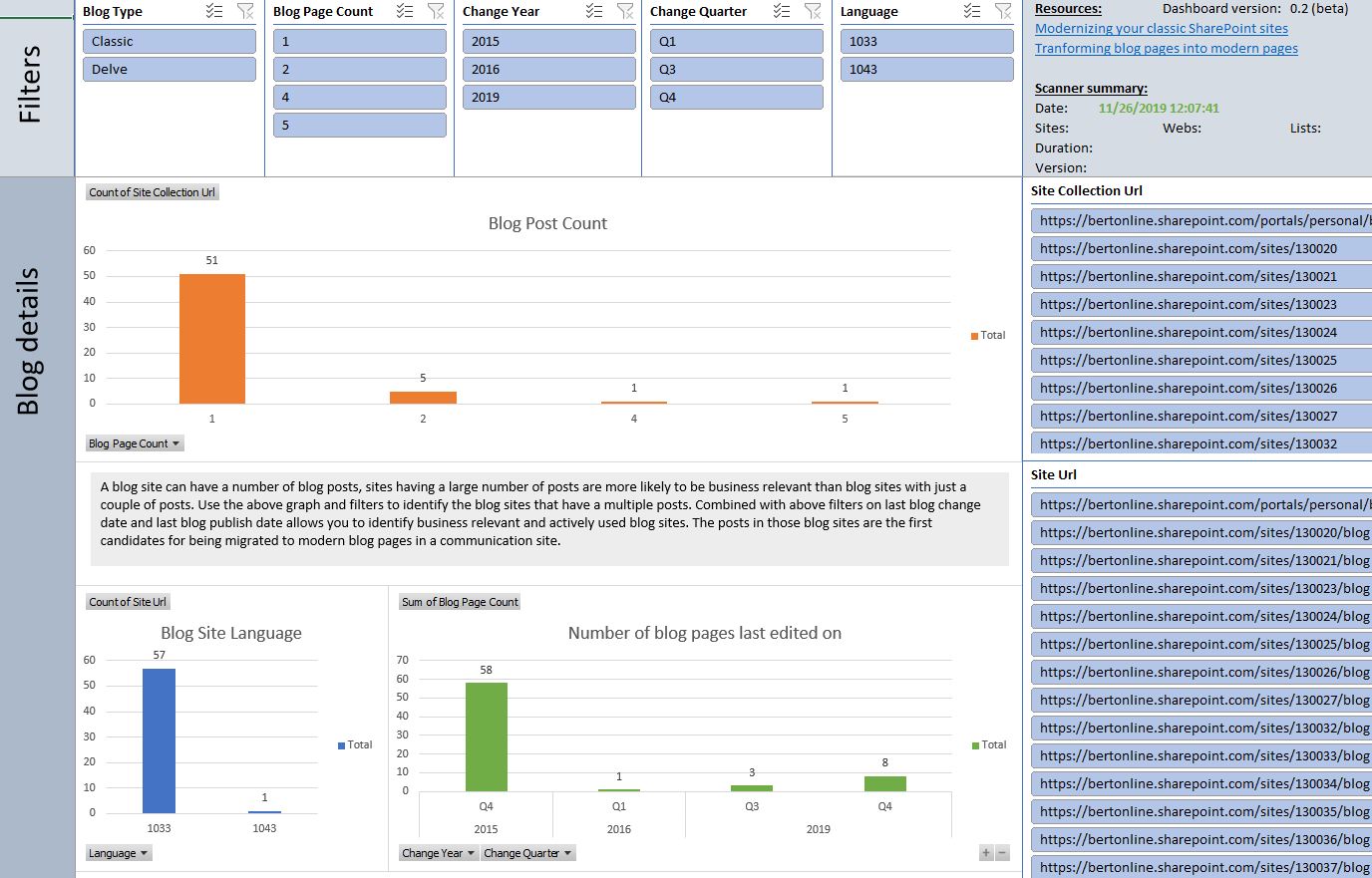
Understanding the ModernizationBlogWebScanResults.csv file
This report contains the following columns:
| Column | Description |
|---|---|
| Site Collection Url | Url of the scanned site collection. |
| SiteUrl | Url of the scanned web. |
| Web Relative Url | Relative Url of the scanned web. |
| Blog Type | Is this a classic blog or Delve blog (requires scanner 2.7+). |
| Web Template | Used web template (should all be BLOG#0). |
| Language | Language used to create the blog site. |
| Blog Page Count | Number of blog posts in this site. |
| Last blog change date | Last blog post change date for this site. |
| Last blog publish date | Last blog post publish date for this site. |
| Change Year | Year of the last blog post change. |
| Change Quarter | Quarter of the last blog post change. |
| Change Month | Month of the last blog post change. |
Key takeaways from this report
Load the ModernizationBlogWebScanResults.csv into Microsoft Excel and use below filters to analyze the received data
| Filter | Takeaway |
|---|---|
| No filter | Lists all the blog sites found in your tenant. |
| Blog Page Count > 10 AND Change Year = this year | A good filter to identify the actively used blog sites in your tenant. These sites are good candidates for modernization. |
Understanding the ModernizationBlogPageScanResults.csv file
This report contains the following columns:
| Column | Description |
|---|---|
| Site Collection Url | Url of the scanned site collection. |
| SiteUrl | Url of the scanned web. |
| Web Relative Url | Relative Url of the scanned web. |
| Blog Type | Is this a classic blog page or Delve blog page (requires scanner 2.7+). |
| Page Title | Title of this blog post. |
| Modified At | Last modified date of this blog post. |
| Modified By | This blog post was last modified by. |
| Published At | This blog post was published at. |
Key takeaways from this report
Load the ModernizationBlogPageScanResults.csv into Microsoft Excel and use below filters to analyze the received data
| Filter | Takeaway |
|---|---|
| No filter | Lists all the blog posts found in your tenant. |
| Modified At in this year | Gets you all the blog posts which have been edited in the current year. |