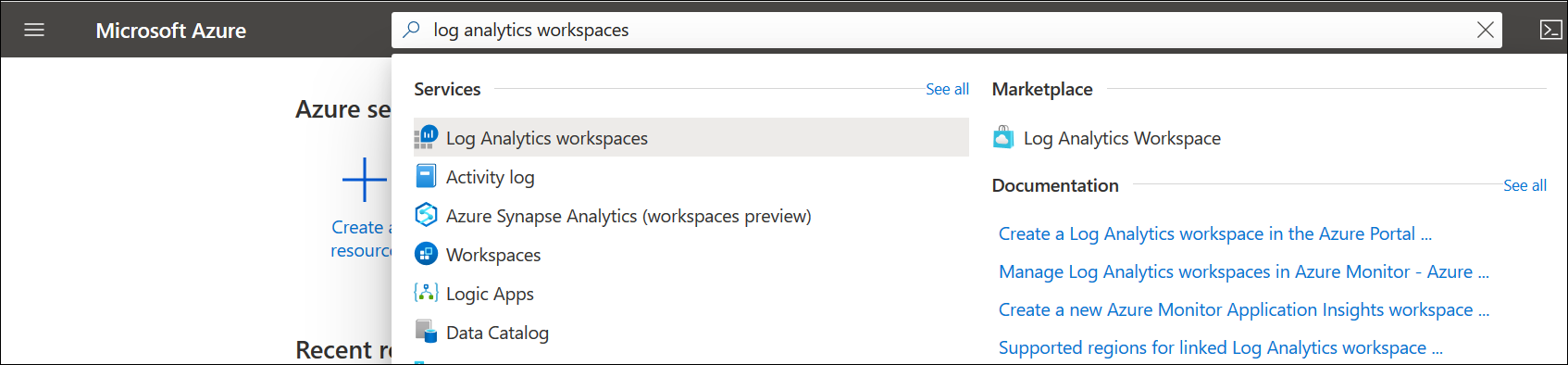
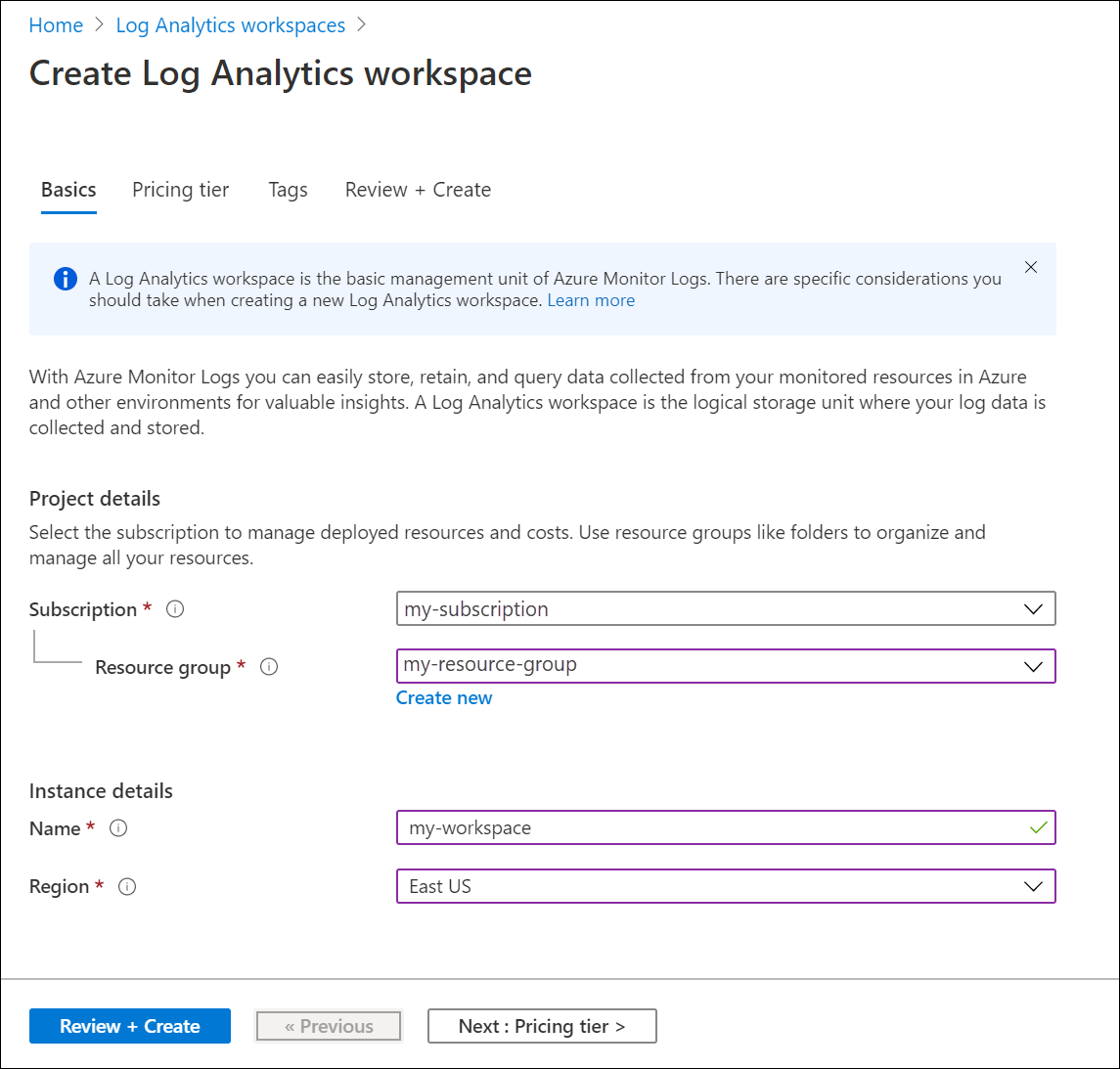
az group create 명령을 실행하여 리소스 그룹을 만들거나 기존 리소스 그룹을 사용합니다. 작업 영역을 만들려면 az monitor log-analytics workspace create 명령을 사용합니다. 다음 명령은 각 명령에 대해 한 줄 형식을 사용하므로 PowerShell 및 기본 Windows Cloud Shell 포함하여 모든 셸에서 실행됩니다.
az group create --name myGroup --location myLocation
az monitor log-analytics workspace create --resource-group myGroup --workspace-name myWorkspace
작업 영역이 생성되었는지 확인하려면 az monitor log-analytics 작업 영역 표시 명령을 실행합니다. 작업 영역은 Azure 포털의 Log Analytics 작업 영역 목록에도 표시됩니다.
az monitor log-analytics workspace show --resource-group myGroup --workspace-name myWorkspace
Azure CLI의 Azure Monitor 로그에 대한 자세한 내용은 Azure CLI에서 Azure Monitor 로그 관리를 참조하세요.
다음 샘플에서는 Microsoft.OperationalInsights 작업 영역을 사용하여 Azure Monitor에서 Log Analytics 작업 영역을 만듭니다. Bicep에 대한 자세한 내용은 Bicep 개요를 참조하세요.
Bicep 파일
@description('Name of the workspace.')
param workspaceName string
@description('Pricing tier: PerGB2018 or legacy tiers (Free, Standalone, PerNode, Standard or Premium) which are not available to all customers.')
@allowed([
'pergb2018'
'Free'
'Standalone'
'PerNode'
'Standard'
'Premium'
])
param sku string = 'pergb2018'
@description('Specifies the location for the workspace.')
param location string
@description('Number of days to retain data. Remove this parameter if you use the Free pricing tier.')
param retentionInDays int = 120
@description('true to use resource or workspace permissions. false to require workspace permissions.')
param resourcePermissions bool
@description('Number of days to retain data in Heartbeat table.')
param heartbeatTableRetention int = 30
resource workspace 'Microsoft.OperationalInsights/workspaces@2023-09-01' = {
name: workspaceName
location: location
properties: {
sku: {
name: sku
}
retentionInDays: retentionInDays
features: {
enableLogAccessUsingOnlyResourcePermissions: resourcePermissions
}
}
}
resource workspaceName_Heartbeat 'Microsoft.OperationalInsights/workspaces/tables@2022-10-01' = {
parent: workspace
name: 'Heartbeat'
properties: {
retentionInDays: heartbeatTableRetention
}
}
매개 변수 파일
using './main.bicep'
param workspaceName = 'MyWorkspace'
param sku = 'pergb2018'
param location = 'eastus'
param retentionInDays = 120
param resourcePermissions = true
param heartbeatTableRetention = 30
다음 샘플은 Microsoft.OperationalInsights 작업 영역 템플릿을 사용하여 Azure Monitor에서 Log Analytics 작업 영역을 만듭니다.
Azure Resource Manager 템플릿에 대한 자세한 내용은 Azure Resource Manager 템플릿을 참조하세요.
템플릿 파일
{
"$schema": "https://schema.management.azure.com/schemas/2019-04-01/deploymentTemplate.json#",
"contentVersion": "1.0.0.0",
"parameters": {
"workspaceName": {
"type": "string",
"metadata": {
"description": "Name of the workspace."
}
},
"sku": {
"type": "string",
"defaultValue": "pergb2018",
"allowedValues": [
"pergb2018",
"Free",
"Standalone",
"PerNode",
"Standard",
"Premium"
],
"metadata": {
"description": "Pricing tier: PerGB2018 or legacy tiers (Free, Standalone, PerNode, Standard or Premium) which are not available to all customers."
}
},
"location": {
"type": "string",
"metadata": {
"description": "Specifies the location for the workspace."
}
},
"retentionInDays": {
"type": "int",
"defaultValue": 120,
"metadata": {
"description": "Number of days to retain data. Remove this parameter if you use the Free pricing tier."
}
},
"resourcePermissions": {
"type": "bool",
"metadata": {
"description": "true to use resource or workspace permissions. false to require workspace permissions."
}
},
"heartbeatTableRetention": {
"type": "int",
"defaultValue": 30,
"metadata": {
"description": "Number of days to retain data in Heartbeat table."
}
}
},
"resources": [
{
"type": "Microsoft.OperationalInsights/workspaces",
"apiVersion": "2023-09-01",
"name": "[parameters('workspaceName')]",
"location": "[parameters('location')]",
"properties": {
"sku": {
"name": "[parameters('sku')]"
},
"retentionInDays": "[parameters('retentionInDays')]",
"features": {
"enableLogAccessUsingOnlyResourcePermissions": "[parameters('resourcePermissions')]"
}
}
},
{
"type": "Microsoft.OperationalInsights/workspaces/tables",
"apiVersion": "2022-10-01",
"name": "[format('{0}/{1}', parameters('workspaceName'), 'Heartbeat')]",
"properties": {
"retentionInDays": "[parameters('heartbeatTableRetention')]"
},
"dependsOn": [
"[resourceId('Microsoft.OperationalInsights/workspaces', parameters('workspaceName'))]"
]
}
]
}
매개 변수 파일
{
"$schema": "https://schema.management.azure.com/schemas/2019-04-01/deploymentParameters.json#",
"contentVersion": "1.0.0.0",
"parameters": {
"workspaceName": {
"value": "MyWorkspace"
},
"sku": {
"value": "pergb2018"
},
"location": {
"value": "eastus"
},
"resourcePermissions": {
"value": true
},
"heartbeatTableRetention": {
"value": 30
}
}
}