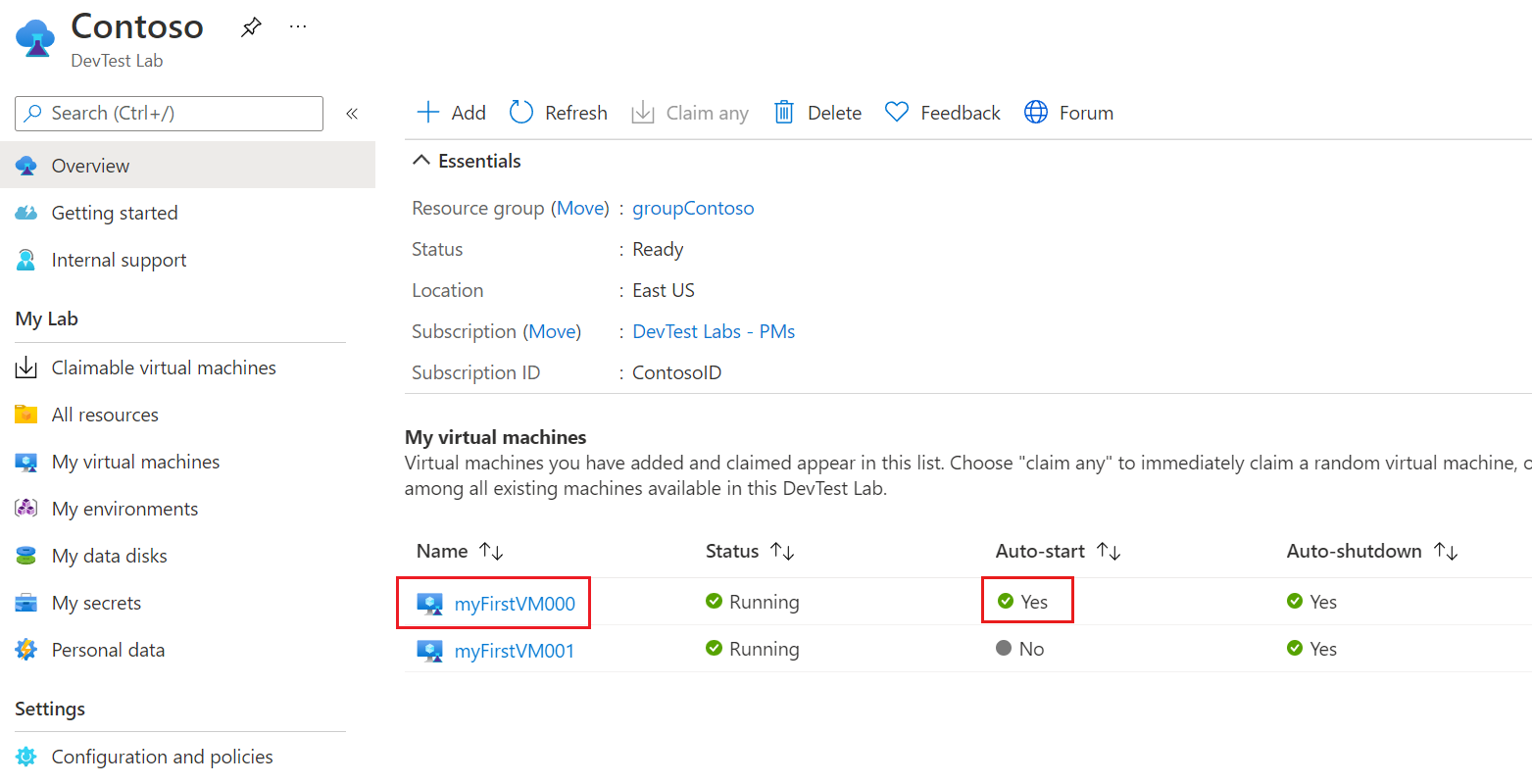
이 문서에서는 Azure DevTest Labs VM(가상 머신)에 대한 자동 시작 정책을 구성하고 적용하는 방법을 보여 줍니다. 자동 시작은 지정된 시간과 일에 랩 VM을 자동으로 시작합니다.
자동 시작을 구현하려면 먼저 랩에 대한 자동 시작 정책을 구성합니다. 그런 다음 개별 랩 VM에 대한 정책을 사용하도록 설정할 수 있습니다. 개별 VM에 자동 시작을 사용하도록 요구하면 불필요한 시작으로 인해 비용이 증가할 수 있습니다.
랩 VM에 대한 자동 종료 정책을 구성할 수도 있습니다. 자세한 내용은 DevTest Labs에서 랩 VM에 대한 자동 종료 구성을 참조하세요.
필수 조건
None
랩에 대한 자동 시작 구성
랩에 대한 자동 시작 정책을 구성하려면 다음 단계를 완료합니다. After you configure the policy, enable autostart for each VM that you want to start automatically.
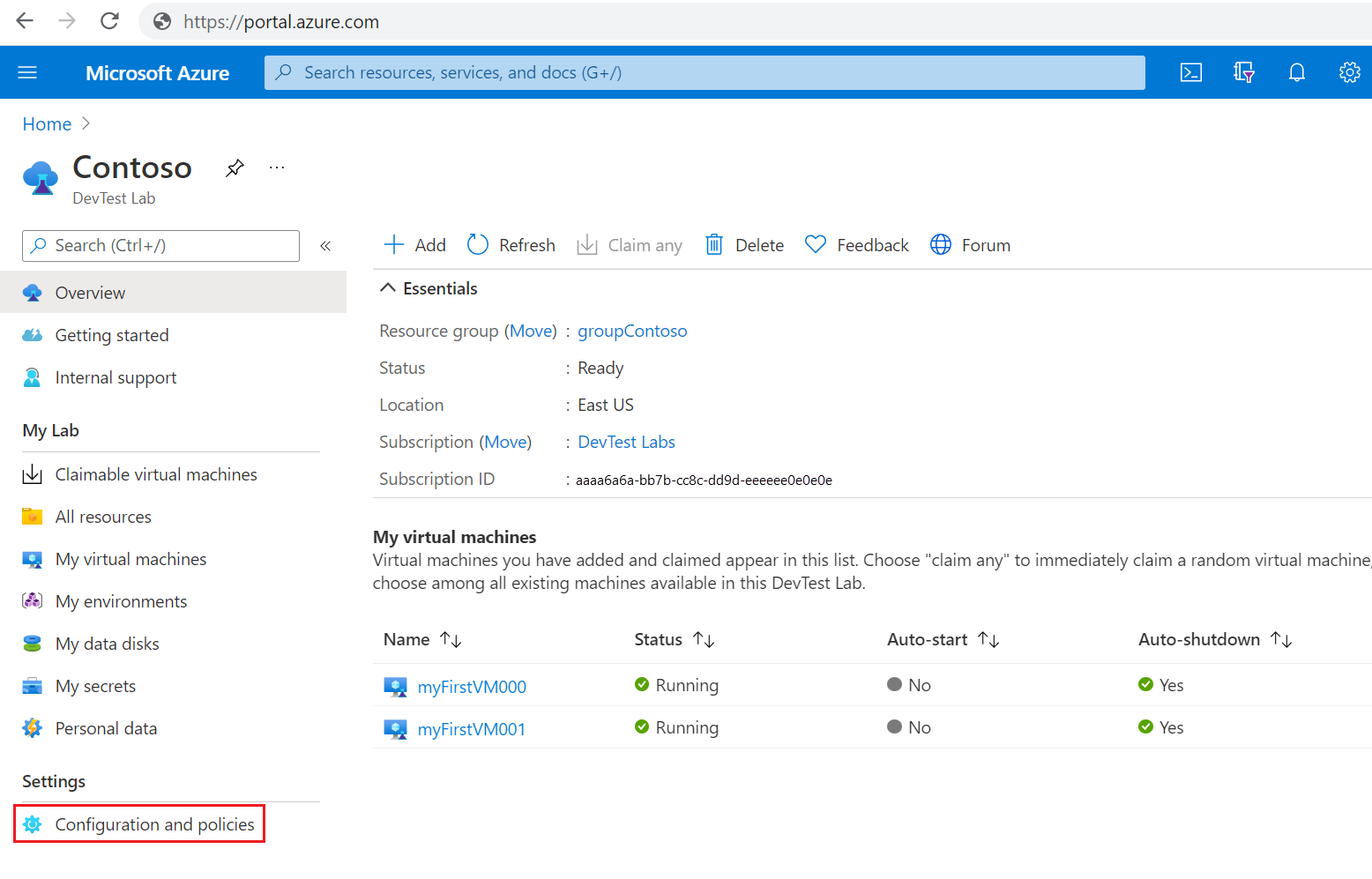
On your lab Overview page, select Configuration and policies under Settings in the left navigation.
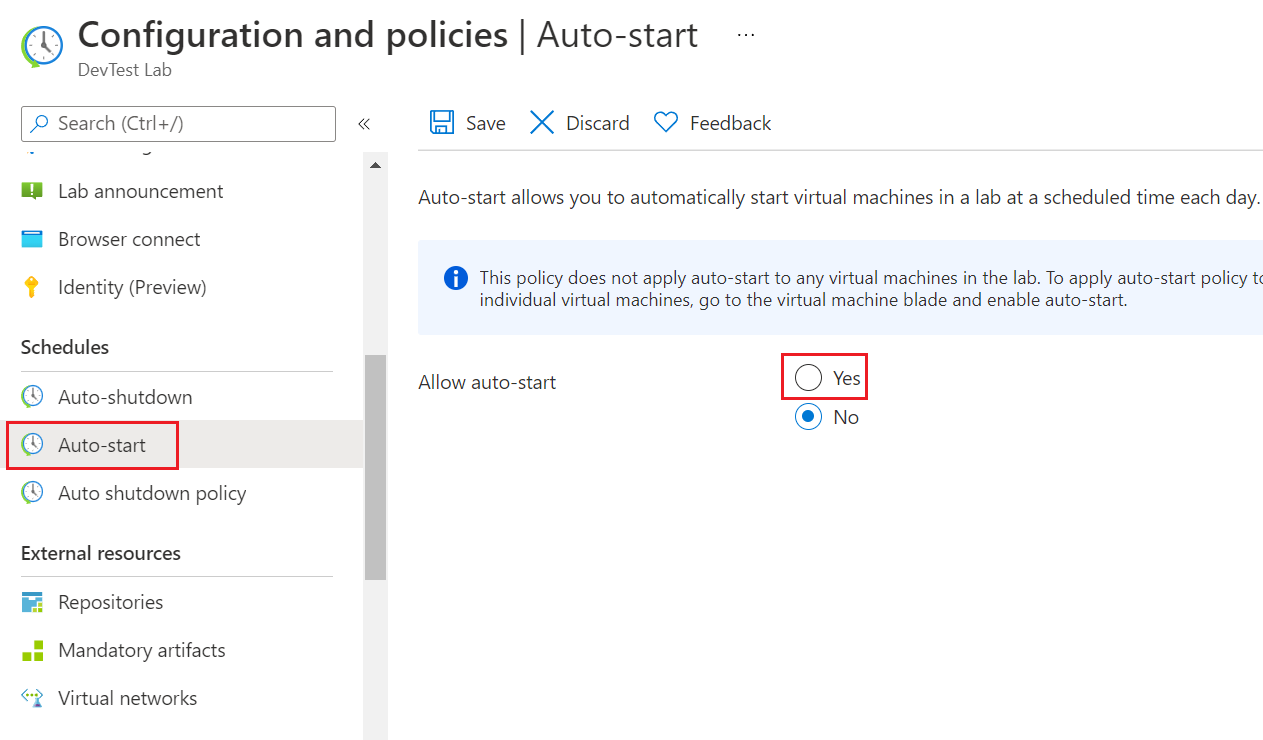
구성 및 정책 페이지에서 왼쪽 탐색의 일정에서 자동 시작을 선택합니다.
Select Yes for Allow auto-start.
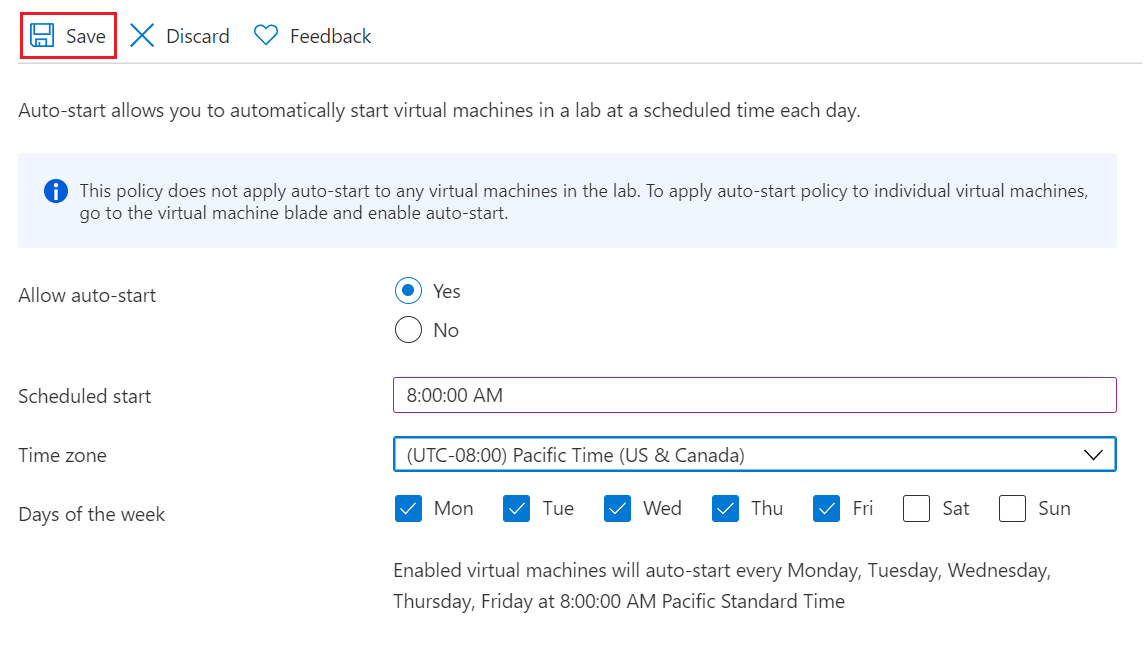
Enter a Scheduled start time, select a Time zone, and select the checkboxes next to the Days of the week that you want to add to the schedule.
Select Save.
자동 시작 일정에 VM 추가
자동 시작 정책을 구성한 후 자동으로 시작하려는 각 VM에 대해 다음 단계를 완료합니다.
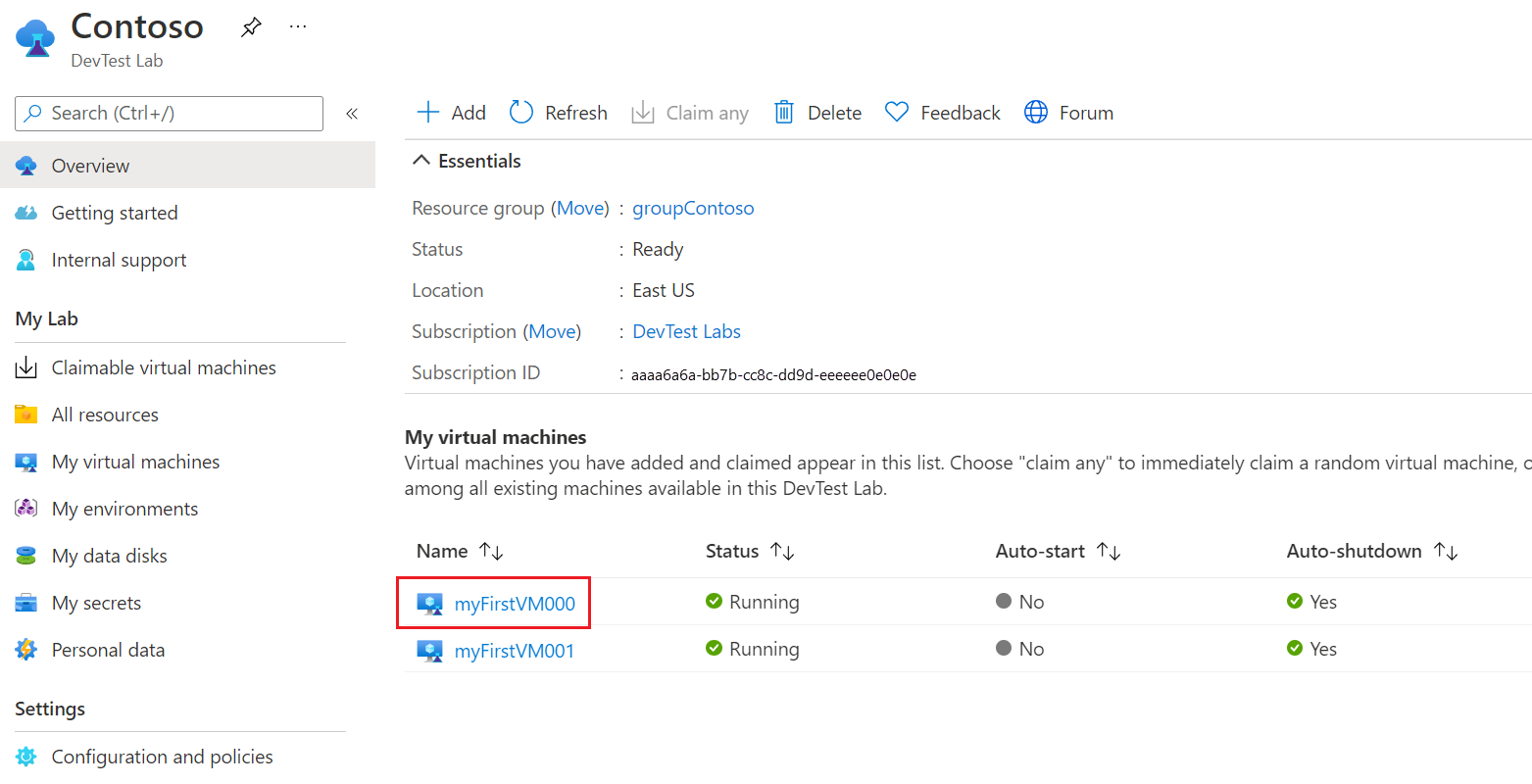
On your lab Overview page, select the VM under My virtual machines.
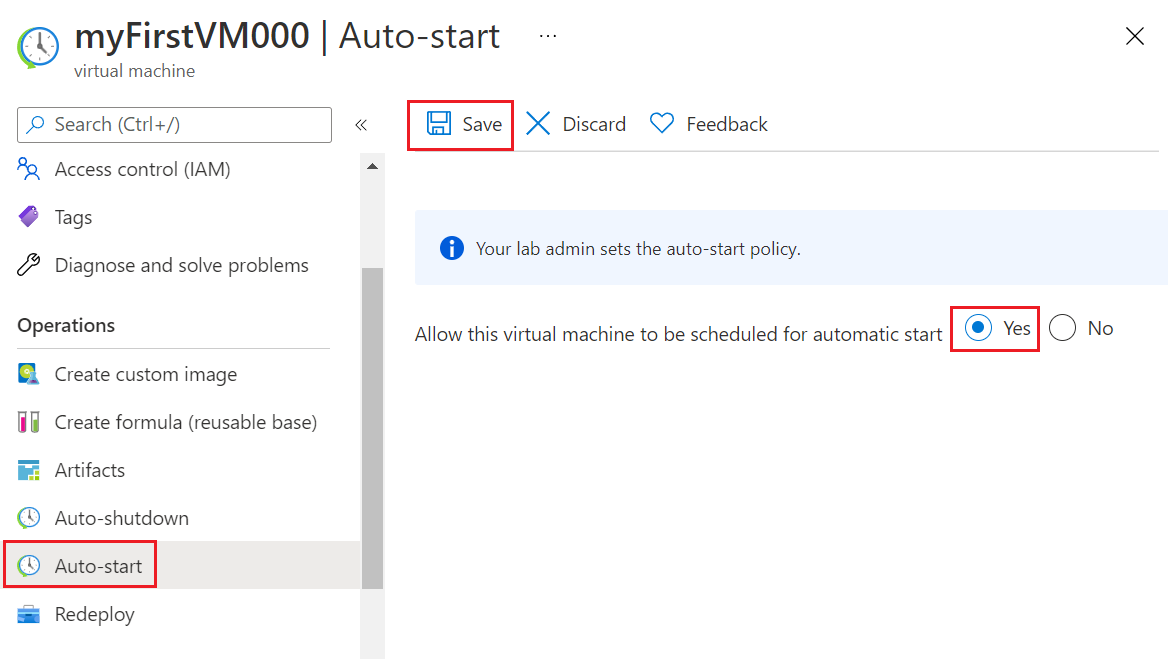
On the VM's Overview page, select Auto-start under Operations in the left navigation.
On the Auto-start page, select Yes for Allow this virtual machine to be scheduled for automatic start, and then select Save.
On the VM Overview page, your VM shows Opted-in status for autostart.

랩 개요 페이지에서 VM의 자동 시작 상태를 볼 수도 있습니다.