Notiz
Zougrëff op dës Säit erfuerdert Autorisatioun. Dir kënnt probéieren, Iech unzemellen oder Verzeechnesser ze änneren.
Zougrëff op dës Säit erfuerdert Autorisatioun. Dir kënnt probéieren, Verzeechnesser ze änneren.
A lakehouse in Microsoft Fabric combines the scalability of a data lake with the querying capabilities of a data warehouse. You store structured and unstructured data in a single location, manage it with Delta Lake, and analyze it with both Apache Spark and SQL — all without moving data between systems.
A lakehouse gives you:
- One copy of data for both data engineering and analytics workloads
- Delta Lake format for ACID transactions, schema enforcement, and time travel
- Spark and SQL access so data engineers use notebooks while analysts use T-SQL
- Built-in integration with Power BI, pipelines, dataflows, and other Fabric items
Lakehouse vs. data warehouse
The main differences between a lakehouse and a data warehouse in Microsoft Fabric come down to your preferred development tools, data types, and workload patterns. Both share the same SQL engine and store data in Delta format on OneLake, but they're designed for different scenarios:
| Lakehouse | Data warehouse | |
|---|---|---|
| Primary development tool | Apache Spark (Python, Scala, SQL, R) | T-SQL |
| Data types | Structured and unstructured | Structured |
| Multi-table transactions | No | Yes |
| Data ingestion | Notebooks, pipelines, dataflows, shortcuts | T-SQL (COPY INTO, INSERT, CTAS), pipelines |
| Best for | Data engineering, data science, medallion architectures | BI reporting, dimensional modeling, SQL-first teams |
You can use both in the same workspace — for example, land and transform data in a lakehouse with Spark, then expose curated datasets to a warehouse for SQL-based reporting. For detailed guidance, see Choose between Warehouse and Lakehouse.
Work with lakehouse data
You can load, transform, and query data in a lakehouse through several Fabric tools:
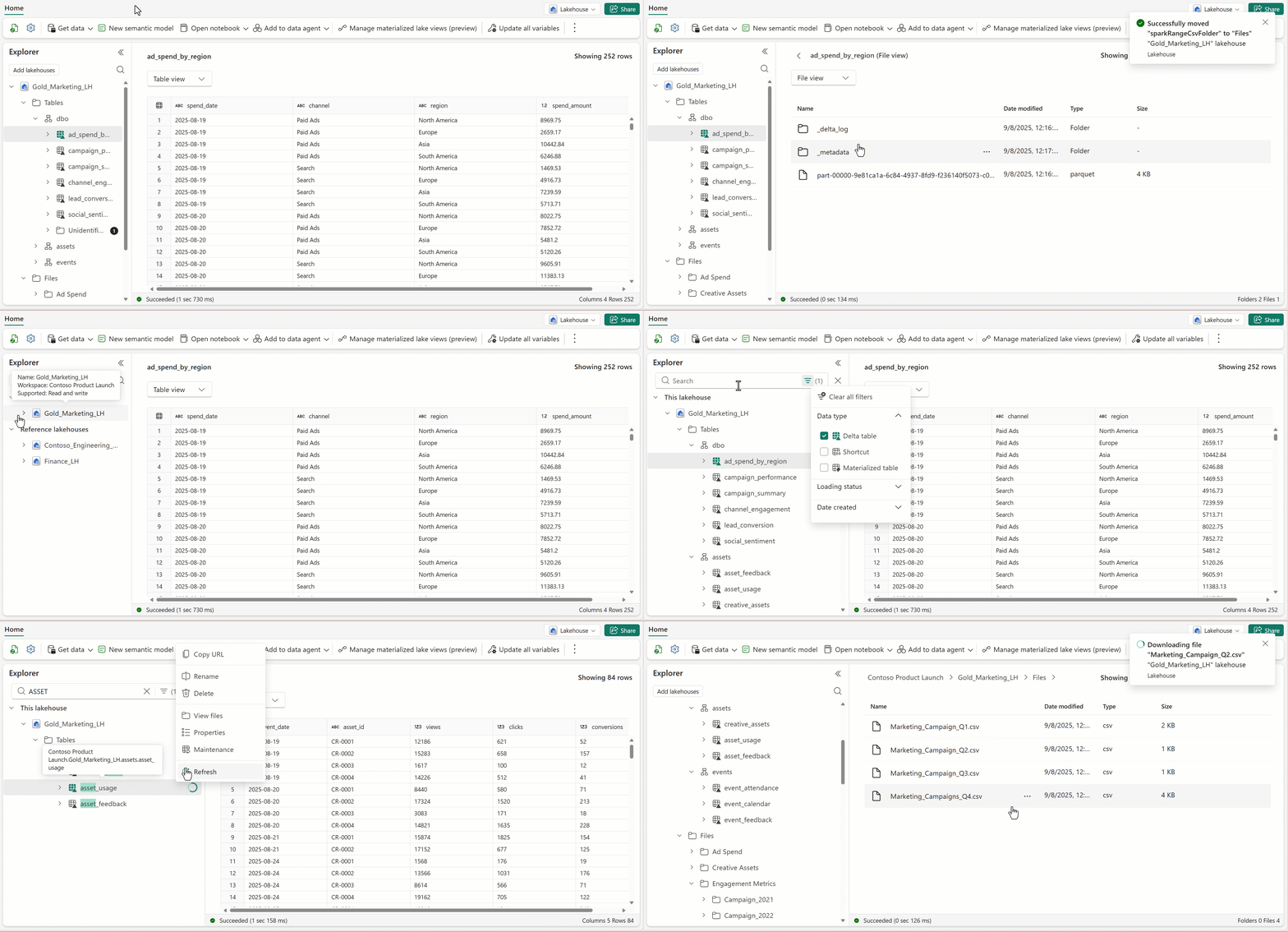
Lakehouse explorer — Browse tables and files, load data, and manage metadata directly in the browser. You can switch between table view and file view and add multiple lakehouses to the explorer. See Navigate the Fabric Lakehouse explorer.
Notebooks — Write Spark code (Python, Scala, SQL, R) to read, transform, and write data to lakehouse tables and folders. See Explore data with a notebook and Load data with a notebook.
Pipelines — Use the copy activity and other data integration tools to pull data from external sources into the lakehouse. See Copy data using copy activity.
Spark job definitions — Run compiled Spark applications in Java, Scala, or Python for production-grade ETL. See What is an Apache Spark job definition?.
Dataflows Gen 2 — Ingest and prepare data with a low-code, visual interface. See Create your first dataflow.
For a full comparison of ingestion options, see Options to get data into the Fabric Lakehouse.
Lakehouse SQL analytics endpoint
When you create a lakehouse, Fabric automatically generates a SQL analytics endpoint. This endpoint lets you:
- Query Delta tables with T-SQL — Use familiar SQL syntax without setting up a separate warehouse.
- Connect Power BI directly — A default semantic model is included, so you can build reports without extra configuration.
- Share read-only access — Analysts and report builders can query the data without affecting Spark workloads.
The SQL analytics endpoint is read-only and doesn't support the full T-SQL surface of a data warehouse. Use it for exploration, reporting, and ad-hoc queries.
Note
Only Delta tables appear in the SQL analytics endpoint. Parquet, CSV, and other formats can't be queried through this endpoint. If you don't see your table, convert it to Delta format.
Automatic table discovery and registration
A lakehouse organizes data into two top-level folders: Tables for managed Delta tables and Files for unstructured or non-Delta data. When you place a file in the Tables folder, Fabric automatically:
- Validates the file against supported formats (currently Delta tables only).
- Extracts metadata — column names, data types, compression, and partitioning.
- Registers the table in the metastore so you can query it immediately with Spark SQL or T-SQL.
This managed file-to-table experience means you don't need to write CREATE TABLE statements manually for data you land in the managed area.
Multitasking with lakehouse
The lakehouse uses a browser-tab design that lets you open and switch between multiple items without losing your place:
Preserve running operations: Data loads and uploads continue running when you switch to a different tab.
Retain your context: Selected tables, files, and objects stay open when you navigate between tabs.
Non-blocking list reload: The files and tables list refreshes in the background without blocking your work.
Scoped notifications: Toast notifications identify which lakehouse they came from, so you can track updates across tabs.
Accessible lakehouse design
The lakehouse supports assistive technologies and accessible interaction patterns:
- Screen reader compatibility: Works with popular screen readers for navigation and interaction.
- Alternative text for images: All images include descriptive alt text.
- Labeled form fields: All form fields have associated labels for screen reader and keyboard users.
- Text reflow: Responsive layout that adapts to different screen sizes and orientations.
- Keyboard navigation: Full keyboard support for navigating the lakehouse without a mouse.