Notiz
Zougrëff op dës Säit erfuerdert Autorisatioun. Dir kënnt probéieren, Iech unzemellen oder Verzeechnesser ze änneren.
Zougrëff op dës Säit erfuerdert Autorisatioun. Dir kënnt probéieren, Verzeechnesser ze änneren.
This article is the final installment in a series of seven articles that help developers get started with Azure.
- Part 1: Azure for developers overview
- Part 2: Key Azure services for developers
- Part 3: Hosting applications on Azure
- Part 4: Connect your app to Azure services
- Part 5: How do I create and manage resources in Azure?
- Part 6: Key concepts for building Azure apps
- Part 7: How am I billed?
When you create applications that use Azure, you need to understand the factors that influence the cost of the solutions you create. You also need to know how to estimate the cost of a solution, how you're billed, and how to monitor the costs incurred in your Azure subscriptions.
What is an Azure account?
You use your Azure account to sign in to Azure. You might have an Azure account through the organization you work for or the school you attend. You can also create an individual Azure account for personal use that's linked to your Microsoft account. To learn about and experiment with Azure, create an Azure account for free.
If you're using an Azure account from your workplace or school, your organization's Azure administrators likely assigned different groups and roles to your account that govern what you can and can't do in Azure. If you can't create a certain type of resource, check with your Azure administrator about the permissions assigned to your account.
What is an Azure subscription?
Billing for Azure resources happens on a per-subscription basis. An Azure subscription defines a set of Azure resources that are invoiced together.
Organizations often create multiple Azure subscriptions for billing and management purposes. For example, an organization might create one subscription for each department so each department pays for its own Azure resources. When you create Azure resources, pay attention to which subscription you use because the owner of that subscription pays for those resources.
If you have an individual Azure account tied to your Microsoft account, you can also have multiple subscriptions. For example, you might have both a Visual Studio Enterprise subscription that provides monthly Azure credits and a Pay-as-you-go subscription that bills to your credit card. In this scenario, make sure to choose the right subscription when creating Azure resources to avoid unexpected bills for Azure services.
What factors influence the cost of a service on Azure?
Several factors influence the cost of a given service in Azure.
- Compute power - Compute power refers to the amount of CPU and memory assigned to a resource. The more compute power you allocate to a resource, the higher the cost is. Many Azure services let you elastically scale, so you can increase compute power when demand is high and reduce it to save money when demand is low.
- Storage amount - Most storage services bill based on the amount of data you want to store.
- Storage hardware - Some storage services provide options for the type of hardware where your data is stored. Depending on the type of data you're storing, you might prefer long-term storage with slower read and write speeds, or you might pay more for low-latency reads and writes for highly transactional operations.
- Bandwidth - Most services bill ingress and egress separately. Ingress refers to the bandwidth needed for incoming requests, while egress refers to the bandwidth needed for outgoing data to satisfy those requests.
- Per use - Some services bill based on the number of times the service is used, the number of requests handled, or the number of entities (such as Microsoft Entra user accounts) configured.
- Per service - Some services simply charge a straight monthly fee.
- Region - Services sometimes have different prices depending on the region (data center) where they're hosted.
- Token usage - AI services like Azure OpenAI bill based on the number of tokens processed. A token is roughly four characters of text. Both input and output tokens count toward your bill.
Azure pricing calculator
Most Azure solutions involve multiple Azure services, so it's challenging to determine the cost of a solution upfront. For this reason, Azure provides the Azure pricing calculator to help you estimate the cost of a solution.
Where can I find our current spend in Azure?
The Azure portal provides an easy-to-navigate and visual presentation of all the services your organization uses during a particular month. You can view the data by service, resource group, and more.
To access billing information in the Azure portal:
In the search box at the top of the portal, enter Cost Management + Billing.
Select Cost Management + Billing from the search results.
Review your current spend and other billing information.
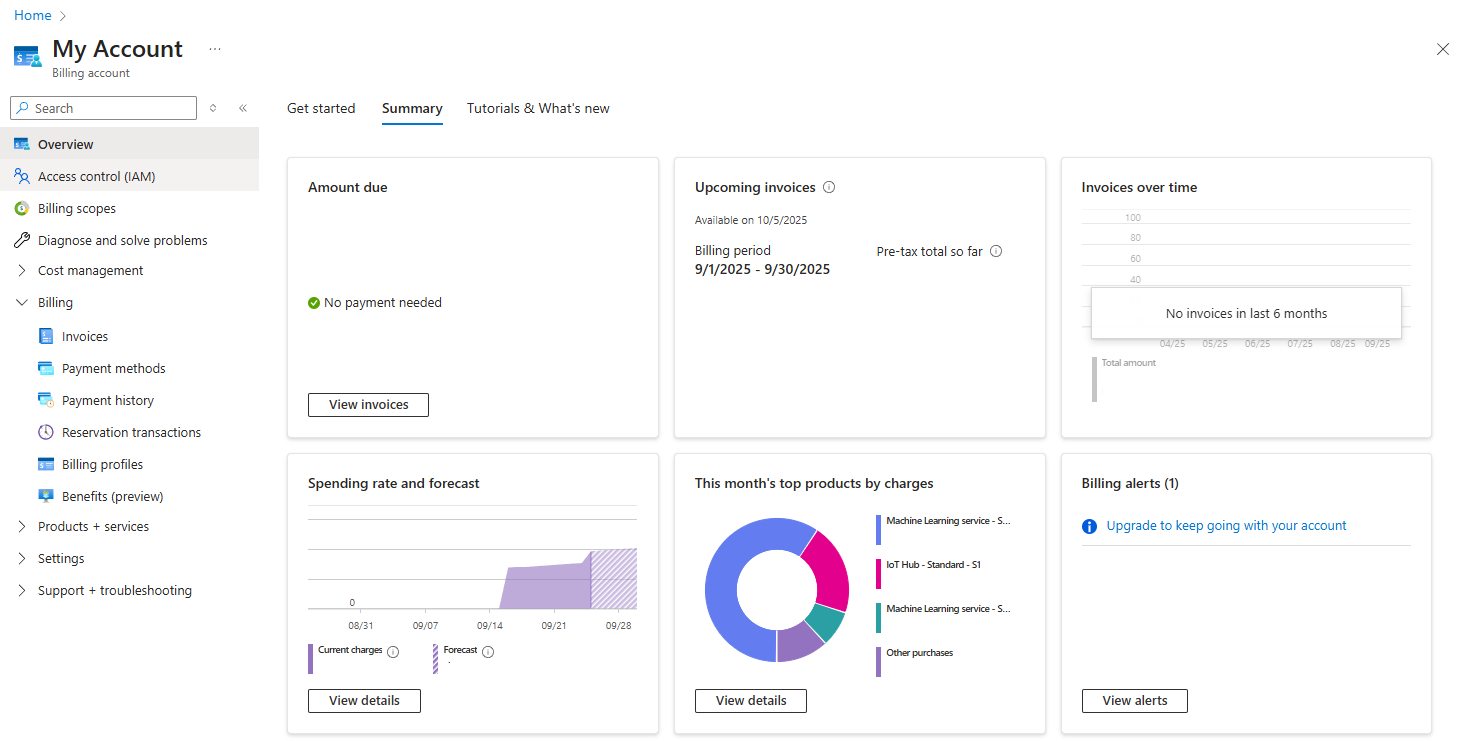
You can also access the Cost Management + Billing overview page directly.
You can also access cost information programmatically to create a customized and accessible view of your cloud spend by using the Billing API.
- Azure Billing libraries for .NET
- Azure Billing libraries for Python
- Azure Resource Manager Billing client library for Java - Version 1.0.0-beta.1
- All other programming languages - RESTful API
- Azure consumption API overview
What tools can I use to monitor and analyze cloud spend?
Two services help you set up and manage your cloud costs.
- Cost alerts let you set spending thresholds and receive notifications as your bill nears those thresholds.
- Azure Cost Management helps you plan for and control your costs by providing cost analysis, budgets, recommendations, and letting you export cost management data for analysis in Excel or your own custom reporting.
Learn more about cost alerts and Cost Management: