Nota
L-aċċess għal din il-paġna jeħtieġ l-awtorizzazzjoni. Tista’ tipprova tidħol jew tibdel id-direttorji.
L-aċċess għal din il-paġna jeħtieġ l-awtorizzazzjoni. Tista’ tipprova tibdel id-direttorji.
The hash command of the winget tool generates the SHA256 hash for an installer. This command is used if you need to create a manifest file for submitting software to the Microsoft Community Package Manifest Repository on GitHub.

In addition, the hash command also supports generating a SHA256 certificate hash for MSIX files.

Usage
winget hash [--file] <file> [<options>]
The hash sub-command can only run on a local file. To use the hash sub-command, download your installer to a known location. Then pass in the file path as an argument to the hash sub-command.
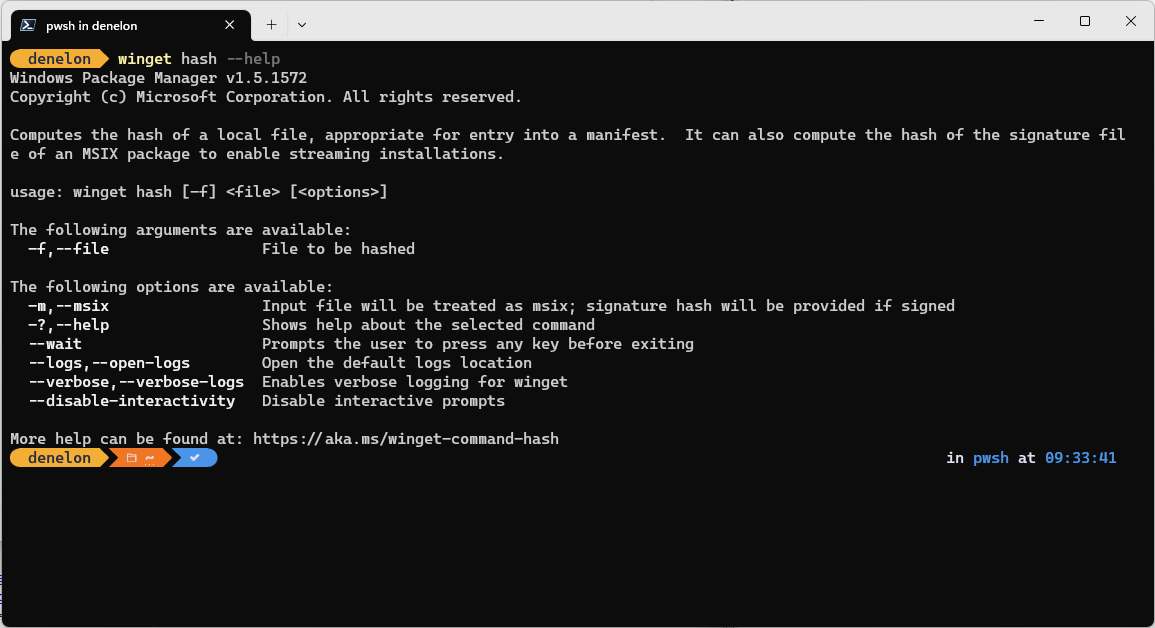
Arguments
The following arguments are available:
| Argument | Description |
|---|---|
-f, --file |
The path to the file to be hashed. |
Options
The options allow you to customize the hash experience to meet your needs.
| Option | Description |
|---|---|
-m, --msix |
Specifies that the hash command will also create the SHA-256 SignatureSha256 for use with MSIX installers. |
-?, --help |
Gets additional help on this command. |
--wait |
Prompts the user to press any key before exiting. |
--logs, --open-logs |
Open the default logs location. |
--verbose, --verbose-logs |
Used to override the logging setting and create a verbose log. |
--nowarn, --ignore-warnings |
Suppresses warning outputs. |
--disable-interactivity |
Disable interactive prompts. |
--proxy |
Set a proxy to use for this execution. |
--no-proxy |
Disable the use of proxy for this execution. |
Related topics
Ikkollabora magħna fuq GitHub
Is-sors għal dan il-kontenut jista’ jinstab fuq GitHub, fejn tista’ wkoll toħloq u tirrevedi l-problemi u t-talbiet għall-immerġjar. Għal aktar informazzjoni, ara l-gwida għall-kontributuri tagħna.

Windows developer