Nota
L-aċċess għal din il-paġna jeħtieġ l-awtorizzazzjoni. Tista’ tipprova tidħol jew tibdel id-direttorji.
L-aċċess għal din il-paġna jeħtieġ l-awtorizzazzjoni. Tista’ tipprova tibdel id-direttorji.
Enable agentless container posture in Defender CSPM to gain visibility into Kubernetes clusters and container images without deploying agents.
Agentless container posture is available for Azure, AWS, and GCP environments.
Prerequisites
How to onboard agentless container posture in Defender CSPM
Sign in to the Azure portal.
Go to Microsoft Defender for Cloud > Environment settings.
Select the relevant subscription.
Under Defender plans, locate Defender CSPM.
Select Settings.
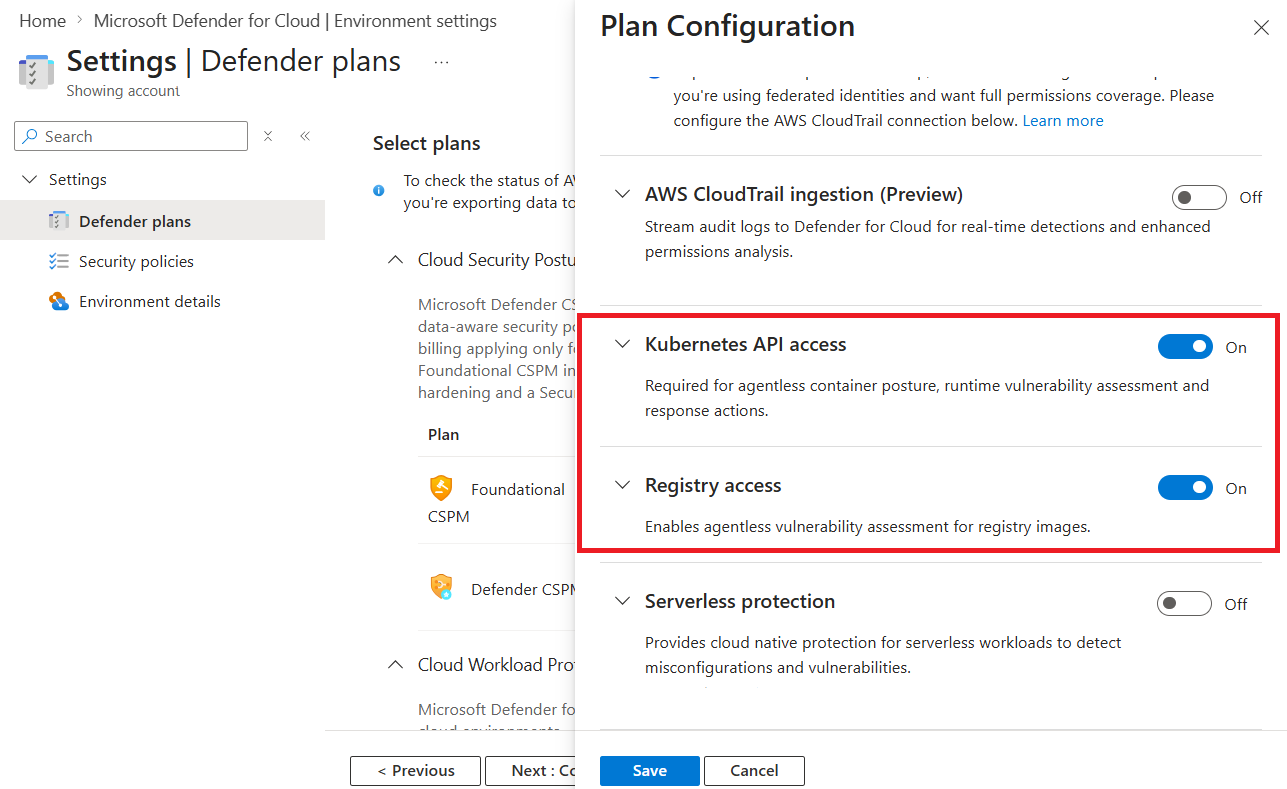
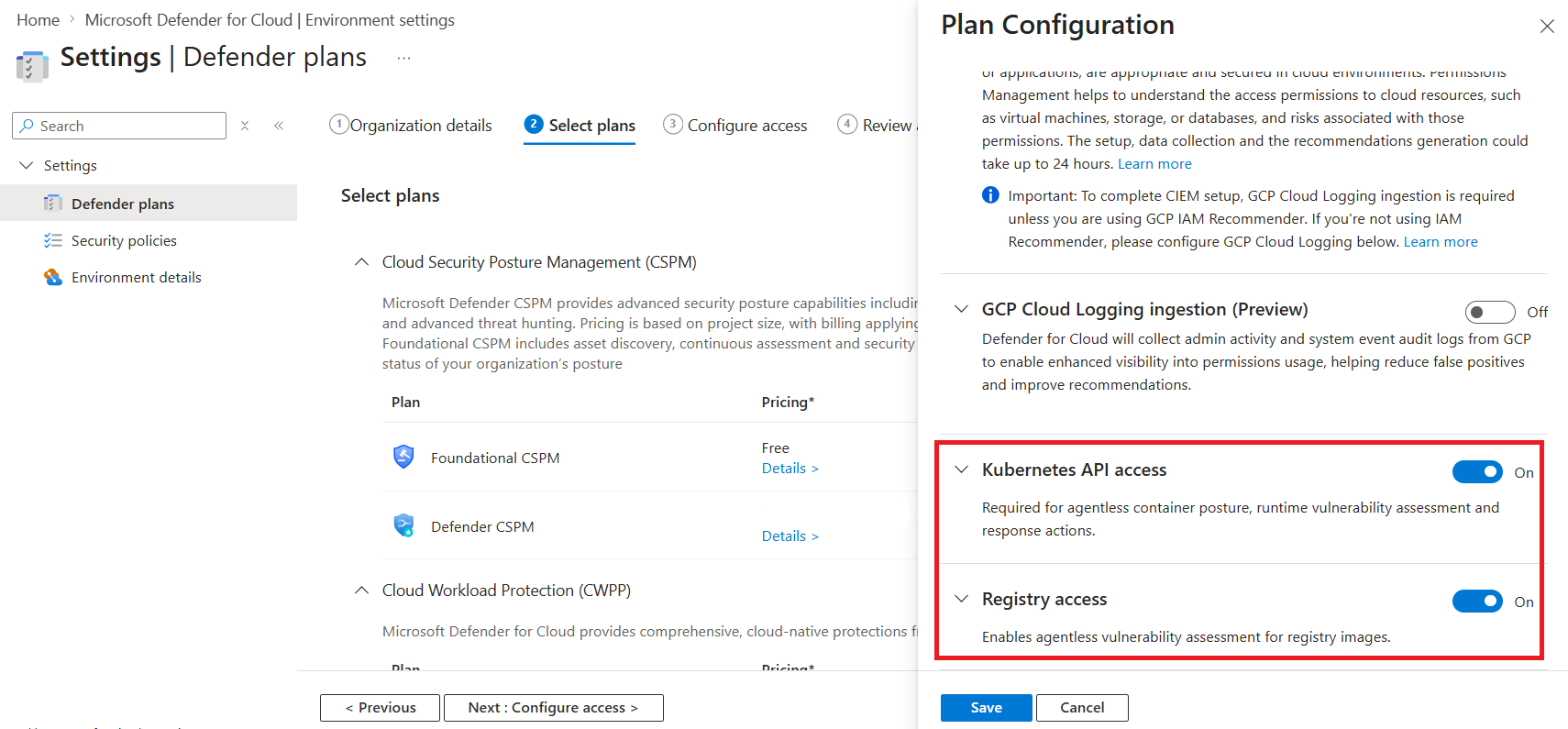
Enable the following settings:
- Kubernetes API access
- Registry access
Select Continue.
Select Save.