Nota
L-aċċess għal din il-paġna jeħtieġ l-awtorizzazzjoni. Tista’ tipprova tidħol jew tibdel id-direttorji.
L-aċċess għal din il-paġna jeħtieġ l-awtorizzazzjoni. Tista’ tipprova tibdel id-direttorji.
Note
The Retail Interest Group by Dynamics 365 Commerce has moved from Yammer to Viva Engage. If you don't have access to the new Viva Engage community, fill out this form (https://aka.ms/JoinD365commerceVivaEngageCommunity) to be added and stay engaged in the latest discussions.
This article describes how to create a new address book in Microsoft Dynamics 365 Commerce.
You can use address books in Commerce for various reasons, including storing customer lists and employee lists for a channel. You can use address books for a single channel or share them between channels.
Create a new address book
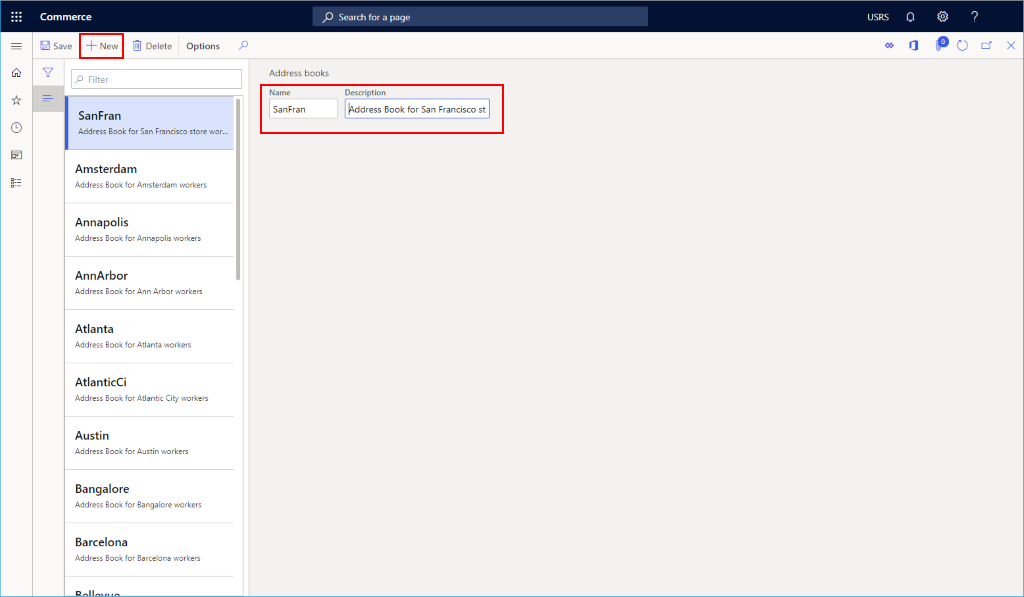
To create a new address book, follow these steps:
- In the navigation pane, go to Modules > Channel setup > Address books.
- On the action bar, select New.
- Enter name and description information.
- On the action bar, select Save.
The following image shows the creation of an employee address book for a retail store.
Additional resources
Info codes and info code groups