Nota
L-aċċess għal din il-paġna jeħtieġ l-awtorizzazzjoni. Tista’ tipprova tidħol jew tibdel id-direttorji.
L-aċċess għal din il-paġna jeħtieġ l-awtorizzazzjoni. Tista’ tipprova tibdel id-direttorji.
Note
The Retail Interest Group by Dynamics 365 Commerce has moved from Yammer to Viva Engage. If you don't have access to the new Viva Engage community, fill out this form (https://aka.ms/JoinD365commerceVivaEngageCommunity) to be added and stay engaged in the latest discussions.
This article provides answers to frequently asked questions about Microsoft Dynamics 365 Commerce and Microsoft Teams integration.
Who in the store becomes an owner of a team while provisioning Teams from Commerce?
All store managers automatically become owners of the corresponding team group. As owners, they can perform operations such as adding a private channel and adding or deleting members.
How do I assign the "communications manager" role to an employee in Commerce headquarters?
Communication managers in Microsoft Teams can create and publish task lists. To become a communication manager, an organization employee must have the "retail task manager" role assigned to them in Commerce headquarters.
To assign the retail task manager role to an employee in Commerce headquarters, follow these steps:
- Go to Retail and Commerce > Employees > Users.
- Select an employee.
- On the User's roles FastTab, select Assign roles.
- In the Assign roles to user dialog box, select the Retail task manager role, and then select OK.
How do I make a specific organization hierarchy available to upload into Microsoft Teams?
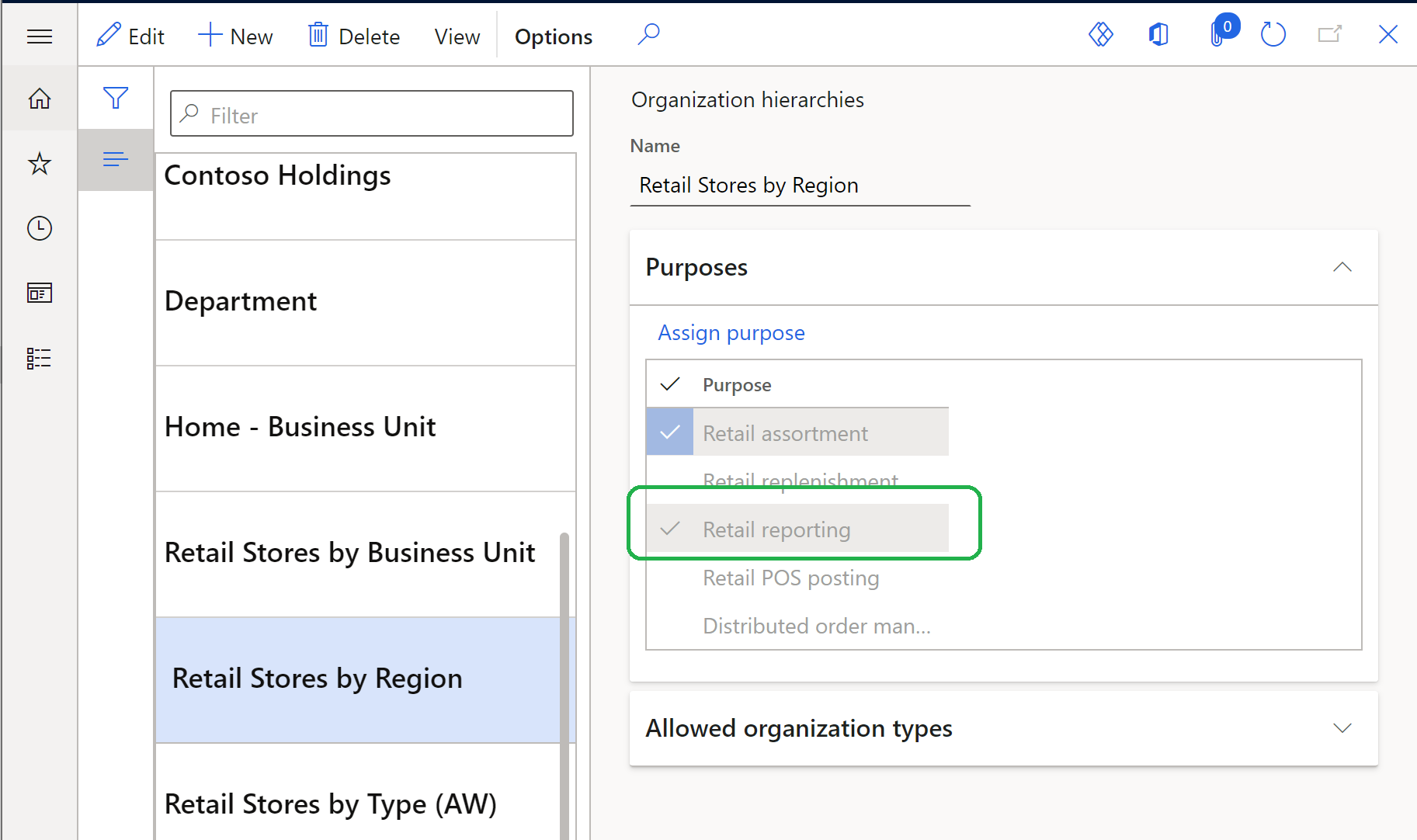
In Commerce headquarters, you associate every organization's hierarchy with one or more purposes. Make sure the hierarchy that you want to provision into Microsoft Teams has the Retail reporting purpose associated with it, as shown in the following example image.
How do I enable retail store workers to sign in to Commerce point of sale (POS) using Microsoft Entra ID?
For information about how to configure the Commerce POS sign-in experience to use Microsoft Entra authentication, see Enable Microsoft Entra authentication for POS sign-in.
How do I map stores and corresponding teams in Commerce headquarters if my organization has already created teams in Microsoft Teams?
For information on how to map stores and teams if there are preexisting teams, see Map stores and corresponding teams if your organization has preexisting teams in Microsoft Teams.
How do I clear the Microsoft Graph API token stored in the session storage?
A user who signs in to the point of sale (POS) by using a Microsoft Entra account clears the session storage by signing out from the POS or closing the application.
Tip
Always have store workers lock the POS terminal or sign out from a session when they're not using the terminal.
What happens if a store doesn't have store managers?
If a store doesn't have managers, you don't create a team group for the store in Teams.
What happens if a store manager leaves the company?
Anyone with the owner role can add a new store manager in Commerce headquarters and reprovision Teams so that the new manager has the necessary privileges in Teams for the group.
Additional resources
Dynamics 365 Commerce and Microsoft Teams integration overview
Enable Dynamics 365 Commerce and Microsoft Teams integration
Provision Microsoft Teams from Dynamics 365 Commerce
Synchronize task management between Microsoft Teams and Dynamics 365 Commerce POS
Manage user roles in Microsoft Teams
Map stores and teams if there are preexisting teams in Microsoft Teams